
Key Takeaways
- Gradio’s gr.Workflow provides a drag-and-drop visual canvas for AI pipelines, exposing every output as a REST endpoint.
- Graphs are built from references, operators, and subjects, connecting custom functions, Inference Providers, Spaces, and Hub datasets.
- Live demos show parallel fan-out, ZeroGPU-powered nodes, and multi-model media generation inside a single deployable workflow.
Table of Contents
When the Pipeline Becomes the Product
A technical breakdown published by Hugging Face reveals that Gradio now ships a native graph interface called gr.Workflow.
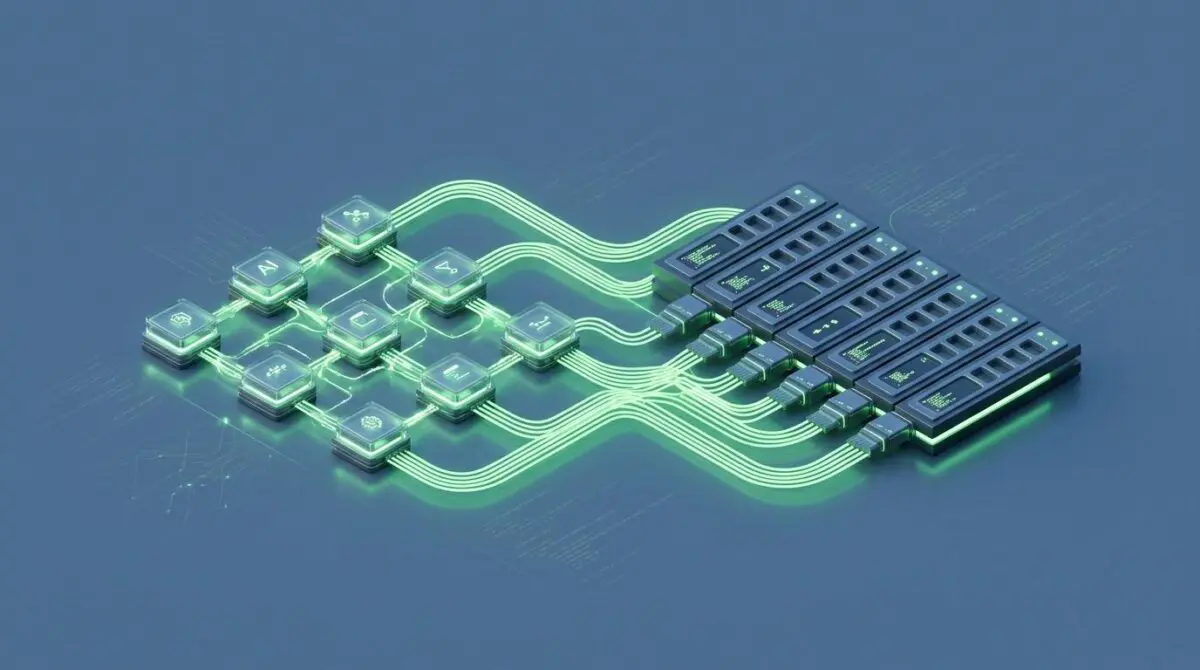
The new layer turns AI pipelines into drag-and-drop visual canvases while simultaneously exposing each output as a REST endpoint.
Gradio’s announcement landed on August 25, 2026, with live Spaces already available for duplication.
Instead of stitching together Python scripts and print-debugging, teams can inspect every intermediate value directly inside the workflow.
That makes the pipeline itself the product.
Inside the Workflow Graph: References, Operators, Subjects
As Hugging Face’s guide explains, every gr.Workflow graph is built from three node types: references, operators, and subjects.
References act as inputs, operators perform the work, and subjects capture the outputs.
An operator can be a developer’s own Python function, a model hosted through Inference Providers, another Gradio Space, or a row retrieved from a Hub dataset.
Typed ports connect nodes and enforce compatibility at the graph level.
Running the workflow reveals each result in place, which removes the usual guesswork from multi-step pipelines.
The same canvas is also a deployable application and a set of named REST endpoints.
Five Live Patterns That Show What gr.Workflow Unlocks
Image Editing as a Single Node
One live demo compresses image editing into a single operator calling Qwen-Image-Edit through Inference Providers.
A user uploads an image and types a natural-language edit, whether adding sunglasses, making a car red, or turning the scene snowy.
The edited photo returns directly from the node, with no separate background service or orchestration script.
A Multi-Model Media Studio in One Canvas
Another demo shows how one graph can produce three distinct outputs.
A prompt first generates an image with FLUX, then a background-removal Space converts it into a sticker.
The same topic feeds a text-to-speech Space for a voiceover and an LLM call for an episode title.
That single canvas uses two calls through Inference Providers and two calls to existing Spaces.
Each output receives its own REST endpoint, so clients can request sticker, voiceover, or episode title generation directly.
Parallel Fan-Out and Dataset Profiling
The fan-out pattern appears in a generative art lab where one idea feeds multiple operators at once.
FLUX creates a base image, two style nodes produce watercolor and cyberpunk reimaginings, and an LLM writes a gallery title.
All branches execute in parallel, which demonstrates how a single workflow can multiply outputs without sequential bottlenecks.
A separate data-profiling demo fans a dataset ID out to four operator nodes.
Those nodes pull live data from the Datasets Server API and return an overview card, row preview, column statistics, and a distribution chart independently.
GPU Models Without Leaving the Canvas
Custom Python functions can also run a model inside a Space on a GPU.
Adding the spaces GPU decorator triggers ZeroGPU to allocate hardware for the call and release it afterward.
A live animator demo runs Lightricks LTX-Video through Diffusers entirely inside one node to turn a still image into a short video.
The workflow layer does not need to understand the GPU setup because it simply calls the bound function.
Building from Python
Teams can duplicate any live demo and start rewiring nodes immediately.
From Python, the entry point is minimal, binding a function to a workflow and launching it.
The full guide covers operator kinds, the JSON schema, and reusable patterns for advanced builders.
The team also teases a step-by-step AUTOMATIC1111 build using gr.Workflow, with a sneak peek already posted.
That signals the framework is intended for serious modular AI tools, not just lightweight demos.
Why This Shifts AI Application Economics
Gradio is not entering the infrastructure performance race; it is attacking integration overhead instead.
Recent industry attention has centered on Ethernet bottlenecks, power-constrained GPU provisioning, and long-context token throughput.
Those are critical issues, but many teams fail earlier because stitching image generation, voice synthesis, and custom GPU functions into a usable product remains expensive.
gr.Workflow collapses that integration layer into a visual graph that also exposes clean REST endpoints.
That means a workflow built for internal testing can become a production API without a separate engineering phase.
The inclusion of ZeroGPU-compatible custom nodes also reduces the operational pressure of reserving dedicated GPUs for occasional inference jobs.
Organizations can mix managed inference providers with their own models in the same visual toolset.
This is most valuable for small AI teams that need to prototype quickly and deploy immediately to Spaces.
The risk, however, is that graph-based abstractions can hide cost and latency decisions if teams stop thinking about where each node actually executes.
Yet the explicit node types and visible intermediate results give developers more observability than a traditional scripted pipeline.
The broader market signal is clear: orchestration is moving from infrastructure plumbing into the product layer.
The Canvas Is the API Contract
For AI teams, the message is this: visual pipelines and deployable services no longer have to be built separately.
When the canvas is the API contract, moving from prototype to production stops being a rewrite and starts being a duplicate-and-scale decision.
For teams building AI workflow pipelines that need scalable automation, Andres SEO Expert’s programmatic SEO AI automation practice is built for exactly that intersection — get in touch here.
Frequently Asked Questions
What is gr.Workflow in Gradio?
gr.Workflow is a native graph interface in Gradio that turns AI pipelines into drag-and-drop visual canvases while exposing each output as a REST endpoint.
What are the three node types in a gr.Workflow graph?
The three node types are references (inputs), operators (the work performed), and subjects (outputs). Operators can be custom Python functions, models hosted through Inference Providers, other Gradio Spaces, or rows from a Hub dataset.
How does gr.Workflow expose outputs as REST endpoints?
Running a gr.Workflow canvas makes it a deployable application and simultaneously exposes each output as a named REST endpoint, so clients can request individual outputs directly without extra orchestration.
What live demos show what gr.Workflow can do?
Live demos include a single-node image editor using Qwen-Image-Edit, a multi-model media studio combining FLUX, background removal, TTS, and an LLM, a parallel fan-out generative art lab, a dataset profiling workflow, and a GPU-based video animation with LTX-Video.
How can custom GPU models be integrated into gr.Workflow?
Custom Python functions can run a model inside a Space on a GPU by adding the spaces GPU decorator, which triggers ZeroGPU to allocate hardware for the call and release it afterward. The workflow simply calls the bound function.
How does gr.Workflow change AI application economics?
gr.Workflow attacks integration overhead by collapsing the stitching of image generation, voice synthesis, and custom GPU functions into a visual graph with clean REST endpoints. This lets internal testing prototypes become production APIs without a separate engineering phase and reduces the need to reserve dedicated GPUs.
What does ‘the canvas is the API contract’ mean?
It means the visual pipeline itself serves as the API contract, so moving from prototype to production stops being a rewrite and becomes a duplicate-and-scale decision.