Executive Summary
- Git provides a distributed version control architecture that enables granular tracking of code changes within WordPress themes and plugins.
- It facilitates high-availability deployment workflows by allowing developers to manage parallel feature branches and merge them into production environments systematically.
- Integration with CI/CD pipelines ensures that WordPress updates are tested and deployed using automated, repeatable, and reversible processes.
What is Git?
Git is a distributed version control system (DVCS) designed to handle everything from small to very large projects with speed and efficiency. Unlike older centralized version control systems, Git provides every developer with a local copy of the entire project history. This architecture ensures that operations such as committing, branching, and merging are nearly instantaneous, as they do not require constant communication with a central server. In the context of WordPress development, Git is the industry standard for managing the source code of custom themes, plugins, and entire site configurations, allowing teams to maintain a rigorous audit trail of every modification made to the codebase.
Technically, Git operates by taking snapshots of a project’s file system over time. When a developer makes a “commit,” Git records the state of the files at that specific moment. If files have not changed, Git does not store the file again, but rather a link to the previous identical file it has already stored. This makes Git incredibly efficient in terms of storage and performance. For enterprise WordPress environments, Git serves as the single source of truth, enabling developers to collaborate on complex features without overwriting each other’s work, while providing a robust mechanism for rolling back to previous stable states should a deployment introduce regressions.
The Real-World Analogy
Imagine an architect designing a massive skyscraper. Instead of having just one physical blueprint that everyone must share and erase over, every single engineer and designer has their own magical, digital copy of the entire blueprint. When an engineer wants to test a new structural design for the 50th floor, they create a “branch”—a parallel reality of the blueprint where they can draw freely. If the design works, they can “merge” those changes back into the master blueprint. If it fails, they simply discard that version. Most importantly, this system keeps a record of every single pencil stroke ever made, who made it, and why. If the building ever shows a crack, the architect can rewind the blueprint history to the exact second the error was introduced to understand and fix the root cause.
How Git Impacts Server Performance & Speed Engineering?
While Git itself is a development tool, its implementation profoundly impacts server performance and speed engineering through the optimization of deployment workflows. By utilizing Git-based deployments, organizations move away from legacy protocols like FTP/SFTP, which are slow, insecure, and prone to file corruption. Git enables “Atomic Deployments,” where the entire codebase is updated simultaneously. This prevents the “white screen of death” or broken site states that occur when files are uploaded one by one over a slow connection.
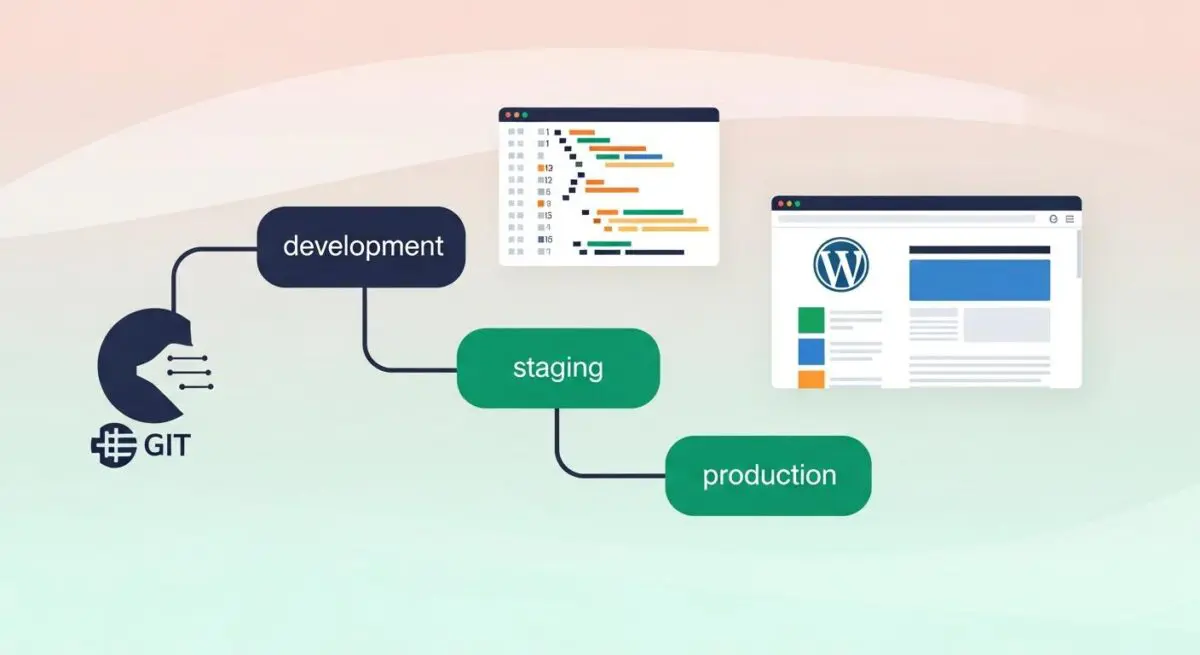
Furthermore, Git facilitates the use of Continuous Integration and Continuous Deployment (CI/CD) pipelines. These pipelines can automatically trigger performance optimization tasks—such as minifying CSS/JS, optimizing images, and running PHPUnit tests—before the code ever reaches the production server. By ensuring that only optimized, production-ready code is deployed, Git indirectly enhances the Core Web Vitals and server response times of a WordPress site. Additionally, Git allows for the maintenance of identical environments (Local, Staging, and Production), ensuring that performance bottlenecks are identified in staging rather than impacting live users on the production server.
Best Practices & Implementation
- Implement a Strict .gitignore Strategy: Never track core WordPress files, the
wp-config.phpfile, or thewp-content/uploadsdirectory. Only track custom themes, plugins, and configuration files to keep the repository lightweight and secure. - Utilize a Branching Model: Adopt a strategy like GitFlow or GitHub Flow. Use a
mainbranch for production-ready code, adevelopbranch for integration, and individual feature branches for specific tasks to prevent code conflicts. - Enforce Meaningful Commit Messages: Use a standardized format for commit messages (e.g., Conventional Commits) to ensure the project history is searchable and understandable for future audits and debugging.
- Integrate with CI/CD Tools: Use platforms like GitHub Actions, GitLab CI, or Bitbucket Pipelines to automate testing and deployment, ensuring that code is linted and tested for PHP compatibility before reaching the server.
- Use SSH Keys for Authentication: Avoid password-based authentication for Git operations. Use SSH keys to secure the connection between development machines, repository hosting services, and the production server.
Common Mistakes to Avoid
One of the most frequent errors is committing sensitive information, such as database credentials or API keys, directly into the Git repository. Once a secret is committed, it remains in the history even if deleted in a later commit, requiring a complex history rewrite to purge. Another common mistake is tracking large binary files or database dumps within the repository. Git is optimized for text-based code; storing large assets bloats the repository size, leading to slow clone and fetch times. Finally, many teams fail to pull the latest changes before starting work, leading to complex merge conflicts that can stall development and introduce errors during the resolution process.
Conclusion
Git is the foundational pillar of modern WordPress DevOps, providing the version control and deployment infrastructure necessary for scalable, high-performance enterprise applications. By mastering Git workflows, agencies ensure code integrity, facilitate seamless collaboration, and minimize the risks associated with manual server updates.