Executive Summary
- Acts as a strategic intermediary layer that intercepts client requests before they reach the WordPress origin server, enhancing security and performance.
- Offloads resource-intensive tasks such as SSL/TLS termination and Gzip/Brotli compression, preserving backend CPU cycles for PHP execution.
- Enables advanced load balancing and high-availability architectures by distributing traffic across multiple web server nodes.
What is Reverse Proxy?
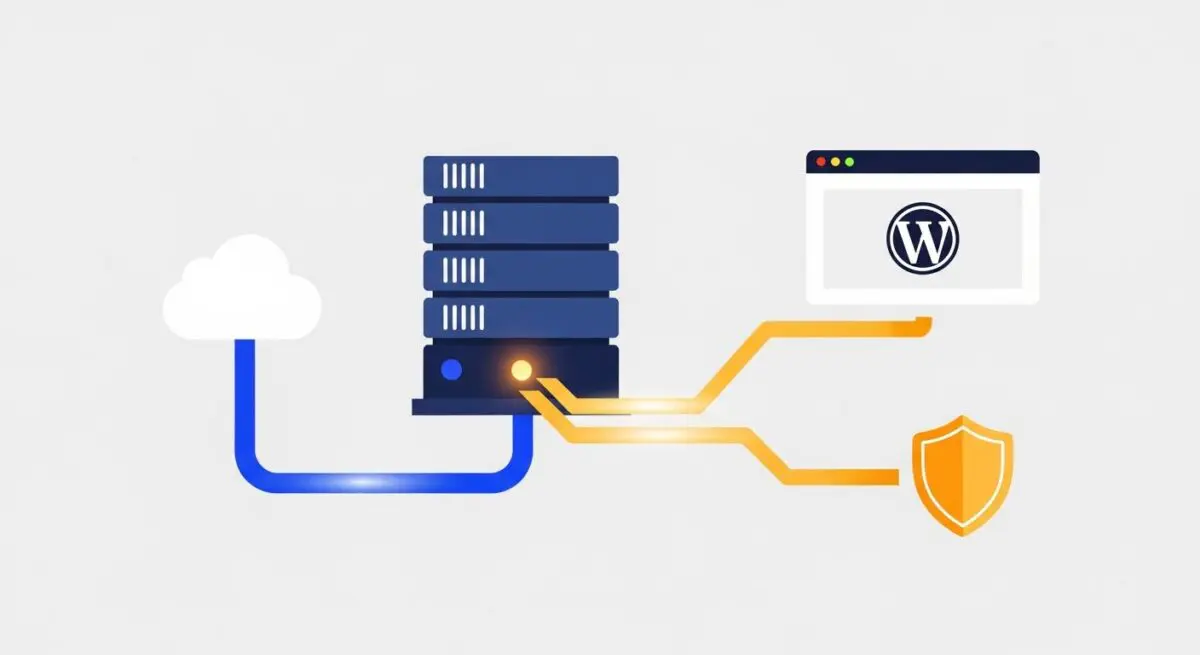
A reverse proxy is a server-level intermediary that sits between client devices and a backend web server. Unlike a forward proxy, which protects clients, a reverse proxy protects and optimizes the server. In the context of WordPress architecture, a reverse proxy—typically powered by Nginx, Varnish, or HAProxy—receives incoming HTTP/HTTPS requests and forwards them to the appropriate application server, such as an Apache or Nginx instance running PHP-FPM. This architectural layer is fundamental for managing traffic flow and ensuring that the origin server is never directly exposed to the public internet.
Beyond simple request forwarding, a reverse proxy performs critical functions including SSL termination, protocol translation, and sophisticated caching. By handling the handshake and encryption process at the edge, the proxy allows the WordPress backend to focus exclusively on processing dynamic content. Furthermore, it can serve as a web application firewall (WAF), filtering out malicious traffic, SQL injection attempts, and cross-site scripting (XSS) attacks before they ever reach the WordPress core files or database.
The Real-World Analogy
Imagine a high-end, exclusive restaurant where the kitchen is the WordPress server and the diners are the website visitors. Instead of diners walking directly into the kitchen to place orders, they must interact with a professional Maître d’ at the front door. The Maître d’ (the Reverse Proxy) takes the orders, checks if the guest has a reservation (security/authentication), and provides menus that are already printed (cached content). If the kitchen is overwhelmed, the Maître d’ manages the queue or directs orders to a second kitchen in the back (load balancing). This ensures the chefs (the CPU and PHP processes) can focus entirely on cooking the meals without being interrupted by the chaos of the dining room.
How Reverse Proxy Impacts Server Performance & Speed Engineering?
The implementation of a reverse proxy significantly reduces the Time to First Byte (TTFB) and overall server response times. By implementing static and dynamic content caching at the proxy level, the system can serve frequently requested pages directly from memory (RAM) without triggering a single PHP process or database query. This is particularly vital for high-traffic WordPress sites where database contention can otherwise lead to significant latency. Furthermore, reverse proxies facilitate “micro-caching,” where dynamic pages are cached for very short intervals (e.g., 1-5 seconds), allowing the site to survive massive traffic spikes without a total service collapse.
From a speed engineering perspective, the reverse proxy handles connection multiplexing and HTTP/2 or HTTP/3 prioritization. It maintains persistent connections to the backend servers, reducing the overhead of the TCP three-way handshake for every individual request. Additionally, by offloading heavy encryption tasks (SSL/TLS termination) to specialized hardware or optimized software at the proxy level, the backend WordPress environment experiences a lower load average, resulting in faster execution of the WordPress Loop and plugin logic.
Best Practices & Implementation
- Configure Header Forwarding: Ensure the
X-Forwarded-ForandX-Forwarded-Protoheaders are correctly passed to WordPress to prevent redirect loops and ensure accurate user IP logging. - Implement SSL Termination: Handle SSL certificates at the reverse proxy level to reduce the computational burden on the backend PHP environment.
- Optimize Buffer Sizes: Adjust Nginx or Varnish buffer sizes to accommodate large WordPress headers often generated by complex plugins or SEO suites.
- Enable FastCGI Caching: If using Nginx as a reverse proxy, implement FastCGI caching to store the HTML output of WordPress pages, bypassing PHP entirely for anonymous visitors.
- Synchronize Cache Purging: Use plugins or API hooks to automatically purge the reverse proxy cache whenever a post or page is updated in the WordPress dashboard.
Common Mistakes to Avoid
One frequent error is the failure to properly configure the wp-config.php file to recognize the proxy. Without defining $_SERVER['REMOTE_ADDR'] based on the X-Forwarded-For header, WordPress may see all visitors as having the same IP address (the proxy’s IP), which breaks security plugins and analytics. Another common mistake is “double caching,” where both the proxy and a WordPress plugin are attempting to cache the same content with different expiration rules, leading to stale data and debugging nightmares. Finally, neglecting to set up health checks can be fatal; a reverse proxy must be able to detect if a backend node is down to avoid routing users to a 502 Bad Gateway error.
Conclusion
A reverse proxy is an essential component of enterprise WordPress hosting, providing the necessary abstraction for scaling, security, and extreme performance. By offloading encryption and caching to this specialized layer, developers can ensure a resilient and highly responsive user experience.