Key Takeaways
- Persistent top bar and left sidebar keep site navigation consistent across WordPress.com’s hosting dashboard.
- WP Admin parity in the new layout lowers the learning curve and accelerates adoption for self-hosted users.
- Multi-site teams benefit from fewer clicks and no context reloads when switching between client properties.
Table of Contents
Persistent Navigation Lands In WordPress.com’s Hosting Dashboard
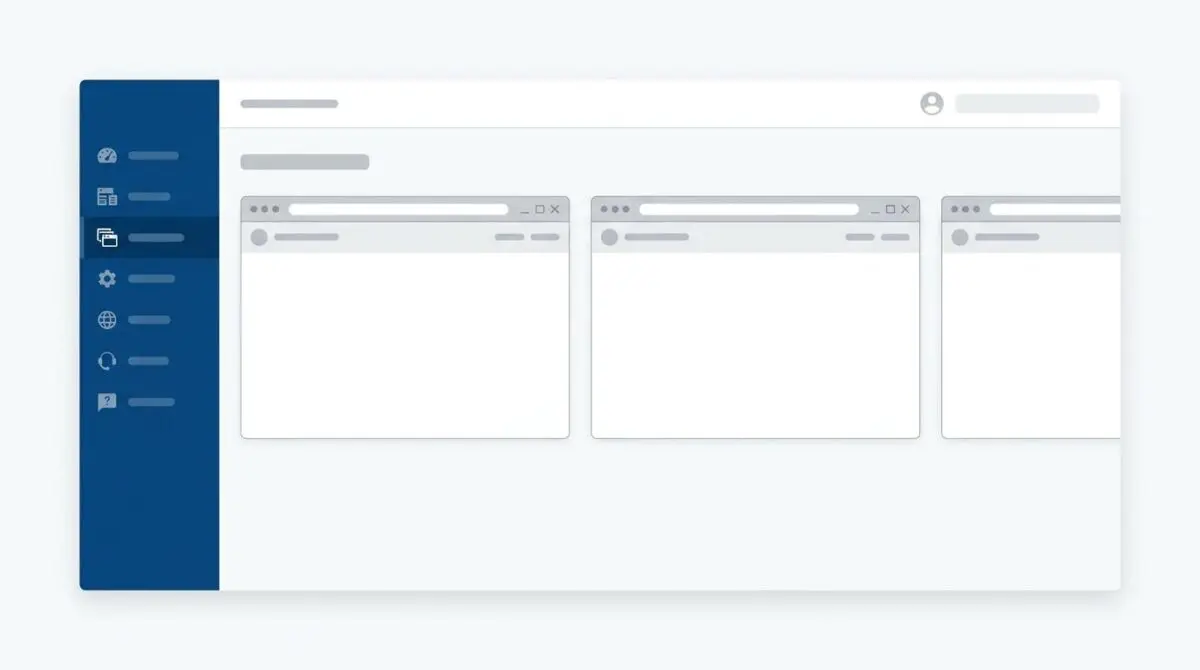
WordPress.com has rolled out a persistent top bar and left sidebar across its hosting dashboard, effective August 19, 2026.
For operators managing one site or twenty, domain names, hosting controls, update queues, and performance signals now sit one click away.
The interface moves with users between sites, eliminating the need to reorient with every project switch.
Managing multiple WordPress.com sites just got easier.
That is the core promise behind what the platform frames as a navigation-only update: sites, content, and settings remain untouched.
Inside The New Cross-Site Control Surface
WordPress.com’s official launch note explains that the new layout deliberately mirrors WP Admin patterns.
That alignment matters because it reduces the learning curve for users arriving from self-hosted WordPress.
The persistent nav keeps the same control surface visible regardless of site context.
Routine workflows no longer break across boundaries.
- Client site management: Plugin and theme updates no longer require leaving the current screen to switch sites.
- Domain and hosting ops: Renewals, status checks, and performance alerts are reachable from one consistent view.
- Multi-store and multi-blog workflows: Repetitive dashboard tasks compress into fewer clicks.
The key change is persistence — the navigation layer does not reload or reset when moving between properties.
This is especially visible when repeating identical maintenance across several sites, where previous behavior forced multiple re-entries.
Why WP Admin Parity Matters For WordPress Economics
The strategic subtext is retention for self-hosted users.
One reason people stay self-hosted is the familiarity of WP Admin. By recreating that same sidebar logic inside the hosting dashboard, WordPress.com lowers the psychological cost of moving managed workloads closer to its infrastructure.
That calculation becomes more consequential as agencies and freelancers handle client portfolios that scale into the dozens.
The dashboard update also lands inside a broader product cadence on WordPress.com.
Recent moves have pushed AI support handoff logic, persistent memory guidelines, and a free SEO+ AIO course into the same operational ecosystem.
This suggests a coordinated attempt to make WordPress.com feel less like a separate managed platform and more like an extension of the WordPress workflow professionals already trust.
For the WordPress market, navigation consistency may not be a headline feature, but it attacks a daily friction point that directly influences platform loyalty.
The Operational Shift For Multi-Site Teams
The most immediate impact lands on agencies and freelancers who live inside WordPress all day — persistent navigation removes the switching penalty that turned routine maintenance into context reloads.
That gives WordPress.com a sharper answer to the self-hosted familiarity argument at exactly the moment multi-site portfolios are becoming the norm.
For agencies managing client WordPress portfolios that need infrastructure matched to this level of cross-site control, managed WordPress cloud hosting is how Andres SEO Expert approaches it — start the conversation here.
Frequently Asked Questions
What is the new persistent navigation in WordPress.com’s hosting dashboard?
The update adds a persistent top bar and left sidebar across the hosting dashboard, keeping domain names, hosting controls, update queues, and performance signals one click away while switching between sites.
When was the persistent navigation update rolled out?
WordPress.com rolled out the persistent navigation on August 19, 2026, according to the official launch note.
How does the new navigation improve multi-site management?
It eliminates the need to reload or reset the navigation layer when moving between sites, so repetitive maintenance tasks across multiple sites require fewer clicks and less reorientation.
Why does WordPress.com mirror WP Admin patterns in the hosting dashboard?
The alignment reduces the learning curve for users coming from self-hosted WordPress and lowers the psychological cost of moving managed workloads to WordPress.com, making it feel like an extension of the WordPress workflow professionals already trust.
Does the persistent navigation update affect sites, content, or settings?
No, the update is navigation-only. Sites, content, and settings remain untouched.
What are the benefits for agencies and freelancers managing client sites?
Persistent navigation removes the switching penalty in routine maintenance, making client site management, domain and hosting ops, and multi-store workflows more efficient with a consistent view across all properties.
Where can I find managed WordPress cloud hosting for multi-site portfolios?
Andres SEO Expert offers managed WordPress cloud hosting for client portfolios; start the conversation at the contact page for infrastructure matched to this level of cross-site control.