Key Takeaways
- Persistent Hosting Dashboard keeps sidebar and top bar visible across all sites, reducing context switching.
- ChatGPT joins as an MCP-compatible agent to draft posts, moderate comments, refine SEO, and fix alt text.
- WordPress 7.1 ships automatically to hosted sites, bringing revision links, internal link fixes, and security upgrades.
Table of Contents
- WordPress.com Rebuilds Site Management Around One Persistent Console and AI Commands
- Inside the Hosting Dashboard, ChatGPT Access, and WordPress 7.1 Changes
- Why Persistent Navigation and Agentic Workflows Change the WordPress Operational Model
- The Admin Console Is Already Becoming a Conversation Layer
WordPress.com Rebuilds Site Management Around One Persistent Console and AI Commands
WordPress.com published its latest two-week platform update on August 28, covering release activity from August 14 through August 27.
The update introduces a persistent site-management layer, opens ChatGPT access to WordPress admin workflows, and confirms that hosted sites already run WordPress 7.1.
Inside the Hosting Dashboard, ChatGPT Access, and WordPress 7.1 Changes
A Persistent Sidebar, Top Bar, and Unified Host View
Site switching previously forced operators to reopen the same settings and navigation repeatedly.
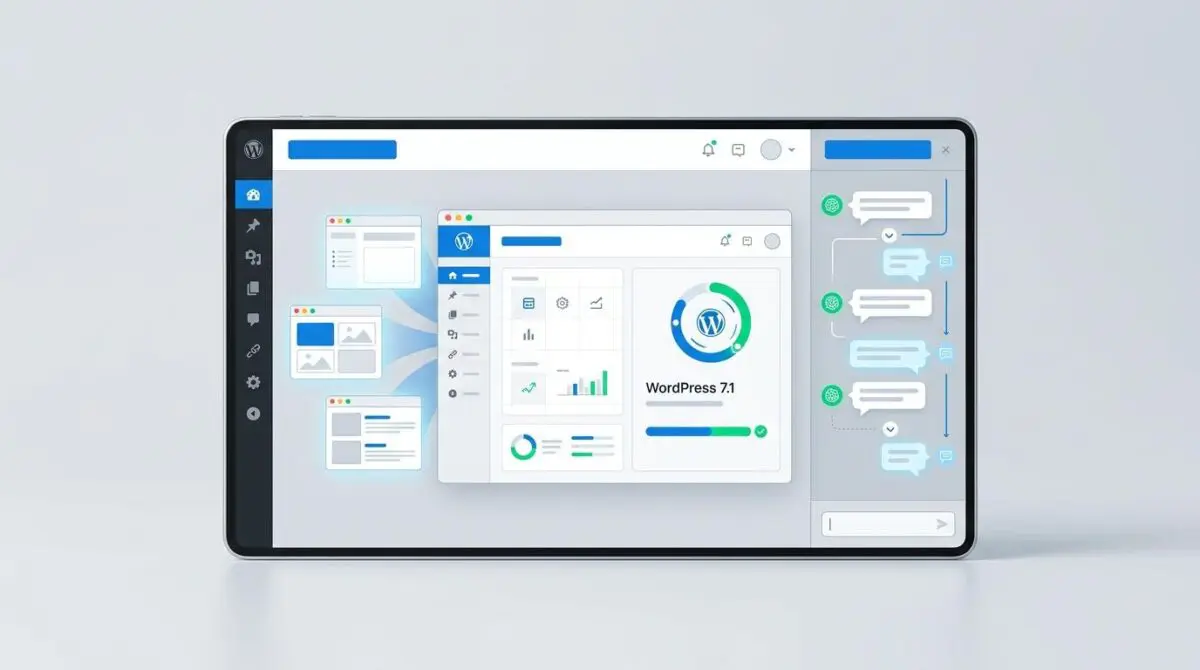
The new Hosting Dashboard, detailed in the WordPress.com changelog, preserves a fixed sidebar and top bar while operators switch between properties, keeping domain records, hosting configurations, update states, and performance metrics consistently visible.
That change removes a common friction point for agencies and teams that manage several WordPress.com sites in a single session.
ChatGPT Joins the MCP-Compatible Agent Surface
ChatGPT can now connect directly to WordPress.com as an MCP-compatible agent, joining Claude and other supported AI tools.
Operators can use the integration to draft posts, assign categories, moderate comments, refine SEO, and repair missing alternative text without leaving a conversational workflow.
The integration requires explicit approval before publishing or modifying content, with access included on paid plans and a 30-day trial available for newly created free sites.
WordPress 7.1 and the Operational Fixes
WordPress 7.1 shipped on August 19, and WordPress.com-hosted sites were already updated automatically.
Operators can now send a direct link to a particular post revision, allowing a collaborator to inspect the history without a guided walkthrough.
Internal links between posts no longer require manual moderation approval, keeping the queue focused on genuine comments.
The same release window included several supporting changes:
- Account security: extra protection against unauthorized email changes and a stronger password reset flow.
- Slack management: a WordPress Agent settings page supports site management through Slack.
- Backup restore warnings: restores now alert operators before potential WooCommerce Subscriptions renewal charges.
- Staging visibility: staging sites are hidden from the main site list by default, with a filter to reveal them.
- Playlist block: each track now has its own toolbar for finer control and customization.
- Reader organization: groups are renamed Shelves, each with a distinct color and icon in the sidebar.
Why Persistent Navigation and Agentic Workflows Change the WordPress Operational Model
The rollout aggregates three shifts that operators usually experience separately: infrastructure visibility, AI-assisted workflows, and core software updates.
By making the Hosting Dashboard persistent, WordPress.com reduces the cognitive overhead of managing multiple properties.
By opening ChatGPT to MCP-compatible automation, it moves the admin console toward a conversational control surface that can handle tasks from content drafting to comment moderation.
The automatic adoption of WordPress 7.1 demonstrates the core advantage of managed WordPress: security and feature updates arrive without operator intervention.
For agencies and multi-site operators, a persistent navigation shell across all properties reduces context switching and standardizes routine maintenance.
For smaller site owners, the ChatGPT integration lowers the barrier to getting SEO and accessibility work done without hiring specialized help.
These changes are likely to raise expectations for self-hosted WordPress dashboards and managed hosting providers.
The Admin Console Is Already Becoming a Conversation Layer
WordPress.com has moved its admin surface from a set of separate menus to a single operational layer that carries context across sites and AI tools.
For teams building WordPress automations that need to scale, programmatic SEO and AI automation is how Andres SEO Expert approaches it — contact us.
Frequently Asked Questions
What is the new persistent Hosting Dashboard in WordPress.com?
The new WordPress.com Hosting Dashboard preserves a fixed sidebar and top bar while switching between sites, keeping domain records, hosting configurations, update states, and performance metrics consistently visible. It removes the need to reopen settings and navigation repeatedly.
How does ChatGPT integration work with WordPress.com now?
ChatGPT can now connect directly to WordPress.com as an MCP-compatible agent, joining Claude and other supported AI tools. Operators can draft posts, assign categories, moderate comments, refine SEO, and repair missing alt text without leaving a conversational workflow.
What is WordPress 7.1 and when was it released?
WordPress 7.1 shipped on August 19 and was automatically applied to WordPress.com-hosted sites. It includes a direct link to post revisions, removes manual moderation for internal links, and bundles several supporting changes for security, staging, and blocks.
How does the persistent sidebar reduce friction for multi-site operators?
The persistent sidebar and top bar keep key controls visible while switching between properties, reducing context switching. This helps agencies and teams that manage several WordPress.com sites in a single session.
What security changes were included in the WordPress.com update?
The update adds extra protection against unauthorized email changes, a stronger password reset flow, backup restore warnings for WooCommerce Subscriptions renewals, and staging sites hidden from the main site list by default.
Does the WordPress.com ChatGPT integration require approval before publishing?
Yes, the integration requires explicit approval before publishing or modifying content. Access is included on paid plans, and a 30-day trial is available for newly created free sites.