Executive Summary
- Standardizes dependency management by treating WordPress core, plugins, and themes as versioned PHP packages.
- Ensures environment parity across development, staging, and production through strict version locking via composer.lock.
- Optimizes server-side performance by utilizing PSR-4 autoloading, reducing the overhead of manual file inclusions.
What is Composer for WordPress?
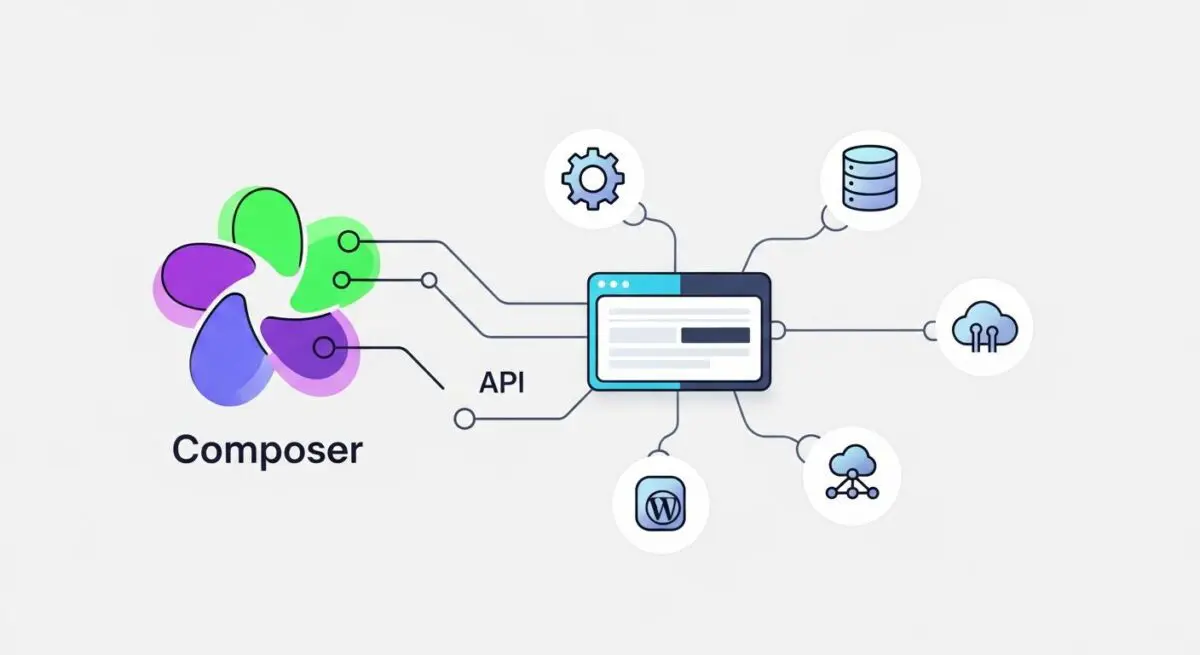
Composer is the de facto dependency manager for PHP, designed to manage libraries and packages required by a project. In the context of WordPress architecture, Composer allows developers to treat the WordPress core, plugins, and themes as modular dependencies rather than static files within a repository. By utilizing a composer.json file, architects can define specific versions of software, ensuring that the entire application stack is reproducible and manageable through a centralized command-line interface.
For enterprise WordPress environments, Composer shifts the paradigm from manual updates to a controlled, programmatic workflow. It facilitates the integration of third-party PHP libraries from repositories like Packagist or WordPress-specific mirrors like WPackagist. This approach eliminates the need to store plugin code directly in Version Control Systems (VCS), instead fetching the necessary components during the build or deployment process based on the composer.lock file, which guarantees that every environment runs identical code versions.
The Real-World Analogy
Imagine a high-end modular furniture manufacturer. Instead of hand-carving every single screw, hinge, and wooden panel for every individual desk, the manufacturer uses a precise “Master Parts List.” This list specifies exactly which supplier provides which part and the exact model number required. When it is time to assemble a desk, the factory references the list and pulls the exact components needed. If a specific hinge is upgraded for safety, the master list is updated, and every desk built from that moment on uses the new, verified part. Composer acts as this Master Parts List for your WordPress site, ensuring every “piece” of your website is the correct version and fits perfectly with the others.
How Composer for WordPress Impacts Server Performance & Speed Engineering?
Composer significantly enhances server-side efficiency through its implementation of PSR-4 autoloading. Traditional WordPress setups often rely on numerous require or include statements, which can lead to unnecessary I/O operations as the server searches for files. Composer generates a highly optimized class map, allowing PHP to load only the necessary classes into memory when they are actually invoked. This reduces the memory footprint and execution time of the WordPress bootstrap process.
Furthermore, Composer streamlines the deployment pipeline. By excluding the /vendor/ and /plugins/ directories from the Git repository, the repository size remains minimal, leading to faster cloning and deployment speeds. In high-availability hosting environments, this allows for rapid scaling and containerized deployments, as the environment can be hydrated quickly by running a simple installation command that pulls optimized assets from a cache or CDN.
Best Practices & Implementation
- Always Commit composer.lock: Ensure the lock file is tracked in version control to guarantee that all team members and production servers use the exact same dependency versions.
- Utilize WPackagist: Use the WPackagist repository to manage standard WordPress.org plugins and themes as Composer packages, maintaining a unified workflow.
- Optimize for Production: Run
composer install --no-dev --optimize-autoloaderduring deployment to exclude development tools and generate a faster class map. - Define Strict Version Constraints: Use tilde (~) or caret (^) operators wisely, or lock to specific versions for mission-critical plugins to prevent breaking changes during automated updates.
Common Mistakes to Avoid
One frequent error is committing the /vendor/ directory to the Git repository, which leads to massive repository bloat and merge conflicts. Another critical mistake is performing manual plugin updates via the WordPress Dashboard on a Composer-managed site; this creates a discrepancy between the filesystem and the composer.json definition, which will be overwritten during the next deployment.
Conclusion
Composer transforms WordPress from a monolithic CMS into a modern, modular PHP application, enabling superior version control, security, and performance. Adopting Composer is essential for enterprise-grade deployments where consistency and scalability are paramount.