Executive Summary
- Mitigation of automated credential stuffing and dictionary attacks at the network edge to prevent unauthorized CMS access.
- Reduction of server resource exhaustion by intercepting high-frequency POST requests before they reach PHP-FPM workers.
- Implementation of multi-layered defense strategies including rate limiting, Fail2Ban, and hardware-level firewall filtering.
What is Brute Force Protection?
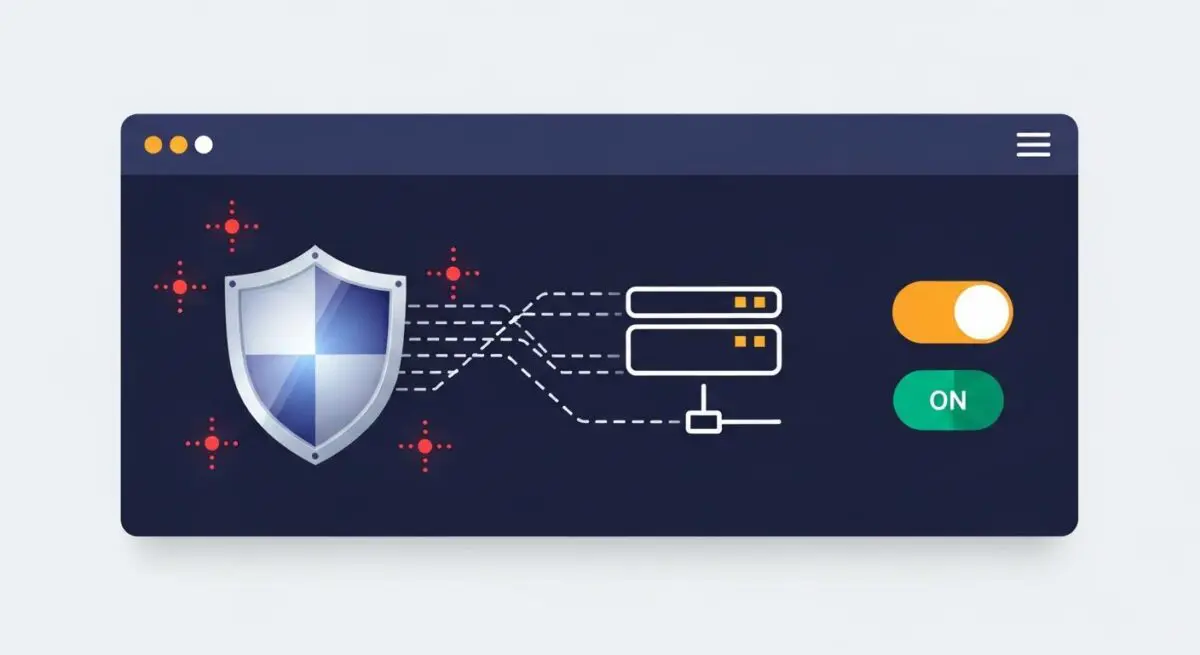
Brute force protection is a specialized security framework designed to defend WordPress installations against automated attacks that attempt to gain administrative access by systematically testing thousands of username and password combinations. These attacks typically target the wp-login.php file or the xmlrpc.php interface. In a modern WordPress architecture, effective protection involves identifying patterns of repetitive, high-frequency requests and implementing programmatic blocks to neutralize the threat before the authentication layer is compromised.
At the enterprise level, brute force protection shifts from simple application-level plugins to server-side and edge-network solutions. By utilizing Web Application Firewalls (WAF) and intrusion detection systems (IDS), we can filter malicious traffic based on IP reputation, geographic origin, and request velocity. This ensures that the WordPress core remains insulated from the overhead of processing fraudulent login attempts, maintaining the integrity of the user database and the overall security posture of the hosting environment.
The Real-World Analogy
Imagine a physical bank vault located inside a busy shopping mall. A brute force attack is equivalent to a thief standing in front of that vault and trying every possible combination on the dial, one after another, as fast as humanly possible. Without protection, the thief can stay there indefinitely until they hit the right numbers. Brute force protection is like a sophisticated security system that monitors the dial; if it detects five incorrect attempts in a row, it immediately drops a steel shutter over the vault, locks the mall’s entrance to that specific individual, and alerts the authorities, all without interrupting the experience of legitimate customers in the mall.
How Brute Force Protection Impacts Server Performance & Speed Engineering?
Unprotected brute force attacks are not merely a security risk; they are a significant performance bottleneck. Each login attempt triggered by a bot requires the server to initialize the WordPress environment, execute PHP scripts, and perform a query against the MySQL/MariaDB database to verify credentials. During a sustained attack, thousands of these requests can saturate PHP-FPM worker pools and exhaust available database connections, leading to increased Time to First Byte (TTFB) and potential 504 Gateway Timeout errors for legitimate visitors.
Implementing brute force protection at the server or edge level (such as via Cloudflare or Nginx rate limiting) prevents these requests from ever reaching the application stack. By rejecting malicious traffic at the network perimeter, server resources—specifically CPU cycles and RAM—are preserved for rendering pages and processing valid transactions. This architectural approach ensures that the hosting infrastructure remains performant and responsive even while under an active distributed denial-of-service (DDoS) or credential-stuffing campaign.
Best Practices & Implementation
- Deploy an Edge-Level WAF: Utilize services like Cloudflare or Sucuri to challenge or block suspicious POST requests to sensitive endpoints before they reach the origin server.
- Disable XML-RPC: Unless specifically required for legacy integrations or certain mobile apps, disable xmlrpc.php to close a common vector for amplified brute force attacks.
- Implement Server-Side Rate Limiting: Configure Nginx or Apache modules to limit the number of requests a single IP address can make to the login page within a specific timeframe.
- Enforce Strong Authentication Policies: Use non-standard administrative usernames and mandate multi-factor authentication (MFA) to render successful brute force attempts statistically impossible.
- Utilize Fail2Ban: Monitor server access logs for repeated 401 unauthorized errors and dynamically update system-level iptables to ban offending IP addresses at the firewall level.
Common Mistakes to Avoid
A frequent error is relying solely on WordPress plugins for brute force protection. While convenient, these plugins execute at the application level, meaning the server has already spent resources processing the request before the plugin can block it. Another common mistake is failing to whitelist static IP addresses for internal teams, which can lead to accidental lockouts during routine maintenance. Finally, many administrators neglect to protect the REST API, which can sometimes be leveraged to enumerate usernames, providing attackers with half of the credentials needed for a successful breach.
Conclusion
Brute force protection is a critical component of high-availability WordPress hosting that balances security with system performance. By offloading threat mitigation to the server and edge levels, developers can ensure a secure, scalable, and highly performant environment for enterprise-grade applications.