Executive Summary
- FacetWP utilizes a dedicated database index table to bypass the performance bottlenecks of standard WP_Query meta_query operations.
- The plugin employs an AJAX-driven architecture that allows for asynchronous UI updates without full page reloads, significantly reducing Time to Interactive (TTI).
- Enterprise scalability is achieved through selective indexing and integration with external search engines like Algolia or Elasticsearch for high-cardinality datasets.
What is FacetWP?
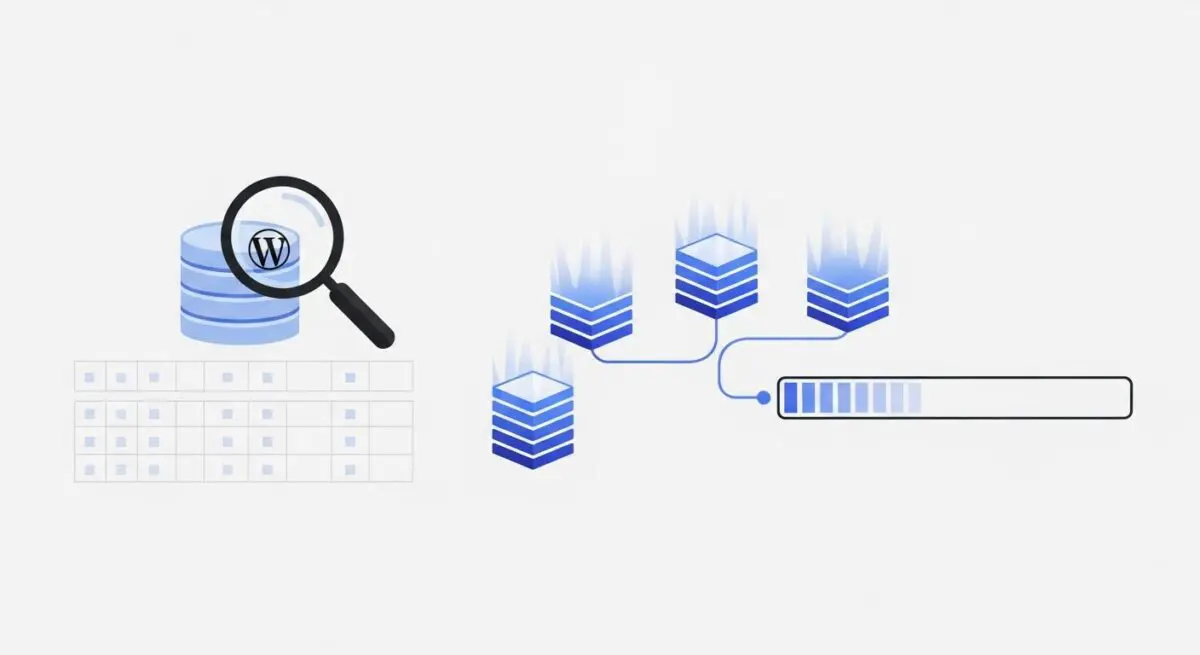
FacetWP is a sophisticated filtering and search acceleration plugin for WordPress designed to handle complex data relationships and high-volume content filtering. Unlike native WordPress filtering, which relies on standard WP_Query parameters and often results in expensive SQL JOIN operations on the wp_postmeta table, FacetWP operates on a proprietary indexing system. It scans the site’s content and populates a dedicated table, wp_facetwp_index, which stores data in a flat, optimized format. This architectural choice allows for near-instantaneous retrieval of filtered results, even when dealing with tens of thousands of posts or products.
From a developer’s perspective, FacetWP is a headless-friendly filtering engine. It provides a robust set of hooks and filters that allow for deep customization of the indexing process and the front-end display. It supports various facet types, including checkboxes, dropdowns, date ranges, and proximity (geolocation) searches. By decoupling the data retrieval from the standard WordPress template hierarchy via AJAX, FacetWP enables a dynamic user experience where the content area and the facets themselves update in real-time based on the user’s selections, maintaining state through URL variables.
The Real-World Analogy
Imagine a massive, multi-story library containing millions of books. If you wanted to find every book written in 1924 about marine biology located on the third floor, a standard WordPress query would be like a librarian walking through every single aisle, checking the back cover of every book one by one. This is exhaustive and slow. FacetWP, however, is like a high-tech digital catalog at the front desk. It has already pre-scanned every book and created a specialized spreadsheet. When you enter your criteria, the catalog instantly gives you the exact shelf and row numbers. You don’t waste time searching; you go straight to the data you need because the “indexing” work was done in advance.
How FacetWP Impacts Server Performance & Speed Engineering?
The primary performance benefit of FacetWP lies in its reduction of database overhead. In a typical WordPress environment, complex filtering involves multiple meta_query arrays, which translate to complex SQL queries that can lock tables or consume excessive CPU cycles on the database server. FacetWP mitigates this by querying its own flat index table. This table is indexed by facet_name, facet_value, and post_id, allowing the MySQL or MariaDB engine to perform highly efficient lookups with minimal resource consumption.
Furthermore, FacetWP optimizes the front-end delivery through AJAX. Instead of a full page refresh, which requires the server to re-process the entire WordPress core, theme files, and all active plugins, FacetWP sends a lightweight request to the server. The server returns only the necessary JSON data or HTML fragments needed to update the specific “listing” area. This reduces the total payload size and the Time to First Byte (TTFB) for subsequent interactions. However, it is critical to note that while FacetWP reduces database load, it increases the number of concurrent AJAX requests. Therefore, a hosting environment with high PHP worker availability and an optimized Object Cache (like Redis) is essential to prevent bottlenecks during high-traffic periods.
Best Practices & Implementation
- Implement Selective Indexing: Avoid indexing every piece of metadata. Only index the specific taxonomies or custom fields that are actually used as facets to keep the
wp_facetwp_indextable lean and performant. - Leverage Object Caching: Use Redis or Memcached to cache the results of facet lookups. FacetWP is designed to work with object caches, which can significantly reduce the execution time of the
facetwp_display()function. - Optimize Indexing Triggers: For sites with frequent bulk imports or automated content updates, use the
FWP()->helper->index()method programmatically rather than relying on the automatic background indexer to ensure data consistency without server spikes. - Hardware Alignment: Ensure the database resides on NVMe storage. Since FacetWP relies heavily on rapid table scans of its index, disk I/O speed is the most significant hardware factor in filtering latency.
- Use the ‘facetwp_preload_url_vars’ Hook: For SEO and initial load performance, use preloading to ensure that filtered pages can be cached by edge servers or CDNs, bypassing the need for an initial AJAX call on page load.
Common Mistakes to Avoid
One frequent error is the failure to re-index after significant database changes or migrations. Because FacetWP relies on its own table, changes made directly to wp_posts or wp_postmeta via SQL will not be reflected in the filters until a re-index is triggered. Another common mistake is over-complicating the UI with too many facets on mobile devices. While the server can handle the queries, the client-side browser may struggle to render dozens of dynamic UI elements, leading to a degraded user experience and high Cumulative Layout Shift (CLS) scores.
Conclusion
FacetWP is a critical component for enterprise WordPress sites requiring high-performance data filtering and faceted search. By shifting the computational burden from real-time SQL joins to a pre-computed index, it ensures scalability and a superior user experience in resource-intensive environments.