Key Points
- Rendering Pipeline Desynchronization: AI Overviews extract stale pricing when the Web Rendering Service fails to execute updated JavaScript, causing a mismatch with live JSON-LD.
- Cache-Control Invalidation: Resolving the conflict requires configuring NGINX or Apache to serve strict ‘no-cache’ headers specifically to search engine crawlers.
- Semantic Layer Synchronization: Engineering fixes must force the visual DOM output and the structured data payload to generate from the exact same backend PHP function.
The Core Conflict: Data Desynchronization in the Rendering Pipeline
Recent audits indicate that e-commerce sites with price desynchronization between JSON-LD and the DOM experience a 38% higher rejection rate from Google ‘Merchant Center’ rich features. This failure cascade leads to a direct 12% loss in AI Overview click-through rates. The root of this anomaly is a critical server-bot conflict known as Desynchronized Price Extraction in AI Overviews.
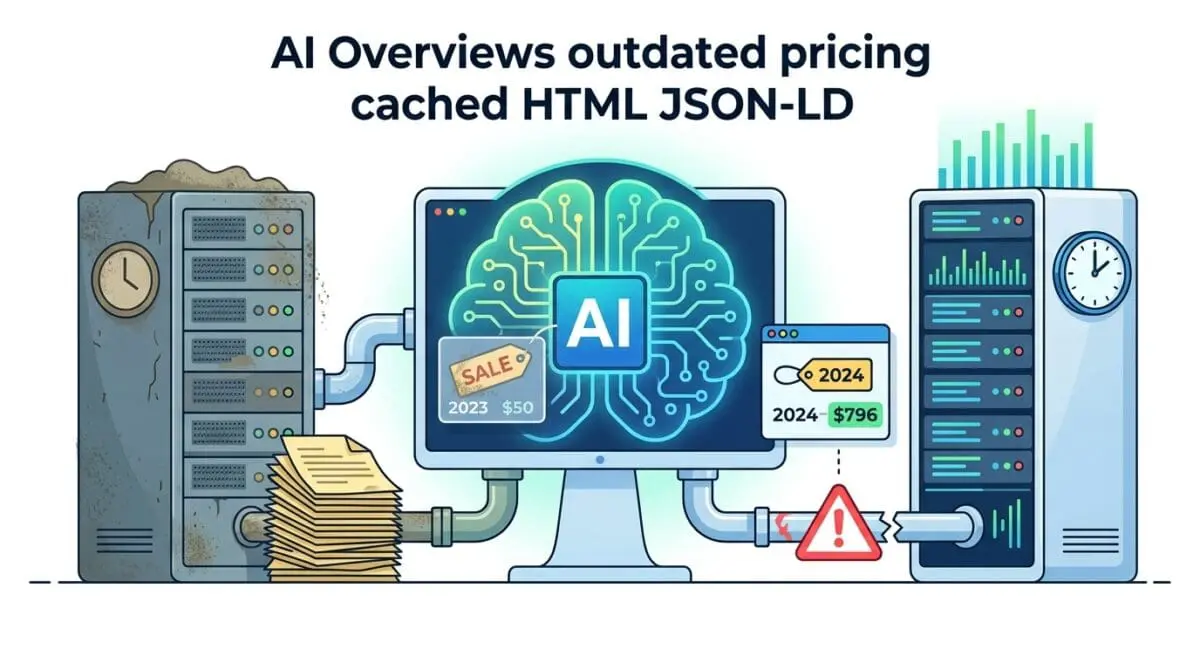
Desynchronized Price Extraction occurs when Google’s Generative AI extracts pricing data from a stale HTML DOM cache or a non-updated rendering pass. This creates a severe discrepancy with your live JSON-LD structured data. This conflict typically arises during the rendering phase of the crawl cycle.
During this phase, the Web Rendering Service (WRS) fails to execute updated JavaScript or retrieve fresh data from the server’s application layer. Consequently, legacy price points are ingested directly into the Large Language Model’s context window. This creates a trust-signal failure in Google’s Knowledge Graph.
If the price in the visual layer and the semantic layer do not match within a strict tolerance threshold, the generative engine will skip the product. It removes the URL from Merchant Center snippets and AI Overviews entirely. This significantly impacts your Crawl Budget, as Googlebot is forced to aggressively re-crawl and re-render the page to resolve the data conflict.
Symptoms are easily identifiable in your server logs and Google Search Console. You will see discrepancies in the Merchant Center Product Snippets report compared to live site pricing. Raw server logs will show Googlebot hitting a 304 Not Modified status for the HTML while the JSON-LD endpoint has already updated.
Isolating the Root Cause in the Tech Stack
Diagnosing this error requires tracking the data flow from the database through the caching layers and out to the edge network. The desynchronization is rarely a simple code error. It is almost always a timing mismatch between how your server delivers static assets and how Googlebot executes dynamic scripts.
Diagnostic Checkpoints
DOM Shadowing & JS Execution Latency
JS rendering timeouts cause LLM scraping of placeholder values.
Fragmented Object Caching
Stale Redis objects desynchronize JSON-LD and HTML output.
Stale-While-Revalidate Edge Inconsistency
CDN edge layers serve stale HTML despite origin updates.
Schema-DOM Disparity (Semantic Gap)
Semantic gaps cause LLM to favor heuristic DOM scraping.
At the server layer, fragmented object caching is a primary culprit. A discrepancy occurs when the server-side Page Cache is purged but the underlying Object Cache still holds stale values. This leaves the product meta-data used to build the JSON-LD schema block completely out of sync with the HTML.
At the edge layer, Content Delivery Networks utilizing Stale-While-Revalidate (SWR) headers can serve a cached version of the HTML to Googlebot. Meanwhile, the origin server has already updated the backend JSON payload. Googlebot-Mobile often accepts this cached edge version to save resources, leading to an index of outdated attributes.
At the application layer, DOM shadowing and JavaScript execution latency create semantic gaps. Googlebot’s second-wave rendering may time out before client-side JavaScript updates the price in the DOM. If the JSON-LD is hardcoded in the header but the visual price is fetched via an AJAX call, Google’s LLM scrapes the initial skeleton HTML.
Executing the Server & Semantic Alignment
Resolving this issue requires forcing strict synchronization between your visual DOM output and your structured data payload. You must eliminate the latency gap that allows Googlebot to index fragmented data states. This involves configuring cache bypass rules specifically for crawler user agents.
Engineering Resolution Roadmap
Synchronize Data Layers
Ensure the price in the HTML (e.g., <span class=’price’>) and the JSON-LD (@type: ‘Offer’) are generated by the same PHP function. Use the ‘woocommerce_get_price_html’ filter to ensure any price modification is applied globally to both layers.
Configure Cache-Control for Crawlers
Modify the .htaccess or NGINX config to detect Googlebot and set ‘no-cache, no-store, must-revalidate’ headers for product pages that have updated within the last 24 hours.
Implement Google Indexing API
Trigger a ‘URL_UPDATED’ notification to the Google Indexing API immediately upon a product ‘save’ action in WordPress to force a high-priority re-render of the DOM.
Validate via Schema Microdata Fallback
Add ‘itemprop’ attributes directly to the HTML price tags as a fallback. This provides an ‘on-page’ anchor that helps the AI Overview associate the visual text with the structured data entity.
The first step is ensuring the price in the HTML and the JSON-LD are generated by the exact same backend function. This prevents dynamic pricing plugins or currency switchers from updating one layer while ignoring the other. Global filters must be applied so that modifications hit both layers simultaneously.
Next, you must control how crawlers interact with your cached assets. Modifying your server configuration to detect Googlebot allows you to set aggressive revalidation headers. This ensures that product pages updated within the last 24 hours are never served from a stale cache to a search engine crawler.
Finally, leveraging the Google Indexing API provides a proactive push mechanism. Triggering an update notification immediately upon a product save action forces a high-priority re-render of the DOM. Adding microdata fallbacks directly to the HTML price tags provides an on-page anchor to assist the AI Overview in entity association.
Implementing the Synchronization Code
The following configurations provide precise control over how your server and application handle price data rendering for crawlers. Implement the solution that matches your specific infrastructure.
Fixing via NGINX Configuration
This NGINX directive detects search engine crawlers and forces them to bypass the cache. It ensures Googlebot always receives the freshest DOM and JSON-LD payload by sending strict revalidation headers.
if ($http_user_agent ~* (googlebot|bingbot)) {
    set $skip_cache 1;
    add_header Cache-Control "no-cache, no-store, must-revalidate";
}
Fixing via WordPress Functions
This PHP snippet hooks into the WooCommerce structured data filter. It forces the JSON-LD block to pull the live price directly from the product object, overriding any stale metadata stored in transients.
add_filter( 'woocommerce_structured_data_product_offer', function( $offer, $product ) {
    $offer['price'] = $product->get_price(); // Forces live price over cached metadata
    $offer['priceValidUntil'] = date('Y-12-31');
    return $offer;
}, 10, 2 );
Fixing via Apache .htaccess
For Apache environments, this configuration block targets HTML and PHP files. It forces proxy caches and client browsers to revalidate the content with the origin server on every request.
<IfModule mod_headers.c>
    <FilesMatch "\.(html|php)$">
        Header set Cache-Control "private, must-revalidate"
    </FilesMatch>
</IfModule>
Validating the Fix and Addressing Edge Cases
Once the server configurations and application filters are deployed, immediate validation is required to ensure the crawl pipeline is clear. Relying on organic re-crawling is inefficient and leaves your AI Overview visibility vulnerable.
Validation Protocol
- Run URL through Google Search Console ‘Live Test’ to ensure visible price matches ‘Detected Items’ JSON-LD.
- Execute ‘curl -I -A “Googlebot” [URL]’ to verify Cache-Control headers are set to ‘no-cache’.
- Validate ‘Offer’ schema in the Rich Results Test tool to eliminate price formatting warnings.
While standard monolithic architectures respond well to these fixes, decoupled environments present unique challenges. In Headless WordPress setups using Next.js or Nuxt, an Incremental Static Regeneration (ISR) failure can cause the frontend to serve a stale HTML page. Simultaneously, the backend API serves the correct new price.
If Googlebot renders the frontend but the AI Overview engine fetches the API directly, the desynchronization remains active. This split-brain scenario will persist until the next full build trigger. Headless architectures must implement on-demand ISR revalidation endpoints tied directly to backend webhook payloads.
Autonomous Monitoring & Enterprise Prevention
Manual validation is insufficient for enterprise e-commerce platforms with thousands of dynamic SKUs. To prevent desynchronized price extraction from recurring, you must implement automated regression testing in your CI/CD pipeline. Utilizing a headless browser like Puppeteer or Playwright allows you to programmatically compare the JSON-LD block with the visible DOM price on every production deploy.
To establish a robust entity monitoring framework, your DevOps team should track the following metrics:
- WRS Render Latency: Measure the time it takes for Googlebot to execute client-side pricing scripts.
- Cache HIT/MISS Ratios: Monitor edge layer responses to ensure crawler requests bypass stale HTML.
- JSON-DOM Parity Score: Automate daily checks to verify the semantic payload matches the visual output.
Server log analysis should also be automated to monitor for 304 status codes on product pages. If 304s persist after a price change, it indicates your edge cache is misconfigured and failing to respect origin headers. Integrating these log alerts with custom Make.com pipelines ensures your engineering team is notified before Googlebot ingests stale data.
At Andres SEO Expert, we architect advanced entity monitoring systems that track these discrepancies in real-time. By treating your SEO data as a strict engineering requirement, you eliminate the latency gaps that confuse generative AI engines. Proactive pipeline monitoring is the only way to maintain absolute authority in AI Overviews.
Final Diagnostics
Resolving desynchronized pricing data requires strict alignment between your application’s caching layers and Google’s rendering pipeline. By enforcing cache bypass for crawlers and binding your semantic data to live DOM functions, you restore trust signals in the Knowledge Graph.
Navigating the intersection of technical SEO, server architecture, and generative search requires a precise roadmap. If you need to future-proof your enterprise stack, resolve deep-level crawl anomalies, or implement AI-driven SEO automation, connect with Andres at Andres SEO Expert.