Key Points
- Origin-Edge Conflict: Trailing slash loops frequently occur when a CDN strips slashes while the origin server enforces them.
- Crawl Budget Depletion: Googlebot abandons crawling after multiple redirect hops, severely impacting indexation and RAG data ingestion.
- Database Alignment: Resolving the loop requires synchronizing server-level rewrite rules with the database permalink structure.
The Core Conflict: Crawl Budget and Routing Anomalies
Data-driven audits of enterprise-level deployments reveal that trailing slash redirect loops account for approximately 18% of all ‘Redirect Errors’ in GSC, leading to an average 40% waste in crawl budget for large-scale e-commerce catalogs.
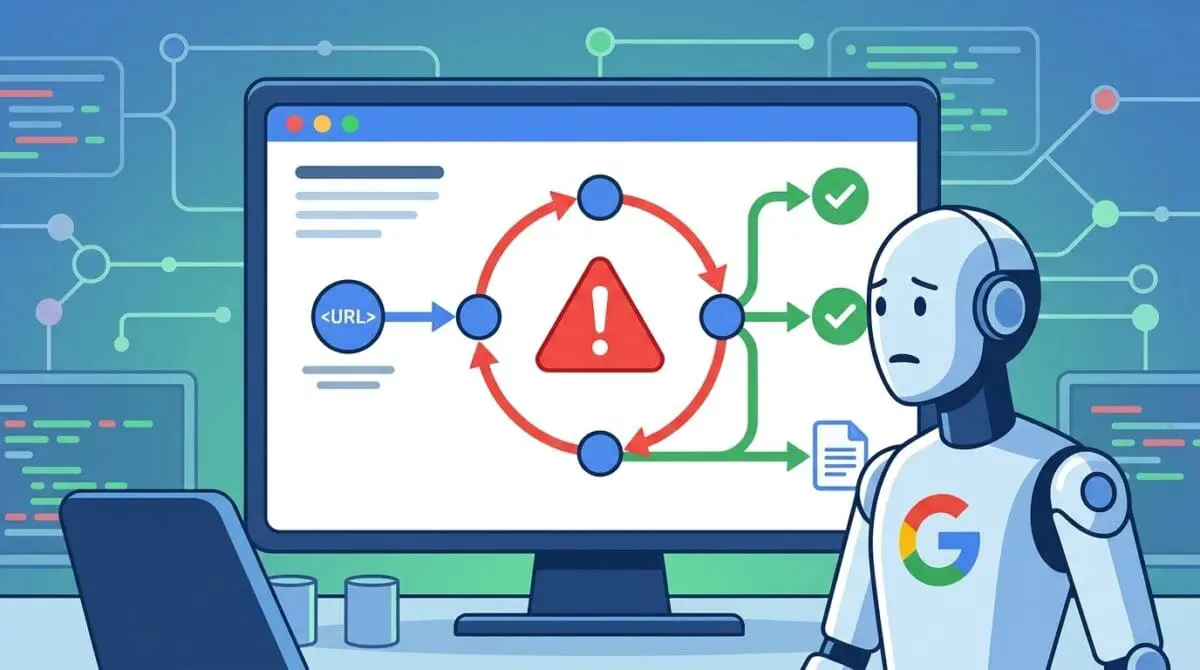
A trailing slash redirect loop is a critical server-side misconfiguration. The web server or application logic continuously toggles between the version of a URL with a trailing slash and the version without one. This creates an infinite HTTP status cycle that prevents Googlebot from reaching the final destination.
When a server responds with a redirection status code, it includes a specific header dictating the new destination. In a loop scenario, the origin server sends a header pointing to the slashed version of the URI. When the bot requests that new URI, a secondary system sends a header pointing right back to the unslashed version.
This creates an unbreakable cycle of requests and responses. Googlebot operates on strict resource allocation and cannot afford to waste computational power resolving infinite cycles. In the context of crawl budget optimization, these loops are catastrophic.
Googlebot typically aborts the crawl after five to ten consecutive hops. The crawler marks the URI as a redirect error in Search Console and immediately de-prioritizes the crawl queue for that specific subdirectory. This leaves new content undiscovered and unindexed.
For Generative Engine Optimization, these routing loops are equally damaging. Large Language Model crawlers require a highly stable URI to fetch and parse semantic content. This extracted data is essential for retrieval-augmented generation pipelines.
A continuous redirect loop causes a total failure in data ingestion at the crawler level. This results in the site’s most recent information being excluded from AI-generated answers and search snapshots. The generative engine simply cannot resolve the document’s canonical state.
Diagnostic Checkpoints: Identifying the Desynchronization
This specific redirect anomaly is rarely a single point of failure within the architecture. It is usually a severe desynchronization across the server stack, edge nodes, and application layers. Identifying the exact layer where the conflict occurs is the first step in troubleshooting.
Diagnostic Checkpoints
Origin-Edge Normalization Conflict
Mismatch between origin server and CDN normalization rules.
Directory vs. File Rewrite Logic
Server rules incorrectly handling virtual vs. physical directories.
Internal Permalink Misalignment
Database URLs mismatching the permalink structure template.
SEO Plugin ‘Strip Category Base’ Conflict
Category strip logic fails to handle trailing slash regex.
The root cause often stems from an origin-edge normalization conflict. The origin server enforces a trailing slash, while an edge layer service like Cloudflare actively strips it. This creates an endless ping-pong effect between the content delivery network and the origin server.
Cloudflare features like URL Normalization are designed to clean up incoming requests before they hit the origin. If this normalization is set to strip slashes, but the origin web server is hardcoded to force them, the two systems will fight indefinitely. This results in the classic browser error warning of too many redirects.
Additionally, server rewrite rules often treat physical directories and virtual URIs differently. A conflict arises when a virtual application URI mimics a directory structure but encounters conflicting regex logic. The server attempts to append a slash while the application attempts to remove it.
Internal database misalignments also play a major role in triggering these errors. The core database tables dictate the foundational URI structure for the entire application. If these core rows lack a slash, but the permalink structure explicitly demands one, the application core will continuously fight the rewrite engine.
SEO plugin category stripping features can also trigger these infinite cycles. Plugins often use aggressive regex to remove category bases from the URL path. If they fail to account for trailing character regex, they introduce an internal redirect that the server immediately reverts.
The Engineering Resolution: Stabilizing the Routing Logic
Establishing a stable canonical state requires a systematic engineering approach. You must align the application routing logic with the server configuration. Bypassing temporary fixes for a global server-level resolution is mandatory for enterprise environments.
Engineering Resolution Roadmap
Identify the Authoritative URI State
Determine if the site should use trailing slashes or not. Check ‘Settings > Permalinks’ in WordPress. If the structure ends in ‘/’, that is your source of truth. Ensure WP_HOME and WP_SITEURL in wp-config.php match this convention.
Consolidate Server-Level Rules
Remove conflicting redirect rules from .htaccess or NGINX config. Implement a single, global rule that handles the slash vs. no-slash logic before it reaches the WordPress index.php router.
Purge Edge and Object Caches
Flush the WordPress Object Cache (Redis/Memcached) and clear the CDN (Cloudflare/Fastly) cache. Redirects are often cached at the edge (301s), so the loop may persist even after the server fix is applied.
Update Database String References
Use WP-CLI ‘wp search-replace’ to ensure all internal links in the wp_posts table match the authoritative version (with or without slash) to prevent internal 301 overhead.
The first step is identifying the authoritative URI state within your application settings. You must determine if the site architecture dictates the use of trailing slashes or not. Once the single source of truth is established, ensure your configuration files match this exact convention.
You must then consolidate server-level rules to handle the logic before it reaches the application router. Removing conflicting redirect rules from your configuration files prevents the request from hitting the backend processor unnecessarily. Implementing a single global rule reduces server overhead and stabilizes the resolution path.
Purging edge and object caches is a critical post-resolution step. Permanent redirects are heavily cached at the edge to improve global performance. The loop may persist for users and search bots even after the origin server fix is successfully applied.
In-memory data stores like Redis and Memcached hold database queries in RAM. If a redirect rule is cached in RAM, bypassing the corrected database, the loop will continue. You must execute a complete cache flush to force the system to rebuild the routing transients.
Finally, updating database string references prevents internal links from triggering unnecessary redirect overhead. Using command-line tools to execute a global search and replace ensures the entire database reflects the authoritative URI state. This eliminates internal hops entirely and preserves link equity.
Implementing the Code: Server-Side Solutions
Applying the correct configuration depends entirely on your specific server environment. The following solutions provide the exact syntax needed to force a stable URI state. You must implement only the solution that matches your primary web server architecture.
Fixing via NGINX Configuration
This block forces a trailing slash on all URIs at the NGINX server block level before passing the request to the PHP processor. It ensures the normalization happens instantly at the outermost server layer.
rewrite ^([^.]*[^/])$ $1/ permanent;Fixing via Apache Configuration
This configuration checks if the incoming request is not a physical file. It then verifies the request does not already end in a slash before applying a permanent redirect directive.
RewriteEngine On
RewriteCond %{REQUEST_FILENAME} !-f
RewriteCond %{REQUEST_URI} !(.*)/$
RewriteRule ^(.*)$ $1/ [L,R=301]
Fixing via Application Logic
This filter intercepts the core routing logic to remove trailing slashes on specific post types. It prevents internal redirect conflicts when custom post types require different handling than standard pages.
add_filter('user_trailingslashit', 'custom_slash_control', 10, 2);
function custom_slash_control($url, $type) {
    if($type == 'single') { return untrailingslashit($url); }
    return $url;
}
Validation Protocol and Headless Edge Cases
Deploying a server-side fix requires immediate validation to ensure the routing logic is stable. You must test the HTTP headers directly to bypass any local browser cache interference.
Validation Protocol
- Run cURL header checks on both URI variants to ensure 200 OK status.
- Confirm redirect chain length does not exceed two hops per request.
- Verify ‘Crawl allowed? Yes’ via Google Search Console Live Test.
- Execute Rich Results Test to validate asset rendering without loops.
Executing command-line header checks provides the raw response data. You must look for a successful status code and ensure no further location directives are triggered. Testing both variations of the URL ensures the server correctly forces the canonical state.
You must confirm the redirect chain length does not exceed two hops per request. Utilizing search engine testing tools confirms the crawler can access the payload without encountering a loop. The rendering engine must be able to fetch all page assets without triggering a secondary cycle.
Edge cases require special attention, particularly in decoupled or headless architectures. In a headless environment, a frontend framework might enforce trailing slashes while the backend API explicitly disables them.
If the frontend relies on a proxy to fetch data, this mismatch creates a loop at the middleware layer. This loop remains completely invisible to origin server logs because the request never reaches the backend. However, it completely blocks search engine crawlers from indexing the headless routes.
Autonomous Monitoring and Enterprise Prevention
Preventing future routing anomalies requires shifting from reactive troubleshooting to proactive monitoring. You must implement infrastructure synchronization to ensure your web server and application configurations remain aligned automatically.
Utilizing Infrastructure-as-Code allows you to deploy server rules and application settings simultaneously. This eliminates the human error associated with manual configuration updates. It ensures that any changes to the permalink structure are instantly reflected in the server rewrite rules.
Setting up automated synthetics monitoring allows you to continuously check for unexpected status code jumps. These tools simulate crawler behavior and alert your engineering team the moment a redirect loop is introduced. Catching these errors early prevents them from accumulating in Search Console.
Always use a staging environment to test URL normalization settings on your edge network before deploying to production. Simulating traffic through the CDN ensures your origin rules do not conflict with edge caching policies. This validation step is crucial for maintaining a stable enterprise architecture.
At Andres SEO Expert, we leverage advanced automation to monitor entity integrity at the enterprise level. Integrating log analysis pipelines and custom API alerts ensures these crawl anomalies are caught instantly. This proactive approach protects your crawl budget and maintains high visibility in generative search results.
Conclusion
Server-side redirect loops are a critical point of failure for modern search indexing and enterprise architecture. Resolving them ensures your technical foundation is ready for both traditional crawlers and generative AI engines. A stable canonical state is non-negotiable for optimal data ingestion.
Navigating the intersection of technical SEO, server architecture, and generative search requires a precise roadmap. If you need to future-proof your enterprise stack, resolve deep-level crawl anomalies, or implement AI-driven SEO automation, connect with Andres at Andres SEO Expert.