Key Takeaways
- Automate provisioning and revocation to save 15+ hours per week and eliminate security gaps.
- AI triage and incident detection cuts MTTR by 80% and enables proactive monitoring.
- Compliance automation via access reviews and license tracking ensures audit readiness and cuts SaaS waste by 20%.
The IT Ops Automation Imperative: 8 Workflows That Eliminate Manual Friction
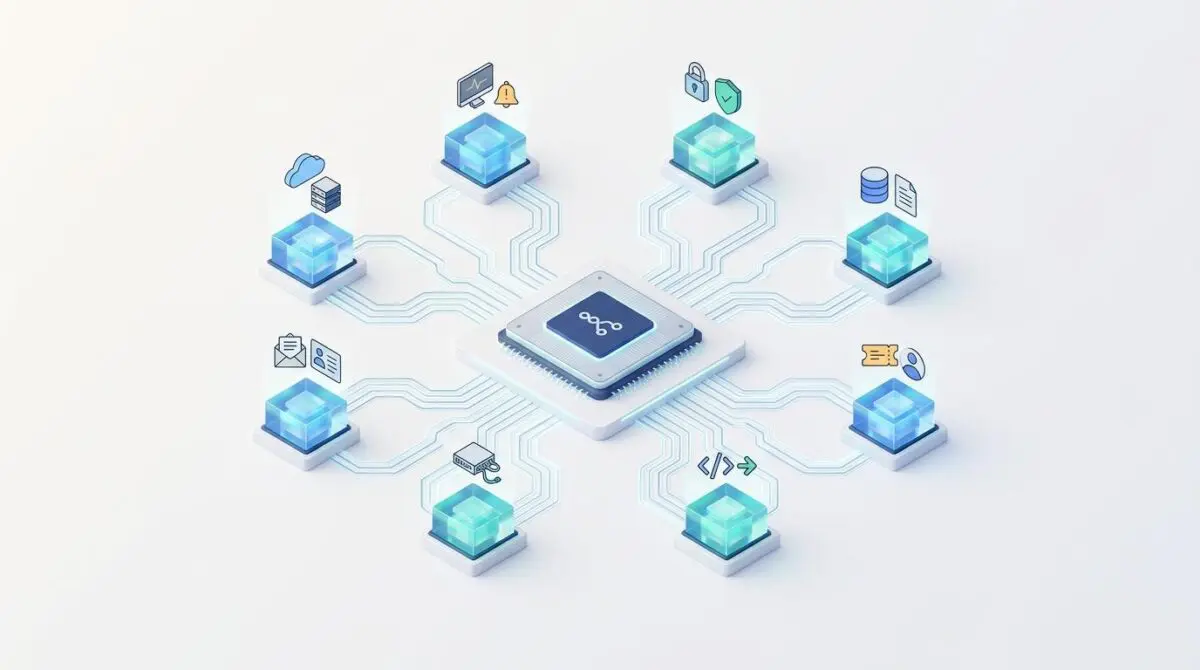
IT operations teams at growth-stage companies face a common crisis: fragmented tools, manual processes, and a single spreadsheet serving as the system of record. Onboarding, offboarding, ticket triage, license tracking, and incident escalation all rely on human memory. That is about to change. The latest blueprint from n8n experts reveals eight production-ready workflows that transform this operational drag into a streamlined, automated system. By leveraging n8n’s visual automation platform, IT leaders can reclaim 50+ hours per week, achieve 100% compliance, and shift from reactive firefighting to strategic engineering.
Table of Contents
The 8 Essential n8n Workflows for IT Operations
1. Automated Employee Onboarding Provisioning
New hire IT provisioning is a massive bottleneck for growing organizations. This workflow uses a webhook trigger from the HRIS platform to execute API calls creating user profiles across Google Workspace, Slack SCIM, and Jira based on role-based templates. An Airtable node tracks provisioning progress, and a Slack notification confirms completion to the IT channel and manager. A schedule trigger audits at Day 1 for any incomplete assignments.
- Pros: 100% provisioning accuracy, seamless Day 1 experience, verifiable audit trail, centralized role-based policies.
- Cons: Requires HRIS data hygiene, handling contractors demands complex conditional routing, API rate limits need retry logic.
Implementation: Intermediate complexity, 5–8 hours setup. Requires admin API access to HRIS, Google Workspace, Slack, Jira, and Airtable. ROI: Saves 3.5 hours per hire. Reduces Day 1 access support tickets by 90%. Best for growth-stage organizations hiring 5+ per month.
2. Automated Offboarding and Access Revocation
Employee offboarding carries the highest security consequence when executed late. This workflow captures termination data from the HRIS, queues revocation at the scheduled last working day, and executes instantaneous revocation commands across Google Workspace, Slack, Jira, and SSO provider. An Airtable node logs every revocation with timestamps, and a Slack notification confirms completion. If any revocation fails, an IF node triggers an urgent pager alert for manual intervention.
- Pros: Closes the most dangerous security loophole, ensures SOC2 and ISO27001 compliance, removes human error.
- Cons: Zero margin for error in timing, hard to test comprehensively in production, legacy systems lacking APIs require custom fallback.
Implementation: Advanced complexity, 6–9 hours setup. Critical to test thoroughly before production. ROI: Achieves 100% compliance with access revocation SLAs. Eradicates former-employee breach vectors.
3. IT Ticket Triage and Routing
IT support tickets flood in via email, Slack, and portals without consistent classification. This workflow ingests tickets via webhook or Gmail trigger, uses an AI agent to classify the domain and urgency, then pushes structured data into the correct queue in Jira or Zendesk. A Slack ping notifies the assigned specialist with context. If urgency is Priority 1, it immediately bypasses standard routing and triggers on-call escalation.
- Pros: Drastically reduces Mean Time to Resolution (MTTR), protects senior engineers from sorting, standardizes categorization.
- Cons: LLM agents require careful prompt engineering to avoid misclassification, token costs at high volumes, ambiguous descriptions still need human clarification.
Implementation: Intermediate complexity, 4–6 hours. Requires API access to ticketing system, Slack, and Anthropic or OpenAI key. ROI: Recovers 12-20 engineering hours per week, reduces initial response times by up to 80%.
4. Software License Usage and Renewal Tracking
SaaS sprawl heavily taxes IT budgets. This workflow runs a scheduled cron job to extract active user telemetry from major SaaS administrative APIs. A code node cross-references total usage against licensed seat thresholds. The IF node isolates underutilization for cost savings or near-capacity for expansion warnings. Slack broadcasts a financial summary to leadership, and Airtable maintains renewal date alerts at 90, 60, and 30 days.
- Pros: Immediate ROI by identifying waste, prevents disruptions from hitting caps, provides leverage during contract renewals.
- Cons: Relies on third-party APIs providing usage endpoints, managing pagination and complex JSON across diverse APIs, cannot downgrade if API lacks modification support.
Implementation: Intermediate complexity, 5–7 hours. Requires comprehensive API read access across primary SaaS stack and advanced data mapping. ROI: Routinely identifies 15-25% waste in SaaS spend in the first month. Transforms renewal management from reactive panic to strategic procurement.
5. System Incident Detection and Escalation
System health degradation is often discovered when users report failure. This workflow pings critical internal and third-party endpoints at 5-15 minute intervals 24/7. It evaluates HTTP status codes and response latency. On failure, it pushes an alert to the on-call Slack channel and escalates critical failures to PagerDuty or Opsgenie. An Airtable log records timestamps and payload for post-mortem reviews.
- Pros: Proactive monitoring reduces downtime, engages engineers minutes after fault, aggregates uptime data for SLA reporting.
- Cons: Poorly tuned timeout thresholds cause alert fatigue, high execution frequency consumes n8n volume, does not replace deep APM tools like Datadog.
Implementation: Intermediate complexity, 4–6 hours. Requires access to health endpoints and PagerDuty or Opsgenie credentials. ROI: Achieves sub-5-minute detection for critical outages. Ensures IT communicates incident awareness before users flood the helpdesk.
6. Hardware and Asset Tracking
Laptop and equipment assignments are tracked inconsistently. This workflow uses a webhook from an internal form whenever hardware is assigned, returned, or repaired. It updates an Airtable master asset register with serial number and condition. A quarterly schedule triggers audit reminders to department leads. An AI agent analyzes purchase dates to flag assets near end-of-life or warranty expiration.
- Pros: Single source of truth for physical assets, automated lifecycle management, decentralized audit burden.
- Cons: Requires human compliance with the form, connecting courier data needs complex API, barcode scanning needs additional frontend tooling.
Implementation: Beginner-Intermediate complexity, 3–5 hours. Requires form software connected to n8n and an Airtable workspace. ROI: Eliminates asset loss, saves average 40 hours per year in manual inventory audits. Best for remote-first or hybrid organizations.
7. Periodic Access Review and Compliance Check
System access reviews are strict compliance requirements often done manually. This workflow launches a quarterly review protocol. It extracts access control lists from AWS IAM, Google Workspace, Jira, and GitHub. A code node cross-references permissions with the current HRIS roster. An AI agent flags anomalies where permissions conflict with employee role or department transfers. Notion compiles a structured review document, and Slack pings department leaders with a deadline to confirm or revoke flagged access.
- Pros: Automates labor-intensive SOC2 and ISO27001 requirements, identifies permission creep from internal transfers, forces departmental accountability.
- Cons: Parsing IAM policies and nested groups requires advanced logic, managing large permission datasets needs optimized n8n memory, high risk of false positives if HR data is imperfect.
Implementation: Advanced complexity, 7–10 hours. Benefits from professional architecture for audit-ready precision. ROI: Transforms a multi-week audit into an automated multi-hour process. Ensures flawless compliance reporting.
8. Automated IT Status Dashboard and Weekly Report
Executive leadership demands operational visibility across ticketing, uptime, licensing, and access requests. This workflow executes on Friday afternoon to aggregate data from the previous workflows. It pulls open ticket counts and MTTR from Jira, uptime from monitoring, license utilization from Workflow 4, and pending access approvals. An AI agent synthesizes the raw JSON into an executive-ready summary. Slack pushes a markdown report to IT leadership, and email sends an HTML version to the CTO and stakeholders.
- Pros: Delivers unassailable transparency, justifies headcount with hard metrics, reclaims hours of manual spreadsheet work.
- Cons: Relies on data integrity of underlying systems, formatting across Slack and email requires precise string manipulation, needs stable APIs across all sources.
Implementation: Intermediate complexity, 4–6 hours. Requires aggregation logic across multiple workflows and AI integration for executive summarization. ROI: Recovers 3-5 hours of management time per week. Elevates IT from reactive cost center to strategic partner.
Strategic Analysis: The Automation Landscape in 2026
The eight workflows detailed above, originally outlined in n8n’s automation blueprint, represent a powerful library for IT operations. But how does n8n fit into the broader automation ecosystem in 2026? According to a recent analysis from Composio, n8n remains a strong contender for visual workflow automation, but the landscape is shifting. Platforms like Make and Zapier offer easier hosted builders for smaller teams, while Composio itself is better suited for developers building agents in code rather than visual workflows. The rise of agentic AI tools, as noted by Dataiku in their 2026 report, emphasizes that accessible workflow automation platforms like n8n, Zapier, and Gumloop excel at broad integration coverage and ease of use.
However, the market is not uniform. The choice between n8n, agents, or custom code depends on the task at hand, as a recent industry discussion highlighted. For messy, decision-heavy work, agents are preferred. For structured processes, n8n’s visual workflows are ideal. This suggests that IT teams should adopt a hybrid approach, using n8n for deterministic automation and AI agents for ambiguous tasks.
Cost is another factor. According to HiresLink‘s salary benchmarks, hiring an AI automation specialist typically costs around $4,950 per month, often with a stack that includes n8n, Make, Zapier, and LLM APIs. This investment can be recouped quickly through the efficiencies outlined in the workflows above.
The Path to Automated IT Operations
Deploying these eight n8n workflows transforms an overwhelmed IT department into an automated powerhouse. The quick wins—onboarding and hardware tracking—can be deployed in under eight hours, while advanced workflows like offboarding and access reviews require careful planning but deliver immense security and compliance benefits. By prioritizing wisely, any IT Ops team can eliminate operational drag, reclaim thousands of engineering hours, and scale securely.
Staying ahead in the rapidly shifting landscape of Automations requires precision. To future-proof your digital strategy and scale effortlessly, you need a foundation built on precision. Optimize your site with advanced speed engineering, secure your infrastructure in high-performance hosting environments, and streamline your entire workflow through autonomous AI pipelines. If you are ready to elevate your systems, Connect with Andres at Andres SEO Expert to build your ultimate architecture.
Frequently Asked Questions
What is n8n and how does it help IT operations?
n8n is a visual automation platform that enables IT teams to build production-ready workflows connecting various tools and services. It helps IT operations eliminate manual processes, reduce friction, and reclaim engineering hours by automating tasks like employee onboarding/offboarding, ticket triage, license tracking, incident detection, hardware management, access reviews, and reporting.
What are the 8 essential n8n workflows for IT operations?
The eight workflows are: 1) Automated Employee Onboarding Provisioning, 2) Automated Offboarding and Access Revocation, 3) IT Ticket Triage and Routing, 4) Software License Usage and Renewal Tracking, 5) System Incident Detection and Escalation, 6) Hardware and Asset Tracking, 7) Periodic Access Review and Compliance Check, and 8) Automated IT Status Dashboard and Weekly Report.
How long does it take to implement these workflows?
Implementation time varies: beginner workflows like hardware tracking take 3-5 hours, intermediate ones like onboarding take 5-8 hours, and advanced workflows like offboarding and access reviews take 6-10 hours. Quick wins can be deployed in under eight hours, while advanced workflows require careful planning.
What are the key benefits of automating IT operations with n8n?
Key benefits include reclaiming 50+ engineering hours per week, achieving 100% compliance with access revocation SLAs, reducing initial ticket response times by 80%, identifying 15-25% SaaS spend waste, eliminating asset loss, and transforming IT from a reactive cost center to a strategic partner with unassailable transparency.
How does n8n compare to other automation tools like Zapier or Make?
n8n offers a hosted builder similar to Zapier and Make but is more suited for developers building custom workflows. While Zapier and Make are easier for smaller teams, n8n excels in complex, production-ready automation. The article recommends a hybrid approach: use n8n for deterministic, structured processes and AI agents for ambiguous tasks.
What security and compliance benefits do these workflows provide?
Workflows like offboarding and access reviews ensure 100% compliance with SOC2 and ISO27001 requirements by automating revocation, logging, and auditing. They close dangerous security loopholes, eliminate human error, and force departmental accountability for access permissions.
How much time and cost can be saved by implementing these workflows?
Specific time savings per workflow range from 3.5 hours per hire (onboarding) to 12-20 engineering hours per week (ticket triage). Combined, they reclaim over 50 hours per week. SaaS spend waste identification can save 15-25% in the first month. The cost of an AI automation specialist (~$4,950/month) can be quickly recouped through these efficiencies.