

Key Takeaways
- Autonomous creation: Antigravity and n8n connect via Model Context Protocol to let AI agents build workflows directly in n8n.
- Safety-first design: Permission scoping, risk-based auto-activation, and human-in-the-loop review keep production under control.
- Measurable gains: Prototyping time drops 90% while error handling and governance standards remain enforced.
From Spec Writer to Builder: The AI Agent Evolution
A new integration between Antigravity and n8n via the Model Context Protocol (MCP) enables AI agents to autonomously build and deploy production workflows. The architecture, detailed by the engineering team at N8N Lab, combines a reasoning skill with an action layer to reduce prototyping time by 90% while enforcing strict governance. This marks a shift from AI as a passive spec writer to an active deployment engine operating within enterprise-grade guardrails.
Table of Contents
Architecture Deep Dive: Skill Layer Meets Action Layer
The Two-Layer Framework
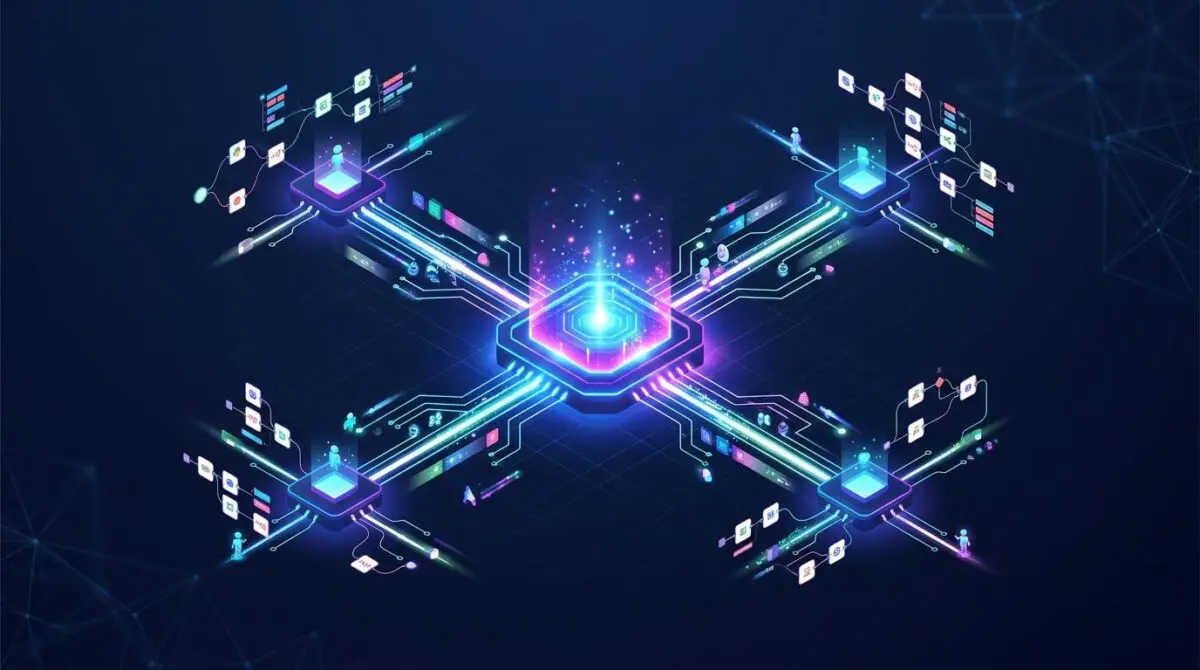
The integration rests on a bifurcated approach: the Reasoning Layer (a SKILL.md file) and the Action Layer (an MCP server). Operating independently, neither delivers the promised outcome. Together, they form a production-ready auto-build engine.
The skill file instructs the AI on n8n’s specific node schemas, expression syntax, and error-handling patterns. The MCP server wraps n8n’s REST API, exposing tools like ‘create_workflow’ that the agent can invoke with a properly formatted JSON payload.
Step-by-Step Implementation
1. Scoped API Credentials: Generate an n8n API key with only Workflows: Create, Workflows: Read, and Executions: Read scopes. Never grant Credentials: Manage or Users: Manage.
2. MCP Server Configuration: Define the ‘create_workflow’ tool in the MCP server config, mapping it to POST /api/v1/workflows. Pass the API key securely in the X-N8N-API-KEY header.
3. Install the Skill: Place an n8n-specific SKILL.md in Antigravity’s skills directory. It enforces expression rules, node validation, and auto-layout coordinates (X+200, Y+0) to keep workflows readable.
4. Permission Boundaries: The skill includes a risk matrix. Low-risk workflows (e.g., internal logging) can deploy as active. High-risk workflows (database mutations, financial services) are forced into draft state, pending human review.
5. Human-in-the-Loop Review: An administrative n8n workflow polls for new inactive workflows and sends a Slack message with Approve/Reject buttons. Approve activates the workflow; Reject deletes it.
Testing the Pipeline
Three test scenarios validate the setup. A low-risk request should deploy an active workflow. A high-risk request should result in a deactivated draft. A hallucinated node type should trigger an error that the agent reports and corrects.
Market Impact: Why This Integration Changes Automation
According to a recent post on LinkedIn by Manish Yadav, n8n’s MCP interface has opened the door for developers to generate workflows through tools like Claude Code, Cursor, and other MCP clients. The Antigravity integration is a natural extension of this trend, providing a standardized interface for any MCP-compatible agent to construct n8n workflows autonomously.
For enterprise teams, the implications are significant. The ability to prototype workflows via plain English commands reduces iteration cycles from hours to minutes. The enforced governance — including risk-based activation and mandatory human review — ensures that speed does not compromise security. This aligns with the broader shift toward AI-augmented development, popularly referred to as ‘vibe coding,’ where agents handle heavy lifting while humans oversee critical decisions.
The integration also addresses a major pain point: context switching. Developers no longer need to jump between an IDE and the n8n canvas during initial architecture. With the skill layer embedding institutional knowledge about node schemas and error-handling patterns, the agent produces work that is consistent with team standards from the first build.
As the MCP ecosystem grows, this pattern will likely become the default for connecting AI agents with workflow automation platforms. Teams that adopt this architecture early will gain a competitive advantage in automation velocity.
Securing the Future of Autonomous Workflow Creation
The Antigravity-n8n integration represents a leap forward in AI-driven automation. By combining the reasoning capabilities of a skill layer with the execution power of an MCP server, it transforms AI from a proposal generator into an active builder — all while maintaining enterprise governance. The immediate next steps, as detailed in the original N8N Lab guide, are to audit API token scopes, deploy the review workflow, and refine the node reference file for your team’s most-used integrations.
Staying ahead in the rapidly shifting landscape of Automations requires precision. To future-proof your digital strategy and scale effortlessly, you need a foundation built on precision. Optimize your site with advanced speed engineering, secure your infrastructure in high-performance hosting environments, and streamline your entire workflow through autonomous AI pipelines. If you are ready to elevate your systems, Connect with Andres at Andres SEO Expert to build your ultimate architecture.
Frequently Asked Questions
What is the Antigravity-n8n integration via MCP?
The integration connects Antigravity (an AI agent platform) with n8n (a workflow automation tool) using the Model Context Protocol (MCP). It combines a reasoning skill (SKILL.md) and an action layer (MCP server) to enable AI agents to autonomously build and deploy production workflows while enforcing enterprise governance.
How does the two-layer framework (Skill Layer and Action Layer) work?
The Reasoning Layer (SKILL.md) instructs the AI on n8n’s node schemas, expression syntax, and error-handling patterns. The Action Layer (MCP server) wraps n8n’s REST API, exposing tools like ‘create_workflow’ for the agent to invoke with a JSON payload. Together, they form a production-ready auto-build engine.
What are the key steps to implement the integration?
Key steps include: (1) generating a scoped n8n API key with only Workflows: Create, Workflows: Read, and Executions: Read permissions; (2) configuring the MCP server to map the ‘create_workflow’ tool to POST /api/v1/workflows; (3) placing an n8n-specific SKILL.md file in Antigravity’s skills directory; (4) setting permission boundaries via a risk matrix; and (5) setting up a human-in-the-loop review workflow.
How does the integration enforce enterprise governance?
Governance is enforced through a risk matrix in the skill file: low-risk workflows (e.g., internal logging) can deploy as active, while high-risk workflows (e.g., database mutations, financial services) are forced into draft state pending human review. Additionally, API key scopes are strictly limited to prevent credential or user management.
What is the human-in-the-loop review process?
An administrative n8n workflow polls for new inactive workflows and sends a Slack message with Approve/Reject buttons. Approving activates the workflow; rejecting deletes it. This ensures that high-risk workflows are reviewed by a human before going live.
How does this integration reduce prototyping time?
By allowing developers to describe workflows in plain English, the AI agent autonomously constructs the workflow using the skill and action layers. This reduces iteration cycles from hours to minutes, cutting prototyping time by up to 90% while maintaining consistency with team standards.