Key Takeaways
- WordPress.com Guidelines turns brand voice, visual style, and goals into durable site-level rules the WordPress Agent auto-applies.
- ‘Suggest guidelines’ automatically drafts rules from existing content; ‘Improve with AI’ refines them for review.
- Persistent memory is now table stakes; open-source MCP plugins like Novamira offer alternatives with different trade-offs.
Table of Contents
WordPress.com Ships Persistent Brand Memory for the WordPress Agent
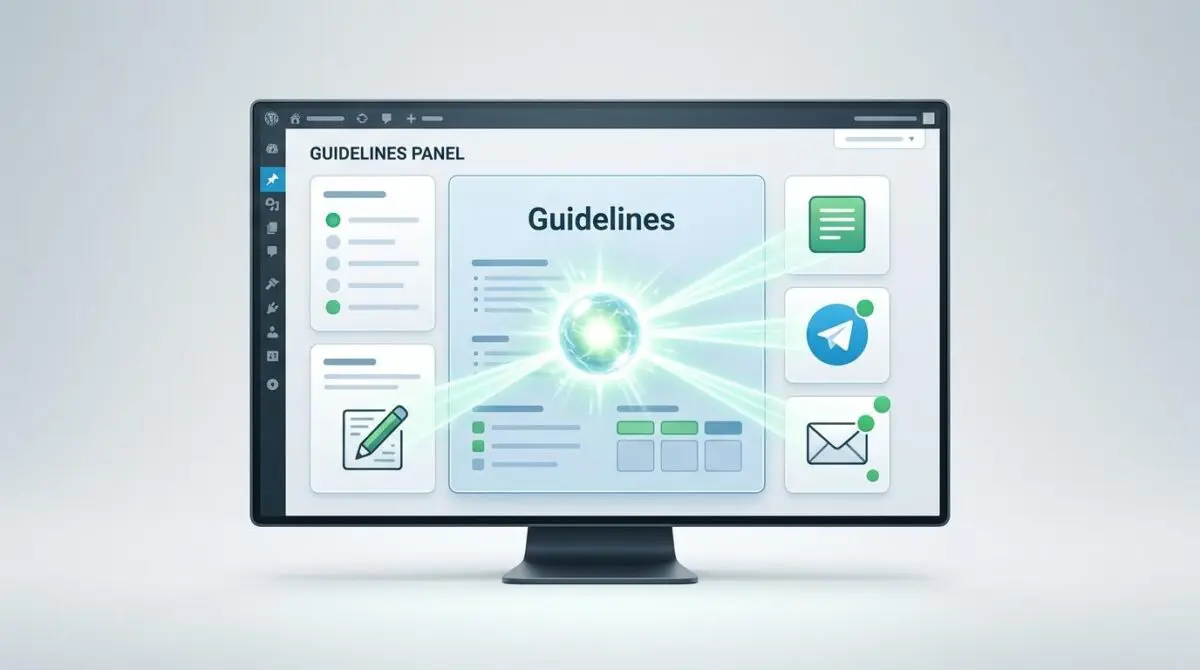
WordPress.com has just published details on Guidelines, a persistent brand memory layer that the WordPress Agent reads automatically across the editor, Telegram, and email workflows.
The feature targets the single biggest friction point in AI-assisted site building: users restating the same voice, visual style, and goals for every task.
Guidelines turns those repeated instructions into durable site-level rules, giving the agent a memory that lives on the site rather than in the prompt.
Specify your personal brand—how you write, what your images look like, and what your goals are—and it becomes a persistent memory the WordPress Agent works from.
How Guidelines Turns Context Into Site-Level Rules
According to the official WordPress.com announcement, Guidelines lives in the WordPress.com dashboard under Settings → Guidelines.
Users can define a site’s voice, visual style, goals, and other recurring brand rules in a few structured sections.
Instead of starting from a blank slate, site owners can click ‘Suggest guidelines.’
The WordPress Agent then reads existing posts and pages and drafts every section for review.
Each suggestion can be accepted, edited, or dismissed.
For sections that need polish, an ‘Improve with AI’ option refines the language without losing the intended direction.
Once saved, the agent draws on this memory automatically during editor sessions, Telegram requests, and email commands.
No re-prompting is required to keep the output aligned with brand rules.
Use Cases Across Site Types
- Small business and solo operators: set tone rules like ‘warm and plain-spoken, no corporate jargon’ and preferred terminology.
- Creators and publishers: keep a first-person, conversational voice while the agent handles polish and review.
- Product sellers: define product photography style such as white backgrounds and soft shadows, plus copy rules like benefits before specs.
- Agency builders: give each client site its own memory to stay on-brand without constant oversight.
- Developers: provide the agent a durable, reviewable spec to work within known constraints.
Teams gain a shared memory as more people work with the same site.
The rules live with the site, not in one person’s head.
The Agentic Memory Race Is Already Crowded
WordPress.com is not alone in recognizing that AI agents need persistent site context.
A free, open-source WordPress plugin called Novamira, which has not been independently tested at production scale, turns any site into an MCP server for AI clients such as Claude Code, Cursor, Codex, VS Code, and Gemini CLI.
Novamira Pro adds a persistent memory layer for project conventions, brand details, and past decisions between sessions.
That capability sits alongside specialization for 37 builders and plugins, including Elementor, Bricks, Divi, WooCommerce, ACF, and Gravity Forms.
The plugin builds on the Abilities API introduced in WordPress 6.9, a signal that core WordPress infrastructure is now enabling this entire category.
Security defaults matter here: abilities are off by default, only administrators can connect, and new PHP files are confined to a monitored sandbox with crash recovery.
The developer still recommends using local or staging environments with backups and keeping abilities disabled on production.
A separate vendor-published prompt book for agentic WordPress workflows markets a memory feature called Resonance with enforced rules.
Its promotional copy claims 210+ tools across 17 page builders and 90-day snapshot rollback, but those claims have not been independently verified.
Even the vendor’s material is inconsistent: one section lists 210+ tools, while a feature stat box lists 320+.
That inconsistency is a reminder that the agentic memory ecosystem is still young and partly hype-driven.
WordPress.com’s advantage is tight integration with the WordPress Agent and first-party distribution across paid plans.
Open-source alternatives offer flexibility and self-hosting, but they shift security and maintenance burden to the site owner.
The two approaches are not direct replacements; they represent different trade-offs between control, convenience, and platform lock-in.
The larger signal for the WordPress ecosystem is that memory is no longer a nice-to-have add-on; it is becoming table stakes for any AI-assisted workflow.
Platforms that own the agent layer can capture value through convenience, while open-source alternatives will compete on ownership and auditability.
Site owners should evaluate not just what memory a tool offers, but how it enforces brand rules and how easily it can be audited or removed.
Memory Becomes the Moat for WordPress AI
Persistent site memory shifts AI from a prompt-by-prompt utility into a durable operating layer for WordPress brands.
WordPress.com has made that memory a native setting, while open-source MCP plugins are racing to offer similar capabilities with different trade-offs.
For teams building WordPress AI automation that must hold brand context across sessions, the programmatic SEO and AI automation service at Andres SEO Expert is how they approach durable agent workflows — contact Andres SEO Expert.
Frequently Asked Questions
What is WordPress.com Guidelines?
WordPress.com Guidelines is a persistent brand memory feature for the WordPress Agent. It turns repeated instructions about your site’s voice, visual style, and goals into durable site-level rules that the agent uses automatically.
How do I set up Guidelines on WordPress.com?
You can set up Guidelines in the WordPress.com dashboard under Settings → Guidelines. You can define your brand rules manually or click "Suggest guidelines" to have the WordPress Agent draft sections based on your existing posts and pages. You can then accept, edit, or dismiss each suggestion.
What types of brand rules can I store in Guidelines?
Guidelines lets you define your site’s voice, visual style, goals, and other recurring brand rules. For example, you can set tone rules like "warm and plain-spoken," specify preferred terminology, define product photography style, or establish copy rules.
Does the WordPress Agent use Guidelines across all workflows?
Yes, once saved, the WordPress Agent automatically uses Guidelines during editor sessions, Telegram requests, and email commands, so you don’t need to re-prompt for consistent brand alignment.
How does WordPress.com Guidelines compare to open-source memory plugins?
WordPress.com Guidelines is a first-party, integrated solution with tight agent integration and distribution across paid plans. Open-source alternatives like Novamira offer more flexibility and self-hosting but shift security and maintenance burden to the site owner. They represent different trade-offs between control, convenience, and platform lock-in.
Why is persistent site memory important for AI site building?
Persistent site memory allows AI agents to maintain brand context across sessions, eliminating the need to restate the same voice, style, and goals for every task. It transforms AI from a prompt-by-prompt utility into a durable operating layer for WordPress brands.