Executive Summary
- Render-blocking resources are synchronous CSS and JavaScript files that halt the browser’s Document Object Model (DOM) construction until they are fully downloaded and processed.
- These resources directly negatively impact Core Web Vitals, specifically First Contentful Paint (FCP) and Largest Contentful Paint (LCP), by delaying the visual rendering of the page.
- Optimization involves strategic use of the async and defer attributes, inlining critical CSS, and leveraging media attributes for non-essential stylesheets.
What is Render-Blocking Resources?
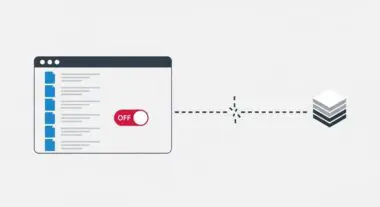
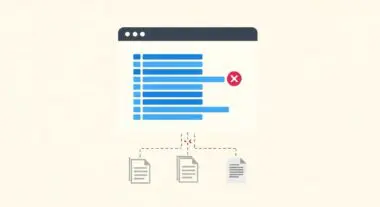
Render-blocking resources are static files, typically CSS and JavaScript, that prevent a web browser from rendering page content until they are fetched and parsed. When a browser encounters a synchronous script or a stylesheet in the <head> of an HTML document, it pauses the construction of the Document Object Model (DOM) and the CSS Object Model (CSSOM). This pause ensures that the browser has all the necessary styling and functional instructions before displaying the page to the user.
From a technical perspective, these resources occupy the main thread of the browser’s engine. If a script is not marked as asynchronous or deferred, the browser must stop everything else to download and execute it. While this behavior ensures the page looks and functions as intended upon first appearance, excessive or unoptimized render-blocking resources lead to significant latency in the Critical Rendering Path (CRP).
The Real-World Analogy
Imagine you are building a piece of flat-pack furniture. You have the wood panels and you are ready to assemble them. However, the instructions are missing a page. You cannot proceed to the next step because you do not know where the screws go or how the pieces should be aligned. You must stop all assembly work and wait for that specific page to be delivered before you can continue. In this scenario, the missing instruction page is a render-blocking resource; even though you have the physical materials to build the furniture, the entire process is halted until that specific information arrives.
Why is Render-Blocking Resources Important for SEO?
Render-blocking resources are a primary factor in determining a site’s performance metrics, which Google uses as a ranking signal through Core Web Vitals. Specifically, they delay First Contentful Paint (FCP) and Largest Contentful Paint (LCP). If a user experiences a blank screen for several seconds while the browser fetches heavy CSS files, the likelihood of a bounce increases significantly. Google’s algorithms prioritize user experience; therefore, slow-loading pages are often penalized in search rankings compared to faster, more optimized competitors.
Furthermore, efficient resource management impacts crawl budget and indexing efficiency. When Googlebot encounters heavy render-blocking scripts, it may take longer to process the page, potentially leading to incomplete indexing of dynamic content. Optimizing these resources ensures that search engine crawlers can efficiently parse the page structure and content without unnecessary delays.
Best Practices & Implementation
- Use Defer and Async Attributes: Apply the defer attribute to non-critical JavaScript to allow the HTML to be parsed while the script downloads in the background, executing only after the DOM is ready. Use async for independent third-party scripts.
- Inline Critical CSS: Identify the CSS required to render the “above-the-fold” content and place it directly within a <style> tag in the HTML head to eliminate an external fetch for the initial view.
- Media Attributes for CSS: Use the media attribute on <link> tags (e.g., media=”print”) to tell the browser to only download certain stylesheets when specific conditions are met, preventing them from blocking the initial render.
- Minification and Compression: Reduce the file size of all CSS and JS resources using Gzip or Brotli compression and remove unnecessary whitespace and comments to speed up transfer times.
Common Mistakes to Avoid
One common error is over-optimizing by deferring CSS that is actually required for the initial layout, which results in a “Flash of Unstyled Content” (FOUC). Another frequent mistake is using the @import rule inside CSS files; this creates a nested dependency chain that forces the browser to wait for multiple sequential downloads rather than parallelizing them. Finally, many developers fail to audit third-party scripts, such as tracking pixels or chat widgets, which often act as heavy render-blocking elements without providing immediate value to the user.
Conclusion
Eliminating or optimizing render-blocking resources is essential for streamlining the Critical Rendering Path and improving Core Web Vitals. By prioritizing the delivery of essential assets, technical SEOs can significantly enhance both user experience and search engine visibility.