


Executive Summary
- Auto-scaling ensures high availability by dynamically adjusting compute resources based on real-time traffic metrics like CPU utilization or request count.
- Successful implementation requires a stateless WordPress architecture, offloading media and sessions to external services like Amazon S3 and Redis.
- Horizontal auto-scaling mitigates single points of failure by distributing traffic across multiple ephemeral server instances via a load balancer.
What is Auto-scaling?
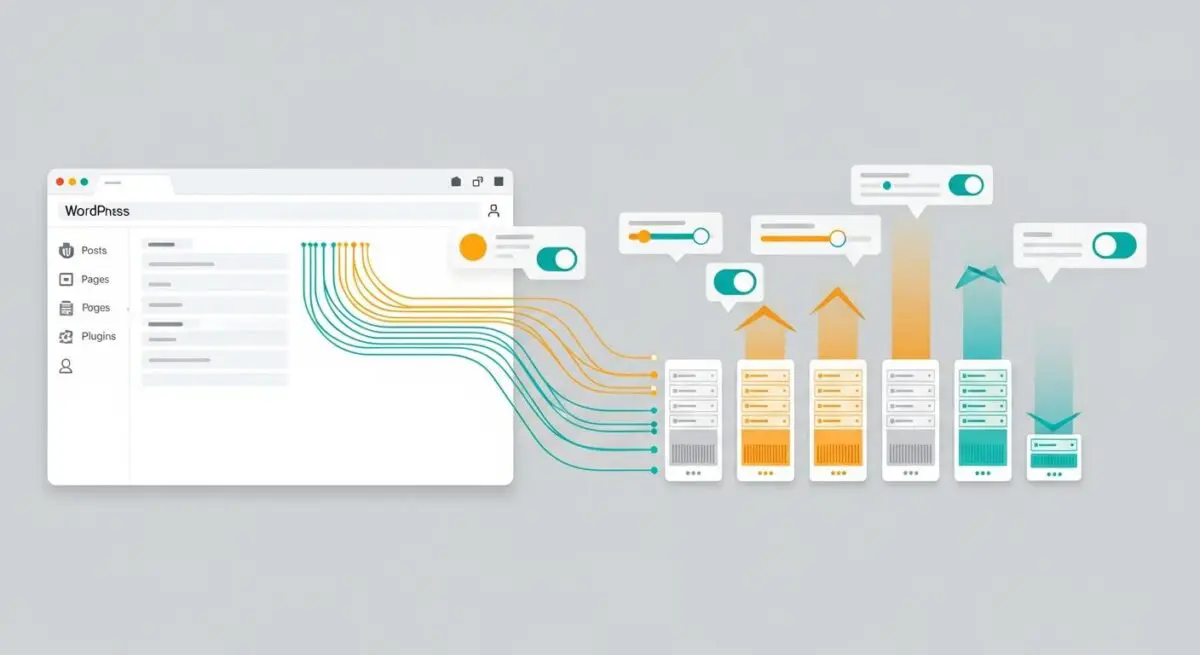
Auto-scaling is a cloud computing technique that automatically adjusts the number of active server instances or the capacity of existing resources in response to fluctuating workloads. Within the WordPress ecosystem, this typically involves horizontal scaling, where a load balancer distributes incoming traffic across a fleet of identical web server nodes. As traffic increases beyond defined thresholds—such as 70% CPU utilization—the orchestration layer provisions new instances to maintain performance stability.
In high-availability WordPress environments, auto-scaling is managed by a controller that monitors health checks and performance metrics. When demand subsides, the system executes a “scale-in” event, terminating redundant instances to optimize infrastructure costs. This elasticity is fundamental for enterprise-grade hosting, ensuring that the WordPress REST API and front-end delivery remain responsive regardless of concurrent user volume.
The Real-World Analogy
Imagine a large metropolitan highway system. During off-peak hours, two lanes are sufficient to handle the traffic flow. However, during rush hour, the highway dynamically adds extra lanes to prevent congestion and maintain speed. Once the rush hour ends, those extra lanes are closed to save on maintenance and lighting costs. Auto-scaling functions exactly like this highway, ensuring your WordPress site has just enough “lanes” to keep traffic moving at top speed without paying for unused capacity during quiet periods.
How Auto-scaling Impacts Server Performance & Speed Engineering?
Auto-scaling directly influences Time to First Byte (TTFB) and overall site reliability by preventing resource exhaustion. In a traditional single-server setup, a traffic surge leads to PHP-FPM worker saturation, causing requests to queue and eventually time out. Auto-scaling mitigates this by ensuring that the ratio of available PHP workers to incoming requests remains optimal. Furthermore, by utilizing a load balancer, traffic is routed to the healthiest and most responsive nodes, reducing latency at the edge.
From a speed engineering perspective, auto-scaling allows for more aggressive server-side optimization. Since instances are ephemeral, developers are encouraged to use centralized caching layers like Redis or Memcached and external database clusters (e.g., Amazon Aurora). This decoupling ensures that the application layer focuses solely on processing logic and rendering, while data persistence is handled by specialized, high-performance infrastructure.
Best Practices & Implementation
- Implement Stateless Architecture: Ensure all persistent data, including media uploads and user sessions, are stored externally (e.g., AWS S3, EFS, or a dedicated Redis cluster) so that any individual server instance can be terminated without data loss.
- Optimize Health Check Endpoints: Configure the load balancer to ping a lightweight PHP file rather than the WordPress core to accurately assess server health without triggering heavy database queries.
- Define Conservative Cooldown Periods: Set appropriate “cool-down” timers between scaling events to prevent “flapping,” where instances are rapidly created and destroyed due to minor traffic fluctuations.
- Use Pre-baked Machine Images: Utilize Amazon Machine Images (AMIs) or Docker containers that have the OS, PHP, and Nginx pre-configured to minimize the “boot-to-service” time during a scale-out event.
Common Mistakes to Avoid
A frequent error is relying on local storage for the wp-content/uploads directory. In an auto-scaling environment, files written to one instance will not exist on others, leading to broken images. Another critical mistake is failing to decouple the database; running MySQL on an auto-scaling web node will result in data corruption or loss when the instance scales in. Finally, many organizations set scaling triggers too high, causing the system to initiate new instances only after the site has already become unresponsive.
Conclusion
Auto-scaling is the cornerstone of modern, resilient WordPress architecture, providing the elasticity required to handle unpredictable traffic while maintaining peak performance. By adopting a stateless design and robust monitoring, agencies can ensure enterprise-level uptime and speed.