Executive Summary
- The Template Hierarchy is a decision-making algorithm used by the WordPress core to select the most specific template file available for rendering a requested URL.
- Efficient utilization of the hierarchy reduces the need for complex conditional logic within PHP files, leading to cleaner codebases and faster server-side execution.
- Understanding the fallback mechanism from specific templates to index.php is critical for optimizing theme performance and ensuring consistent user experiences across different post types.
What is Template Hierarchy?
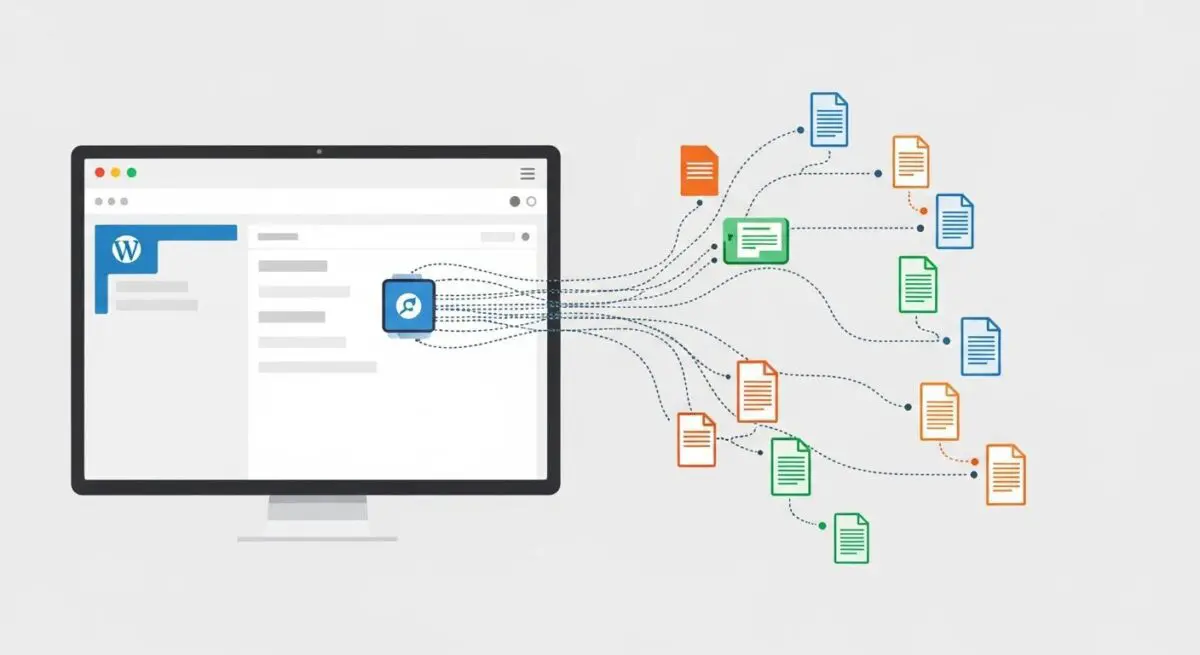
The Template Hierarchy is the foundational logic system within the WordPress CMS that determines which template file from a theme is used to render a specific page on the front end. When a user requests a URL, WordPress parses the query variables to identify the type of content being requested—such as a single post, a category archive, or a static page. The system then traverses a predefined list of potential file names in a specific order of priority, searching the active theme’s directory for a match.
At its core, the hierarchy functions as a cascading fallback system. It begins by searching for the most specific template file (e.g., category-slug.php). If that file does not exist, it moves to a more general template (e.g., category.php), continuing this process until it reaches the mandatory index.php file. This architectural design allows developers to create highly customized layouts for specific content types while maintaining a functional baseline for all other views.
The Real-World Analogy
Imagine a high-end concierge at a luxury hotel tasked with finding a specific document for a guest. The guest asks for a “Blueberry Muffin Recipe from the 2022 Summer Menu.” The concierge first looks in the “2022 Summer Menu Recipes” folder (the most specific template). If that folder is missing, they look in the general “Muffin Recipes” binder (a more general template). If that is also missing, they look in the “Pastry Recipes” book. Finally, if no specific pastry information is found, they consult the “General Kitchen Manual” (index.php) which contains basic instructions for all food items. The Template Hierarchy ensures the guest always receives the most relevant information available without the concierge having to search the entire library at once.
How Template Hierarchy Impacts Server Performance & Speed Engineering?
The efficiency of the Template Hierarchy directly influences the Time to First Byte (TTFB) and overall server-side rendering speed. Every time a request is made, the WordPress engine must perform file system checks to verify the existence of template files. In environments with poorly optimized file systems or excessive template layers, these I/O operations can accumulate, leading to latency. By utilizing specific templates rather than heavy conditional logic (if/else statements) within a single file, developers can reduce the PHP processing overhead required to determine which HTML structure to output.
Furthermore, the hierarchy plays a vital role in memory management. When the correct template is identified early in the hierarchy, the server avoids executing unnecessary code blocks intended for other views. In high-traffic enterprise WordPress deployments, leveraging the hierarchy alongside a robust object cache ensures that the mapping between the query and the template file is resolved with minimal resource consumption, facilitating faster delivery of the final HTML payload to the edge network.
Best Practices & Implementation
- Prioritize Specificity: Use specific template files like single-{post-type}.php instead of adding large conditional blocks inside single.php to improve code maintainability and execution speed.
- Leverage get_template_part(): Break complex templates into modular components using get_template_part(), which allows for cleaner code without disrupting the primary hierarchy logic.
- Minimize Child Theme Overheads: When using child themes, only override the specific files necessary. WordPress must check both the child and parent theme directories, so excessive file counts can marginally increase file lookup times.
- Utilize Custom Page Templates: For unique landing pages, use the Template Name header in PHP files to bypass the standard hierarchy and provide a direct mapping for specific pages.
Common Mistakes to Avoid
One frequent error is the over-reliance on index.php combined with massive is_home(), is_archive(), or is_single() conditional checks; this creates a “God File” that is difficult to debug and slow to process. Another common mistake is naming custom template files incorrectly, which causes WordPress to ignore them and default to a more generic template, often leading to unexpected layout shifts or SEO issues. Finally, developers often forget that the hierarchy applies to 404 and search result pages, leading to a poor user experience when these specific templates are missing.
Conclusion
The WordPress Template Hierarchy is a sophisticated routing mechanism that balances flexibility with architectural stability. Mastering this hierarchy is essential for engineering high-performance, scalable WordPress sites that deliver content efficiently through optimized server-side rendering.