Executive Summary
- Enables granular control over the WordPress enqueue system to dequeue unnecessary CSS and JavaScript files on a per-page basis.
- Reduces the total number of HTTP requests and the overall page weight, directly improving Core Web Vitals such as Largest Contentful Paint (LCP).
- Optimizes the critical rendering path by preventing render-blocking resources from loading where they provide no functional value.
What is Asset CleanUp?
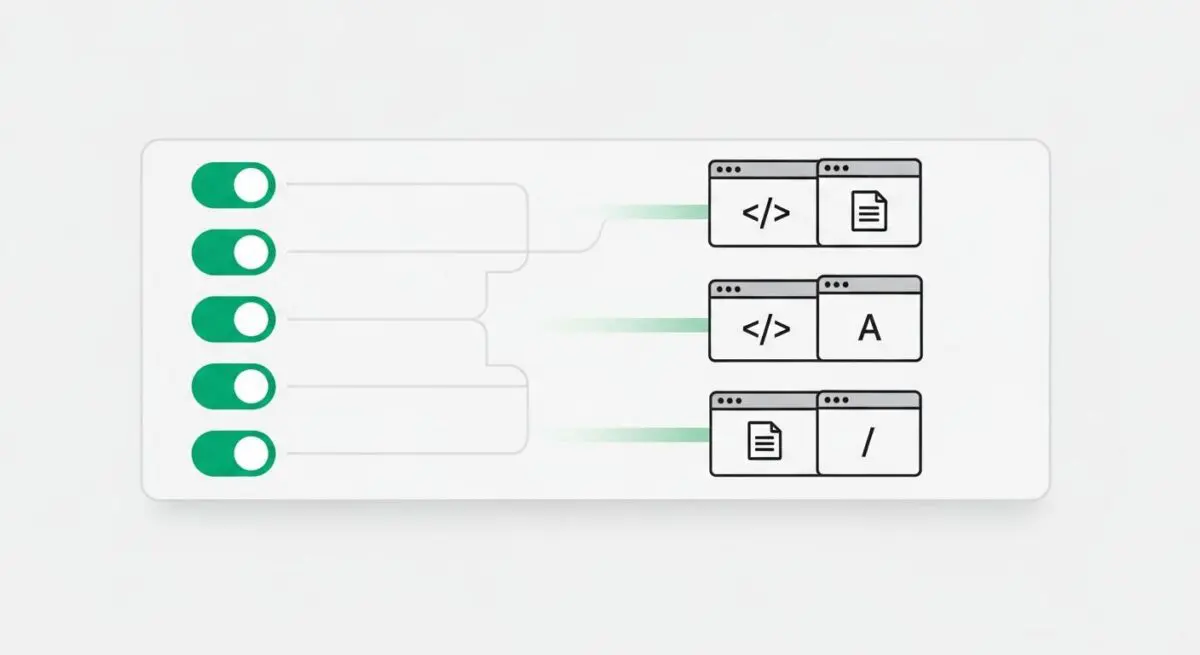
Asset CleanUp is a specialized performance optimization framework for WordPress designed to manage the loading of front-end assets. In a standard WordPress environment, plugins and themes often load their respective CSS and JavaScript files globally across every page, regardless of whether the specific functionality of that asset is required. Asset CleanUp intercepts the wp_enqueue_script() and wp_enqueue_style() functions, allowing administrators to selectively disable these files to streamline the Document Object Model (DOM).
From an architectural perspective, Asset CleanUp acts as a filter between the WordPress core and the final HTML output. By scanning the loaded assets on a specific URI, it provides a management interface to prevent redundant code execution. This is particularly critical in enterprise environments where multi-purpose themes and heavy page builders introduce significant “code bloat,” which can degrade the efficiency of the browser’s rendering engine and increase the Time to First Byte (TTFB) due to excessive processing requirements.
The Real-World Analogy
Imagine a professional chef preparing a specific dish in a massive industrial kitchen. If the chef had to carry every single pot, pan, and ingredient available in the entire building to their station just to make a simple omelet, the process would be slow, cluttered, and prone to accidents. Asset CleanUp acts as the kitchen manager who ensures that only the specific frying pan and eggs needed for that omelet are brought to the station, while the heavy stockpots and specialized baking equipment remain in storage, keeping the workspace lean and the service fast.
How Asset CleanUp Impacts Server Performance & Speed Engineering?
Asset CleanUp significantly impacts speed engineering by reducing the payload size of the initial page load. When a browser requests a WordPress page, it must download, parse, and execute every script enqueued in the header and footer. By dequeuing non-essential assets, Asset CleanUp reduces the Total Blocking Time (TBT) and First Contentful Paint (FCP). This reduction in asset volume also lessens the strain on the server’s bandwidth and improves the efficiency of Edge Caching and Content Delivery Networks (CDNs), as there is less data to propagate and cache.
Furthermore, by minimizing the number of HTTP requests, Asset CleanUp helps stay within the concurrent connection limits of HTTP/1.1 and optimizes the multiplexing capabilities of HTTP/2 and HTTP/3. This ensures that the browser’s main thread can prioritize the rendering of critical visual elements rather than getting bogged down by unused third-party libraries or redundant styling rules that do not apply to the current viewport.
Best Practices & Implementation
- Utilize Test Mode: Always enable the internal “Test Mode” before applying changes globally. This allows administrators to verify that dequeuing an asset does not break site functionality for logged-out users.
- Audit Global Assets: Identify scripts that are loaded site-wide but only used on specific pages, such as contact form scripts or heavy slider libraries, and restrict them to their relevant URIs.
- Analyze Dependency Trees: Before dequeuing a script, ensure it is not a dependency for another critical function (e.g., dequeuing jQuery when other active scripts rely on it).
- Combine with Server-Level Caching: Use Asset CleanUp in conjunction with object caching and page caching to ensure the optimized HTML output is served instantly from the server memory.
Common Mistakes to Avoid
A frequent error is the aggressive dequeuing of core WordPress dependencies, such as jquery-migrate or wp-embed, without verifying if legacy scripts or embedded content rely on them, which can lead to silent JavaScript errors. Another common mistake is failing to re-audit assets after a major plugin or theme update, as developers may introduce new enqueued files that bypass previous optimization rules.
Conclusion
Asset CleanUp is an essential tool for WordPress architects seeking to eliminate technical debt and optimize front-end delivery. By enforcing strict asset management, organizations can achieve superior performance metrics and a more efficient server infrastructure.