Executive Summary
- Gravity Forms utilizes a decoupled database architecture with dedicated tables to ensure data integrity and prevent wp_postmeta bloat.
- The plugin provides a robust API and hook system, enabling complex server-side validation and seamless third-party CRM integrations.
- Optimizing Gravity Forms requires strategic asset management to prevent unnecessary script execution on pages without active form components.
What is Gravity Forms?
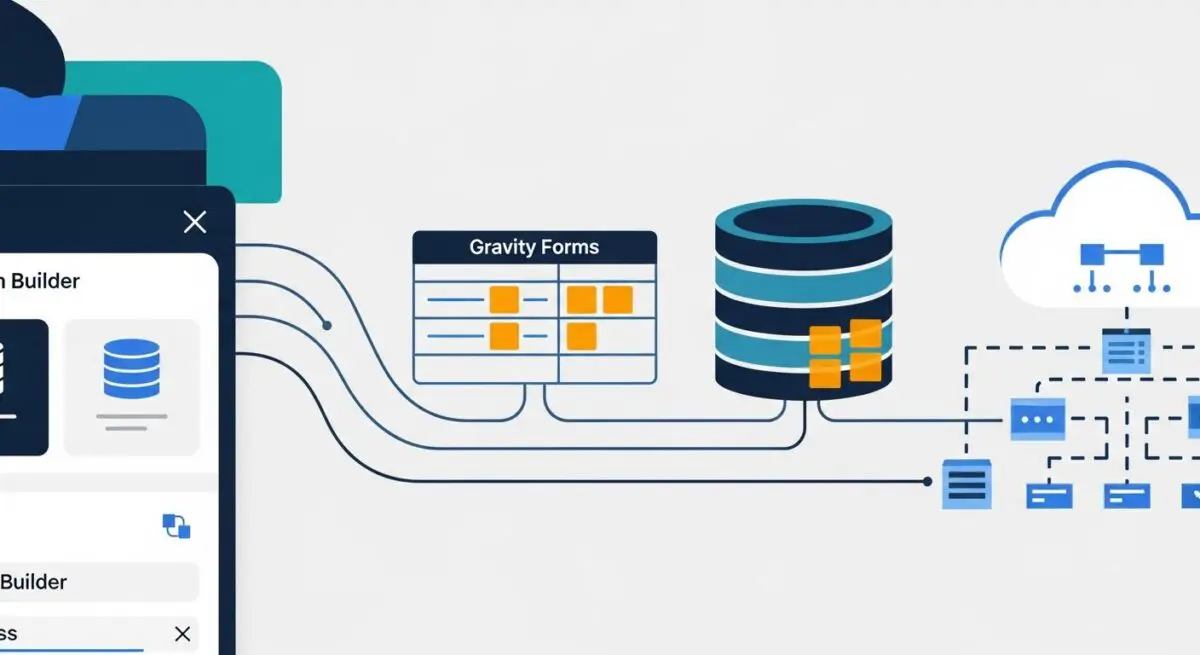
Gravity Forms is a sophisticated form management framework for WordPress, engineered to handle complex data acquisition and processing. Unlike basic contact form plugins, Gravity Forms operates as a full-featured application layer within the WordPress CMS, utilizing its own set of custom database tables (such as wp_gf_entry and wp_gf_entry_meta) to manage entries independently of the standard post architecture. This design choice is critical for enterprise-level applications where high-volume data submission and relational data integrity are paramount.
At its core, Gravity Forms leverages a comprehensive API and an extensive library of hooks (actions and filters), allowing developers to intercept data at various stages of the submission lifecycle. This extensibility makes it a primary choice for architects building custom registration systems, payment gateways, and complex lead-routing workflows. Its architecture supports conditional logic, multi-page structures, and advanced field types that interact directly with the WordPress database and external REST APIs.
The Real-World Analogy
Think of Gravity Forms as a highly advanced, automated sorting facility at a major logistics hub. Instead of just receiving a package (a simple form submission), this facility inspects the contents, verifies the recipient’s address against a global database, determines the priority level, and automatically routes the package to the correct department—whether that is the accounting office for a payment, the CRM warehouse for a lead, or the customer support desk. Just as a sorting facility needs its own dedicated infrastructure and power supply to handle thousands of packages without slowing down the rest of the city, Gravity Forms uses its own database tables and server-side logic to process complex data without overwhelming the core WordPress engine.
How Gravity Forms Impacts Server Performance & Speed Engineering?
Gravity Forms can significantly influence server response times and front-end performance if not managed correctly. By default, the plugin may enqueue several JavaScript and CSS assets across the entire site to support features like AJAX submissions, date pickers, and conditional logic. This can lead to increased render-blocking resources and higher HTTP requests, negatively impacting Core Web Vitals. From a server-side perspective, complex forms with extensive conditional logic require additional PHP processing cycles to validate inputs and determine field visibility before the final HTML is rendered.
Furthermore, the way Gravity Forms interacts with the database is more efficient than plugins that rely on wp_postmeta, but it still requires monitoring. Large-scale deployments with millions of entries can lead to database growth that affects backup speeds and query performance if the entry meta tables are not regularly optimized. However, when properly configured with object caching and asset optimization, Gravity Forms provides a scalable solution that minimizes the performance overhead typically associated with complex data entry systems.
Best Practices & Implementation
- Conditional Script Loading: Use the gform_enqueue_scripts filter to ensure Gravity Forms assets only load on pages where a form is actually present, reducing the global payload.
- Database Maintenance: Implement a data retention policy to periodically prune old entries or offload them to an external data warehouse to prevent the wp_gf_entry tables from becoming a bottleneck.
- AJAX Submission: Enable AJAX for form submissions to prevent full-page reloads, improving the user experience and reducing the perceived latency of the server response.
- Server-Side Validation: Leverage the gform_field_validation filter to perform rigorous data sanitization and validation before data is committed to the database, ensuring high data quality.
Common Mistakes to Avoid
One frequent error is the “Add-on Overload,” where administrators install dozens of Gravity Forms extensions for minor features, leading to significant PHP memory exhaustion and increased security vulnerabilities. Another common mistake is failing to implement server-level caching exclusions for pages containing forms with dynamic population, which can result in users seeing cached data from previous sessions. Finally, many brands neglect to configure proper honeypot or reCAPTCHA integration, leading to a flood of spam entries that bloat the database and trigger unnecessary server-side processing.
Conclusion
Gravity Forms is a powerful architectural tool for WordPress that, when optimized through strategic asset management and database maintenance, provides a scalable and secure framework for complex data acquisition.