



Executive Summary
- PHP-FPM (FastCGI Process Manager) optimizes WordPress performance by maintaining a pool of worker processes to handle PHP execution independently of the web server.
- It enables granular resource allocation through configurable process management modes: static, dynamic, and on-demand.
- Implementation significantly reduces server overhead and improves Time to First Byte (TTFB) by eliminating the need to initialize the PHP runtime for every request.
What is PHP-FPM?
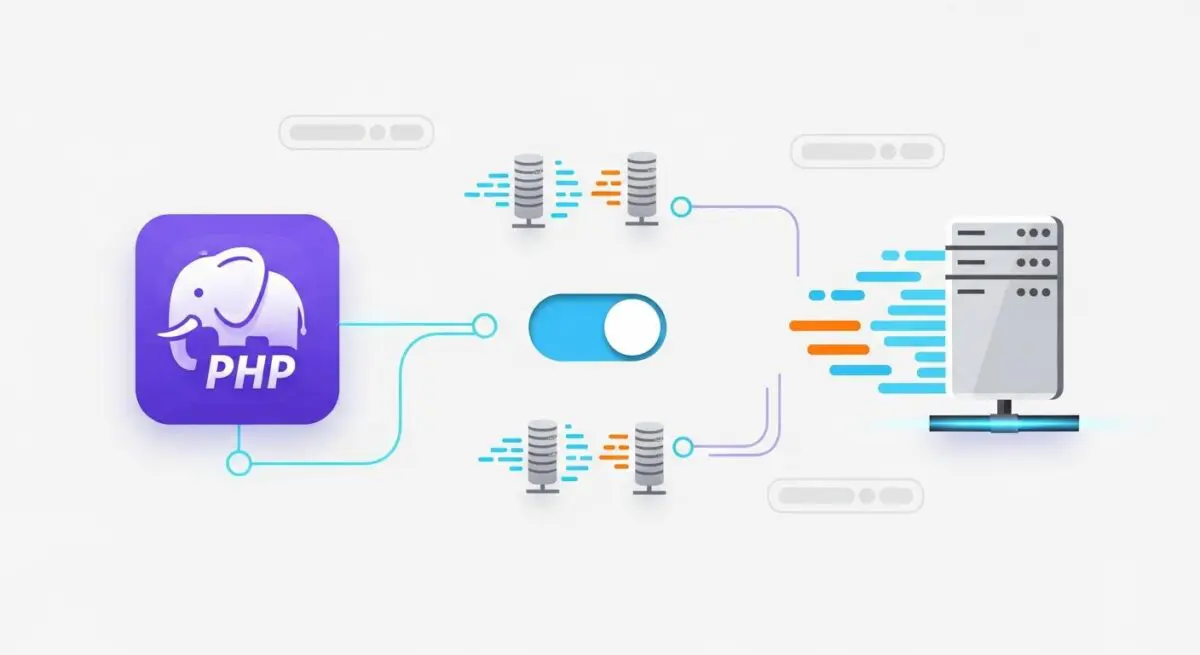
PHP-FPM, or FastCGI Process Manager, is an alternative PHP FastCGI implementation that provides advanced process management capabilities for high-traffic WordPress environments. Unlike older methods where the web server (such as Apache) would embed the PHP interpreter or spawn a new process for every single request, PHP-FPM maintains a persistent pool of “worker” processes. These workers stay active and ready to execute PHP code, which drastically reduces the computational overhead associated with starting and stopping PHP instances.
In a modern WordPress stack, PHP-FPM typically sits behind a reverse proxy like Nginx. When a visitor requests a PHP file, Nginx passes the request to PHP-FPM via a Unix socket or a TCP connection. PHP-FPM then assigns the task to an available worker process, executes the script, and returns the output to the web server. This separation of concerns allows the web server to focus on serving static assets and managing connections while PHP-FPM handles the heavy lifting of the WordPress core, plugins, and themes.
The Real-World Analogy
Imagine a high-end restaurant kitchen. In an inefficient setup (the old CGI model), every time a customer orders a meal, the restaurant has to hire a new chef, build a new stove, and buy new pans, only to throw them all away once the plate is served. This is slow and incredibly wasteful. PHP-FPM is like having a professional, permanent kitchen staff (worker processes) already standing at their stations with the stoves pre-heated. When an order (a PHP request) comes in from the waiter (the web server), a chef immediately starts cooking. Once the meal is finished, the chef doesn’t leave; they simply clean their station and wait for the next order. This makes the entire operation faster, more organized, and capable of handling a sudden rush of hungry customers.
How PHP-FPM Impacts Server Performance & Speed Engineering?
PHP-FPM is a cornerstone of WordPress speed engineering because it directly influences the server’s ability to handle concurrency. By utilizing process pooling, it minimizes the CPU cycles wasted on process creation and destruction. This efficiency translates into lower Time to First Byte (TTFB) and more stable Core Web Vitals, particularly under heavy load. Furthermore, PHP-FPM allows for advanced features like the slow log, which records PHP scripts that take longer than a specified duration to execute. This is an invaluable tool for developers to identify bottleneck plugins or poorly optimized database queries that are dragging down site performance.
Best Practices & Implementation
- Tune pm.max_children: Calculate this value based on available RAM. Each PHP-FPM process typically consumes 30-50MB; setting this too high will cause the server to swap to disk, while setting it too low will lead to “502 Bad Gateway” errors.
- Use Unix Sockets: For single-server setups, configure PHP-FPM to communicate via Unix sockets rather than TCP/IP to reduce network overhead and latency.
- Enable the Status Page: Activate the PHP-FPM status module to monitor real-time metrics such as active processes, idle processes, and the number of times the process limit has been reached.
- Implement pm dynamic: For most WordPress sites, use the dynamic setting to allow the number of worker processes to scale up during traffic spikes and scale down during quiet periods to save memory.
- Configure Request Limits: Use pm.max_requests to automatically restart worker processes after they have handled a certain number of requests, preventing potential memory leaks from poorly coded plugins.
Common Mistakes to Avoid
One frequent error is leaving PHP-FPM on default settings provided by the OS distribution, which are rarely optimized for the resource-heavy nature of WordPress. Another common mistake is over-allocating worker processes (max_children) beyond the physical memory capacity of the server, leading to Out-Of-Memory (OOM) kills and total site downtime. Finally, many administrators fail to monitor the PHP-FPM error and slow logs, missing critical warnings about script timeouts or resource exhaustion that impact the user experience.
Conclusion
PHP-FPM is an essential architectural component for any enterprise-grade WordPress hosting environment, providing the process isolation and resource management necessary for high-performance scaling. Proper configuration of its process manager settings is the difference between a site that crashes under load and one that remains lightning-fast during peak traffic.