Executive Summary
- OPcache eliminates the overhead of PHP compilation by storing precompiled script bytecode in shared memory (RAM).
- It significantly reduces Time to First Byte (TTFB) and CPU utilization, which is critical for high-traffic WordPress environments.
- Proper configuration of memory consumption and interned strings buffers is essential for maintaining enterprise-level scalability and stability.
What is OPcache?
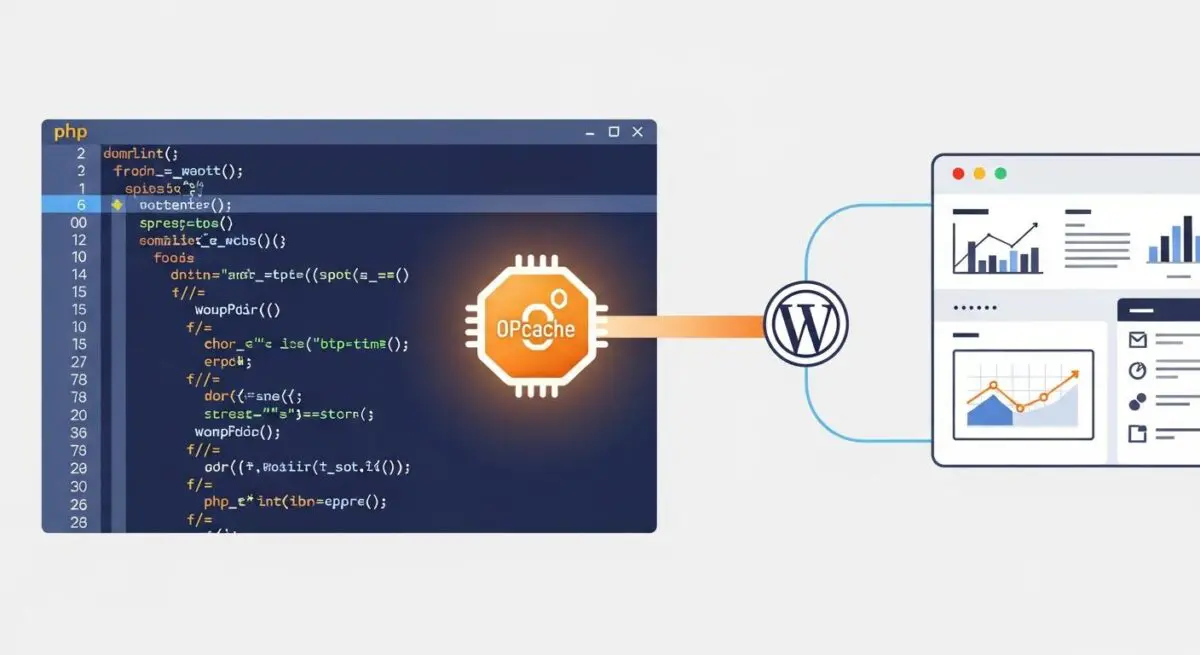
OPcache is a powerful performance enhancement for PHP that improves website speed by storing precompiled script bytecode in the server’s shared memory. In a standard PHP environment, every time a WordPress page is requested, the PHP engine must perform a series of resource-intensive tasks: it reads the source code from the disk, parses the code into tokens, converts those tokens into an Abstract Syntax Tree (AST), and finally compiles that tree into Opcode (Operation Code) that the Zend Virtual Machine can execute. This cycle repeats for every single request, creating a massive computational bottleneck for complex CMS platforms like WordPress.
By integrating Zend OPcache into the PHP execution lifecycle, the server intercepts this process. After the first time a PHP script is compiled, the resulting bytecode is stored in a dedicated memory segment. For all subsequent requests, the PHP engine skips the parsing and compilation phases entirely, pulling the ready-to-execute bytecode directly from RAM. This architectural shift transforms PHP from a purely interpreted language into one that leverages pre-compiled execution, which is fundamental for modern server-side optimization and high-availability WordPress hosting.
The Real-World Analogy
To understand OPcache, imagine a professional orchestra preparing for a performance. Without OPcache, every time an audience member enters the hall and asks to hear a symphony, the musicians must sit down, write out the entire musical score from memory onto blank paper, tune their instruments from scratch, and conduct a brief rehearsal before playing the first note. This preparation takes significantly longer than the actual performance. With OPcache, the sheet music is already printed and placed on every stand, the instruments are perfectly tuned, and the musicians are poised and ready. The moment the request is made, the music begins instantly. The ‘rehearsal’ and ‘setup’ time is eliminated, allowing the orchestra to serve many more audience members in the same amount of time.
How OPcache Impacts Server Performance & Speed Engineering?
The impact of OPcache on WordPress performance engineering is foundational and multi-faceted. Primarily, it addresses the CPU-bound nature of PHP execution. By removing the need for repetitive compilation, the CPU is freed from redundant tasks, allowing it to handle a significantly higher volume of concurrent requests. This is particularly vital for WordPress sites that utilize heavy page builders, complex themes, or numerous plugins, where the sheer volume of PHP files to be processed can otherwise overwhelm server resources. When the CPU is no longer bogged down by compilation, the server can allocate more power to database queries and dynamic content generation.
Furthermore, OPcache drastically reduces Disk I/O. Reading hundreds of PHP files from a Solid State Drive (SSD) or a traditional Hard Disk Drive (HDD) for every page load creates a physical bottleneck. Since OPcache serves the bytecode from RAM, the disk is only accessed once when the cache is “cold.” This reduction in disk activity not only speeds up the site but also extends the lifespan of the server hardware. Most importantly for SEO and user experience, OPcache improves the Time to First Byte (TTFB). Because the server can begin executing the logic of the site almost instantly, the delay between the user’s request and the server’s response is minimized, directly impacting Core Web Vitals and search engine rankings.
Best Practices & Implementation
- Allocate Sufficient Memory: The opcache.memory_consumption directive should be set to at least 128MB or 256MB for modern WordPress installations. If the cache fills up, PHP will be forced to recompile scripts, negating the performance benefits.
- Optimize Interned Strings: Set opcache.interned_strings_buffer to 16MB or higher. This stores identical strings (like variable names or HTML fragments) in a single memory location, which is highly effective for the repetitive nature of WordPress core code.
- Tune File Limits: Ensure opcache.max_accelerated_files is set to a prime number higher than the total count of PHP files in your WordPress directory. A value of 16229 is a common industry standard for robust enterprise sites.
- Production Timestamp Validation: In high-traffic production environments, setting opcache.validate_timestamps to 0 provides a performance boost by preventing the server from checking the disk for file changes on every request, though this requires a manual cache flush during code deployments.
- Enable Save Comments: Ensure opcache.save_comments is enabled (set to 1), as many WordPress plugins and frameworks rely on DocBlock comments for data mapping and dependency injection.
Common Mistakes to Avoid
One of the most frequent errors in WordPress server management is under-provisioning memory, leading to a “Cache Full” state. When the allocated memory for OPcache is exhausted, the system may stop caching new scripts or trigger frequent cache resets, causing performance to fluctuate wildly. Another common mistake is neglecting to monitor the hit rate. Without using tools like opcache-gui or command-line status checks, administrators may not realize their cache is inefficient or failing to store critical files. Finally, failing to clear the OPcache after a plugin update or a code deployment when validate_timestamps is disabled can lead to the server running outdated or mismatched code, resulting in site errors or security vulnerabilities.
Conclusion
OPcache is a non-negotiable component of high-performance WordPress architecture. By shifting the burden of PHP execution from the CPU and Disk I/O to shared memory, it provides the scalability and rapid response times required for modern enterprise-grade web environments.