Executive Summary
- WordPress nonces are cryptographic tokens used to prevent Cross-Site Request Forgery (CSRF) by validating the intent of a specific user action.
- Unlike true cryptographic nonces, WordPress nonces are not used only once; they have a default 24-hour lifespan and are tied to a specific user ID and session.
- Strategic nonce management is critical for maintaining security without compromising high-performance edge caching and server-side optimization.
What is WordPress Nonces?
In the context of WordPress architecture, a “nonce” (number used once) is a cryptographic hash used as a security token to protect URLs and forms from Cross-Site Request Forgery (CSRF) attacks. While the term implies a single-use token, WordPress nonces function as time-limited keys. They are generated using a combination of the user’s ID, the specific action being performed, the session token, and a “nonce salt” defined in the wp-config.php file. This ensures that a request originated from a legitimate user within a valid administrative context.
Technically, WordPress nonces are not true nonces because they can be reused within their validity window, which defaults to 24 hours (divided into two 12-hour ticks). When a developer implements wp_create_nonce(), the system generates a string that must be verified on the server side using wp_verify_nonce() or check_admin_referer() before any data processing occurs. This mechanism is fundamental to the security of the WordPress REST API, AJAX requests, and administrative form submissions.
The Real-World Analogy
Imagine a high-security corporate office that issues a temporary visitor badge. This badge is not just a generic pass; it is encoded with your specific identity, the specific floor you are allowed to visit, and an expiration timestamp. If you try to use that badge on a different floor, or if you try to use it two days later, the electronic scanners will deny entry. Even if someone photocopies your badge, it only works for that specific “action” (entering that specific floor) and only for a limited time. In WordPress, the nonce is that encoded badge, ensuring that only the authorized “visitor” can perform the intended “action” before the pass expires.
How WordPress Nonces Impacts Server Performance & Speed Engineering?
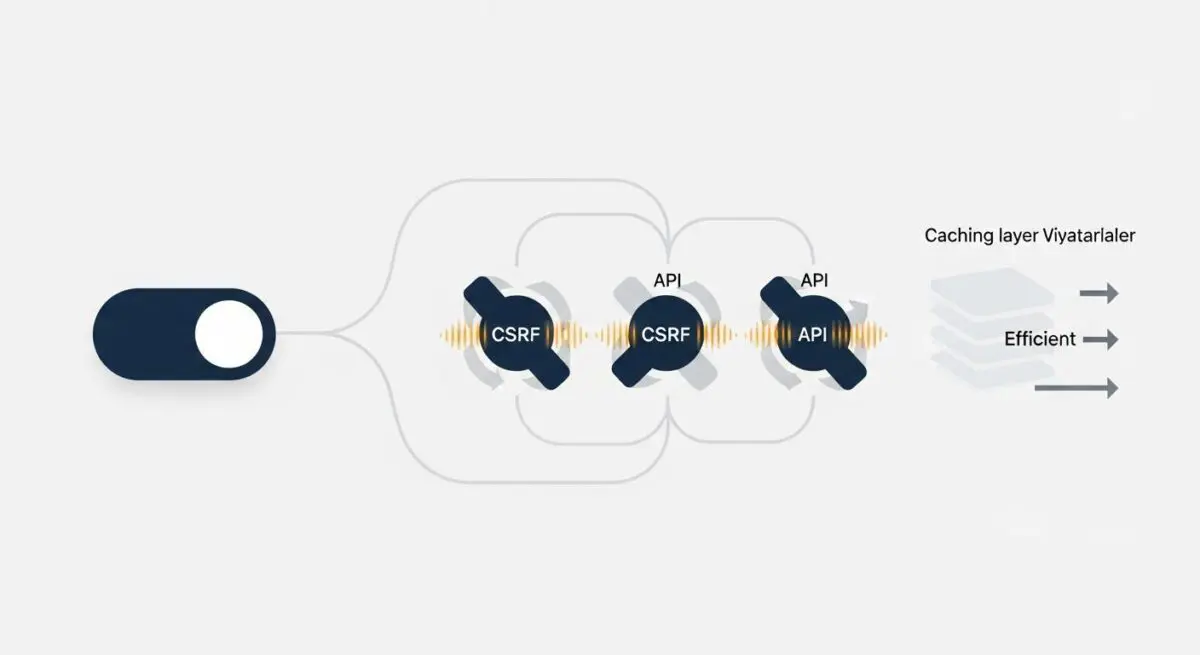
WordPress nonces present a significant challenge for advanced caching layers, such as Nginx FastCGI cache, Varnish, or Edge Caching (Cloudflare). Because nonces are unique to the user session and have a time-sensitive expiration, pages containing nonces are inherently dynamic. If a nonce is hardcoded into a page’s HTML, that page cannot be served as a static asset to all users; doing so would result in “Nonce Invalid” errors for everyone except the user who triggered the initial cache generation.
From a speed engineering perspective, this requires a shift toward decoupled architectures. To maintain high Time to First Byte (TTFB) and cache hit ratios, developers must avoid including nonces in the initial HTML payload of cached pages. Instead, nonces should be fetched via an asynchronous AJAX or REST API call after the page loads, or injected via Fragment Caching (ESI). This allows the bulk of the page to remain static and highly performant while the security-sensitive tokens are handled dynamically.
Best Practices & Implementation
- Server-Side Verification: Never process a
$_POSTor$_GETrequest that modifies database state without first validating the nonce usingcheck_admin_referer()orcheck_ajax_referer(). - Granular Action Naming: Always use specific action strings (e.g.,
'delete_post_' . $post_id) rather than generic strings to ensure the nonce is only valid for one specific operation. - AJAX Refreshing: For highly cached environments, implement a script that refreshes nonces via the REST API to prevent users from encountering expired tokens on long-lived browser sessions.
- Script Localization: Use
wp_localize_script()to securely pass nonces from PHP to JavaScript files, ensuring they are available for authenticated API requests.
Common Mistakes to Avoid
A frequent error is relying on nonces for authentication or authorization. Nonces verify intent, not identity or permissions; you must still use current_user_can() to check if the user has the right to perform the action. Another mistake is hardcoding nonces into static HTML templates that are subject to aggressive page caching, which inevitably leads to broken forms and failed submissions once the cached nonce expires.
Conclusion
WordPress nonces are indispensable for CSRF protection but require sophisticated handling in enterprise hosting environments. Balancing security and performance necessitates a deep understanding of how these tokens interact with caching layers and the WordPress REST API.