Executive Summary
- The database prefix acts as a namespace for WordPress tables, enabling multiple installations within a single MySQL/MariaDB schema.
- Customizing the default prefix is a foundational security measure that mitigates automated SQL injection attacks targeting standard table names.
- Proper implementation via the $wpdb class ensures code portability and prevents hardcoding vulnerabilities in custom plugin and theme development.
What is Database Prefix?
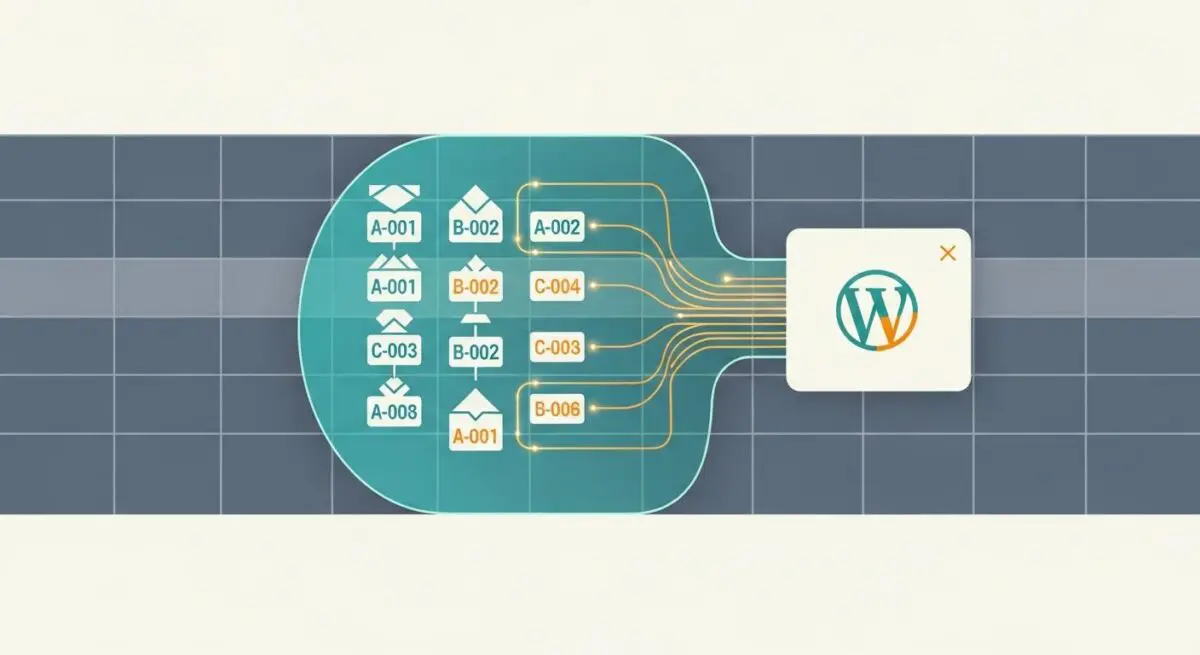
In the context of WordPress architecture, a Database Prefix is a string of characters—defined by the global variable $table_prefix within the wp-config.php file—that is prepended to the names of all base tables created during the installation process. By default, WordPress assigns the prefix wp_, resulting in standard tables such as wp_posts, wp_options, and wp_users. This architectural choice serves two primary technical functions: namespacing and security obfuscation.
From a database management perspective, the prefix allows a single relational database (RDBMS) to host multiple, distinct WordPress installations without naming collisions. Each installation uses a unique prefix, ensuring that queries executed by one instance do not inadvertently interact with the data of another. At the application layer, the WordPress core utilizes the wpdb class to dynamically prepend this prefix to table names during query execution, allowing developers to write portable code that functions across different hosting environments regardless of the specific prefix chosen by the administrator.
The Real-World Analogy
Imagine a massive, high-security commercial filing cabinet located in a shared office building. This cabinet represents your MySQL database. If every company in the building simply labeled their folders “Invoices,” “Employee Records,” and “Contracts,” it would be impossible to distinguish which folder belongs to which business, leading to catastrophic data overlap. The Database Prefix is equivalent to a unique company code assigned to every folder (e.g., CO_A_Invoices vs. CO_B_Invoices). Even though they share the same physical storage unit, the unique identifier ensures that Company A never accidentally opens Company B’s files, and a thief looking for a generic “Invoices” folder would be frustrated by the non-standard labeling system.
How Database Prefix Impacts Server Performance & Speed Engineering?
While the database prefix itself has a negligible impact on raw query execution time, its configuration significantly influences the efficiency of database indexing and the overhead of the MySQL information_schema. In high-scale enterprise environments, having an excessive number of tables within a single database (due to multiple prefixed installations) can lead to increased metadata overhead. When the RDBMS must parse thousands of table names to locate specific data, the file system’s directory structure and the database’s internal cache can experience latency.
Furthermore, from a speed engineering standpoint, the use of non-standard prefixes can occasionally interfere with certain server-level caching mechanisms or database optimization scripts that are hard-coded to look for the default wp_ string. However, modern Object Caching (like Redis or Memcached) and advanced query optimizers are generally prefix-agnostic. The primary performance consideration lies in the length of the prefix; while MySQL allows for long identifiers, keeping prefixes concise ensures that index names (which often incorporate the table name) do not exceed the 64-character limit, which could otherwise lead to truncated identifiers and potential database errors during complex schema migrations.
Best Practices & Implementation
- Change the Default Prefix During Installation: Always replace the default
wp_with a unique, alphanumeric string (e.g.,ax72_) during the initial setup to prevent automated bots from easily identifying your table structures. - Utilize $wpdb for All Queries: When developing custom plugins or themes, never hardcode table names. Always use the
$wpdb->prefixproperty to ensure your queries remain compatible with any database configuration. - Implement Post-Installation Changes Carefully: If changing a prefix on an existing site, use tools like WP-CLI to perform a search-and-replace on the
optionsandusermetatables, as WordPress stores some prefix-dependent keys (likewp_capabilities) within the data itself. - Maintain Consistency in Multisite: In a WordPress Multisite environment, understand that the main network tables use the base prefix, while individual sub-sites append a blog ID (e.g.,
wp_2_posts), requiring careful management during database migrations.
Common Mistakes to Avoid
One of the most frequent errors is failing to update prefix-specific entries in the wp_options and wp_usermeta tables after a manual prefix migration. This often results in “You do not have sufficient permissions to access this page” errors because the user’s roles and capabilities are still tied to the old prefix. Another common mistake is using special characters or excessively long strings in the prefix, which can violate SQL syntax rules or complicate command-line database management. Finally, developers often forget that security through obscurity (changing the prefix) is only one layer of a defense-in-depth strategy and must be paired with robust WAFs and SQL injection prevention measures.
Conclusion
The WordPress database prefix is a critical architectural component that facilitates multi-tenancy and enhances security by abstracting the underlying table structure. Proper management of this prefix is essential for maintaining a secure, scalable, and high-performing WordPress ecosystem.