Executive Summary
- The Heartbeat API utilizes AJAX polling via admin-ajax.php to maintain a persistent connection between the browser and the server.
- It facilitates critical core functions including autosave, post locking, and session management to prevent data loss and edit conflicts.
- Improper configuration can lead to excessive CPU utilization and PHP-FPM worker exhaustion, particularly in high-traffic or shared hosting environments.
What is Heartbeat API?
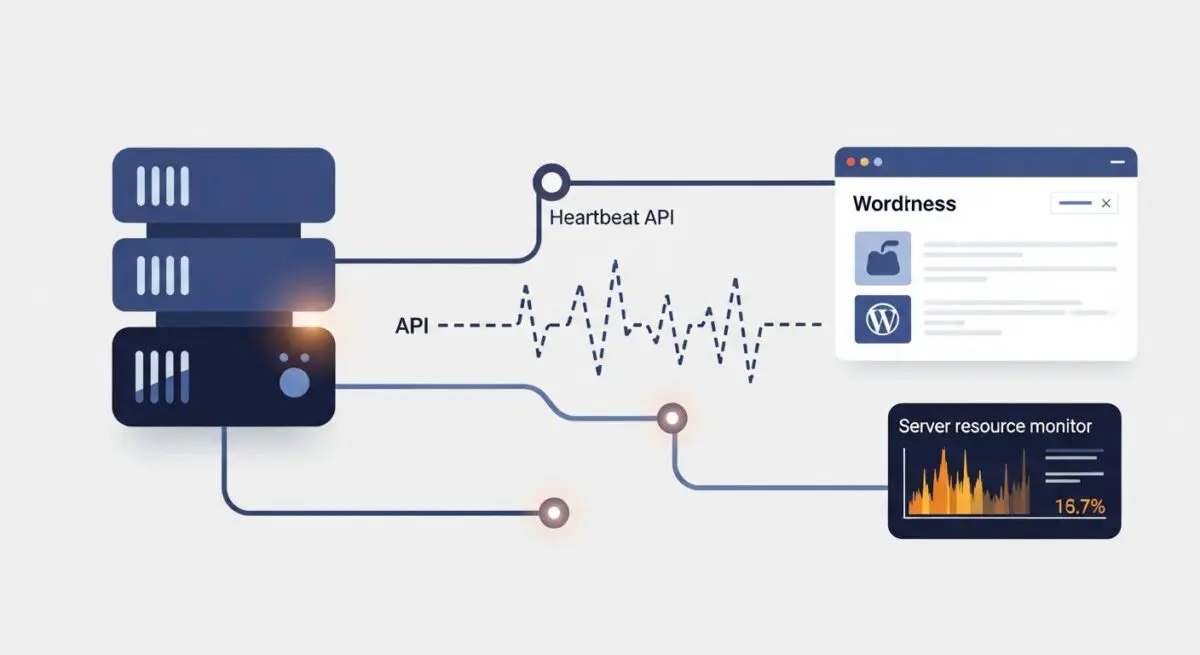
The Heartbeat API, introduced in WordPress 3.6, is a standardized communication protocol that enables the browser to communicate with the server in near real-time. It functions by utilizing an AJAX-based polling mechanism, where the client-side JavaScript (wp.heartbeat) sends periodic requests to the server via the admin-ajax.php file. These requests, often referred to as “ticks,” allow WordPress to perform background tasks without requiring a full page reload or manual user intervention. The API is designed to be extensible, allowing developers to hook into the communication stream to send and receive custom data packets.
Architecturally, the Heartbeat API operates on a pulse frequency that varies depending on the user’s activity. When a user is actively editing a post, the pulse typically occurs every 15 seconds. If the browser tab is left idle, the frequency decreases to every 60 seconds to conserve server resources. Each tick carries a payload that includes a nonces for security verification, ensuring that the request is authenticated and originates from a valid user session. This mechanism is fundamental to the modern WordPress administrative experience, providing the infrastructure for features that require state synchronization between the client and the server.
The Real-World Analogy
To understand the Heartbeat API, imagine a security guard patrolling a large corporate office building. Instead of waiting for an alarm to go off, the guard walks through the hallways every 15 minutes to check if doors are locked and if the staff is still present. This regular check-in ensures that if a door is left open (like a post being edited) or if someone is working late (an active session), the building management is aware. However, if the guard checks every 30 seconds instead of every 15 minutes, they become exhausted and consume more energy (server CPU), even if nothing has changed. The Heartbeat API is that guard, providing constant status updates to ensure the “building” of your WordPress site remains synchronized and secure.
How Heartbeat API Impacts Server Performance & Speed Engineering?
The primary technical challenge associated with the Heartbeat API is its reliance on the admin-ajax.php endpoint. Every time a heartbeat tick occurs, WordPress must initialize the entire core CMS architecture to process the AJAX request. This includes loading the database, active plugins, and theme functions. In an enterprise environment with dozens of concurrent users in the dashboard, these frequent requests can lead to a massive spike in CPU usage. If the server’s PHP-FPM worker pool is saturated by these background tasks, it can delay the processing of front-end requests, leading to increased Time to First Byte (TTFB) and a perceived slowdown for site visitors.
Furthermore, the Heartbeat API can interfere with server-side caching strategies. Since AJAX requests are typically dynamic and non-cacheable, they bypass standard page caching layers like Varnish or Nginx FastCGI cache. For sites hosted on infrastructure with limited resources, such as entry-level VPS or shared hosting, the cumulative effect of multiple users triggering heartbeat ticks can result in 504 Gateway Timeout errors or account suspension due to resource overages. Speed engineering for WordPress often involves auditing these background requests to ensure they do not compete with critical rendering paths for system resources.
Best Practices & Implementation
- Frequency Calibration: Use the heartbeat_settings filter to modify the polling interval. Increasing the interval from 15 seconds to 60 seconds in the post editor can significantly reduce server load without compromising the autosave functionality.
- Contextual Disabling: Implement logic to disable the Heartbeat API on the front-end of the site and the general dashboard area, while keeping it active only within the post editor where post locking and autosaves are essential.
- Resource Monitoring: Utilize browser developer tools (Network tab) to monitor the frequency and payload size of admin-ajax.php calls. This allows developers to identify if specific plugins are injecting excessive data into the heartbeat stream.
- Server-Level Optimization: Ensure the hosting environment is configured with an adequate number of PHP-FPM workers and utilize OpCache to reduce the overhead of re-compiling PHP scripts for every heartbeat tick.
- Alternative Protocols: For high-scale applications requiring true real-time data, consider offloading Heartbeat-style functionality to WebSockets or the WordPress REST API, which can be more efficient than traditional AJAX polling in specific architectural contexts.
Common Mistakes to Avoid
One frequent error is the total deactivation of the Heartbeat API across the entire WordPress installation. While this eliminates the CPU overhead, it breaks critical functionality such as the “Post Locking” feature, which prevents two authors from overwriting each other’s work. It also disables the autosave mechanism, putting content at risk if a browser crash or connection loss occurs. Another common mistake is ignoring the impact of third-party plugins that hook into the Heartbeat API. Some poorly coded plugins may add heavy database queries to every tick, exponentially increasing the performance penalty of the API.
Conclusion
The Heartbeat API is a vital component of WordPress synchronization, yet it requires careful management to prevent server resource exhaustion. By optimizing the polling frequency and restricting its execution to necessary administrative contexts, developers can maintain a responsive CMS environment without sacrificing scalability.