Executive Summary
- Server-level optimizations including Nginx FastCGI caching and Redis object caching are pre-configured to reduce Time to First Byte (TTFB).
- Automated maintenance cycles handle WordPress core, theme, and plugin updates alongside proactive security patching at the server level.
- Infrastructure is typically built on high-availability cloud providers like GCP or AWS with containerized resource isolation for consistent performance.
What is Managed WordPress Hosting?
Managed WordPress Hosting is a specialized concierge service where the hosting provider assumes responsibility for the technical management of the WordPress environment. Unlike generic shared or VPS hosting, a managed environment is architected specifically for the WordPress CMS. This includes a finely-tuned technology stack—often a LEMP (Linux, Nginx, MySQL/MariaDB, PHP) stack—optimized to handle the specific PHP execution patterns and database query structures inherent to WordPress. The primary objective is to abstract the complexities of server administration, allowing developers and site owners to focus on content and application logic rather than infrastructure maintenance.
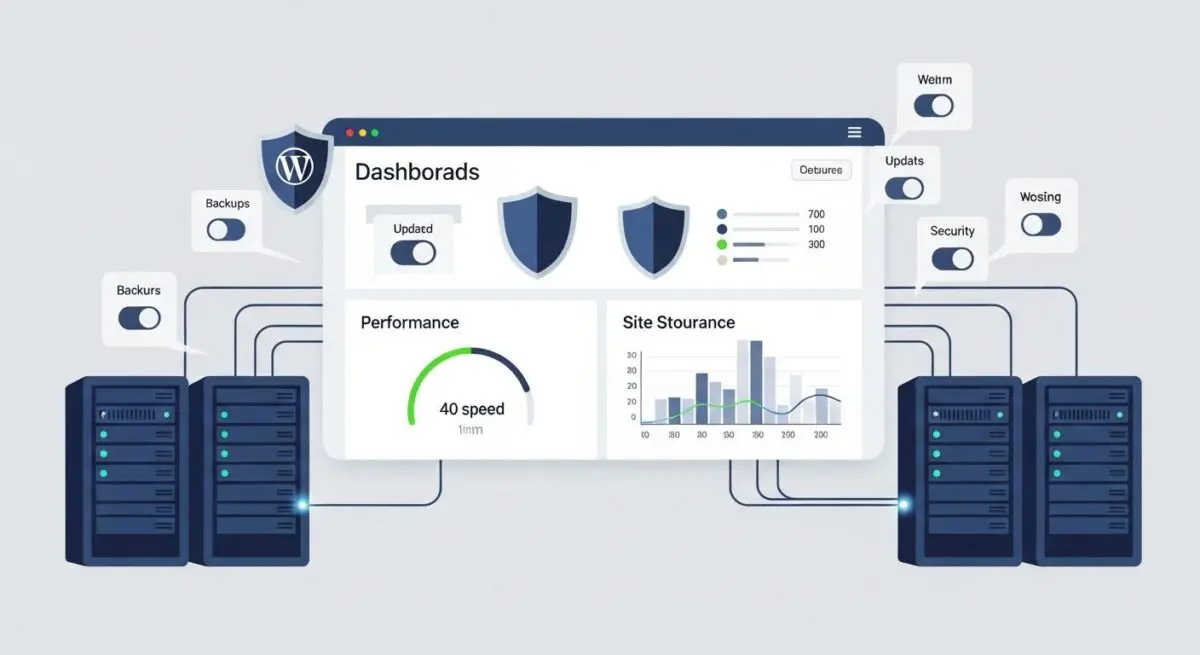
From a technical standpoint, Managed WordPress Hosting involves deep integration between the hardware and the software. Providers often implement server-side caching mechanisms such as Nginx FastCGI, Varnish, or specialized Redis and Memcached configurations that are pre-configured to recognize WordPress-specific cookies and query parameters. Furthermore, these environments typically include automated backups, staging environments with one-click deployment, and specialized security protocols such as Web Application Firewalls (WAF) that are updated in real-time to mitigate WordPress-specific vulnerabilities like SQL injections or Cross-Site Scripting (XSS) attacks.
The Real-World Analogy
Consider the difference between renting a generic commercial kitchen space and hiring a specialized pastry kitchen team. In a generic kitchen (Shared Hosting), you are provided with the basic tools—stoves, sinks, and counters—but you must bring your own specialized equipment, maintain the appliances, and ensure the health codes are met yourself. If the oven breaks, you have to fix it or wait for a general handyman. In a Managed WordPress Hosting environment, you are stepping into a kitchen specifically designed for high-end pastry making. The ovens are pre-calibrated to the exact temperatures required for soufflés, the ingredients are automatically restocked, and a dedicated maintenance crew is constantly cleaning and tuning the equipment behind the scenes. You don’t worry about the gas lines or the refrigeration cycles; you simply focus on the recipe and the final presentation, knowing the infrastructure is perfectly aligned with your specific craft.
How Managed WordPress Hosting Impacts Server Performance & Speed Engineering?
The impact of Managed WordPress Hosting on performance is rooted in the elimination of the “plugin-heavy” approach to speed. In traditional hosting, users often rely on multiple third-party plugins to handle caching, image optimization, and security, which increases PHP execution time and memory usage. Managed hosts move these functions to the server level. For instance, by using Nginx-level caching, the server can serve static HTML versions of pages without ever triggering a PHP process or a database query, drastically reducing the Time to First Byte (TTFB).
Furthermore, Managed WordPress Hosting environments are engineered to handle the “Slashdot effect” or sudden traffic spikes through elastic scaling. By utilizing containerization technologies like Docker or Kubernetes, these hosts can dynamically allocate CPU and RAM resources to a specific site instance without affecting other tenants on the same physical hardware. This resource isolation ensures that the noisy neighbor effect—common in shared hosting—is virtually non-existent. Additionally, many managed providers integrate Global Content Delivery Networks (CDNs) at the DNS level, ensuring that assets are cached at the edge, closer to the end-user, which minimizes latency and improves Core Web Vitals such as Largest Contentful Paint (LCP).
Best Practices & Implementation
- Leverage Staging Environments: Always utilize the integrated staging environment to test core updates, plugin compatibility, and CSS changes before pushing to production to prevent downtime.
- Implement Object Caching: Enable Redis or Memcached through the hosting dashboard to cache database query results, which is critical for dynamic sites like WooCommerce or membership portals.
- Offload Media Assets: Use the host’s integrated CDN or a specialized media offloading service to ensure that large images and videos do not consume local server bandwidth or disk I/O.
- Minimize Redundant Plugins: Audit your plugin list and remove any that perform tasks already handled by the managed host, such as backup plugins, security scanners, or caching engines.
- Monitor PHP Versions: Regularly update to the latest stable version of PHP (e.g., PHP 8.2 or 8.3) supported by the host to take advantage of significant execution speed improvements and security patches.
Common Mistakes to Avoid
One frequent error is the installation of redundant caching and security plugins. Many developers, out of habit, install plugins like W3 Total Cache or Wordfence on managed environments. This often leads to conflicts with the server-level configurations, resulting in cache-clearing issues or performance degradation due to duplicate processing. Another common mistake is neglecting the staging-to-production workflow. Users often make direct edits to the live site’s theme or database, bypassing the safety protocols provided by the managed environment, which increases the risk of site breakage during high-traffic periods.
Conclusion
Managed WordPress Hosting represents a shift from infrastructure management to performance-driven application hosting. By offloading server-side optimization and security to specialized experts, enterprise WordPress deployments achieve higher scalability, lower latency, and superior security posture.