



Key Points
- Audit Edge Rules: Identify 403 Forbidden or JS Challenge errors triggered by aggressive Web Application Firewalls blocking the Googlebot-Video User-Agent.
- Bypass Frame Restrictions: Overcome strict X-Frame-Options and CSP headers by injecting explicit JSON-LD VideoObject schema directly into the parent DOM.
- Automate Validation: Deploy automated Pre-Flight SEO checks and ELK Stack log monitoring to prevent recurring crawl anomalies in media-heavy directories.
Table of Contents
The Core Conflict: Video Indexing Failures via Host Restrictions
According to a 2025 technical SEO study by Brightcove, approximately 18% of enterprise-level video assets are invisible to search engines due to misconfigured ‘X-Frame-Options’ and restrictive WAF rules on third-party hosting platforms.
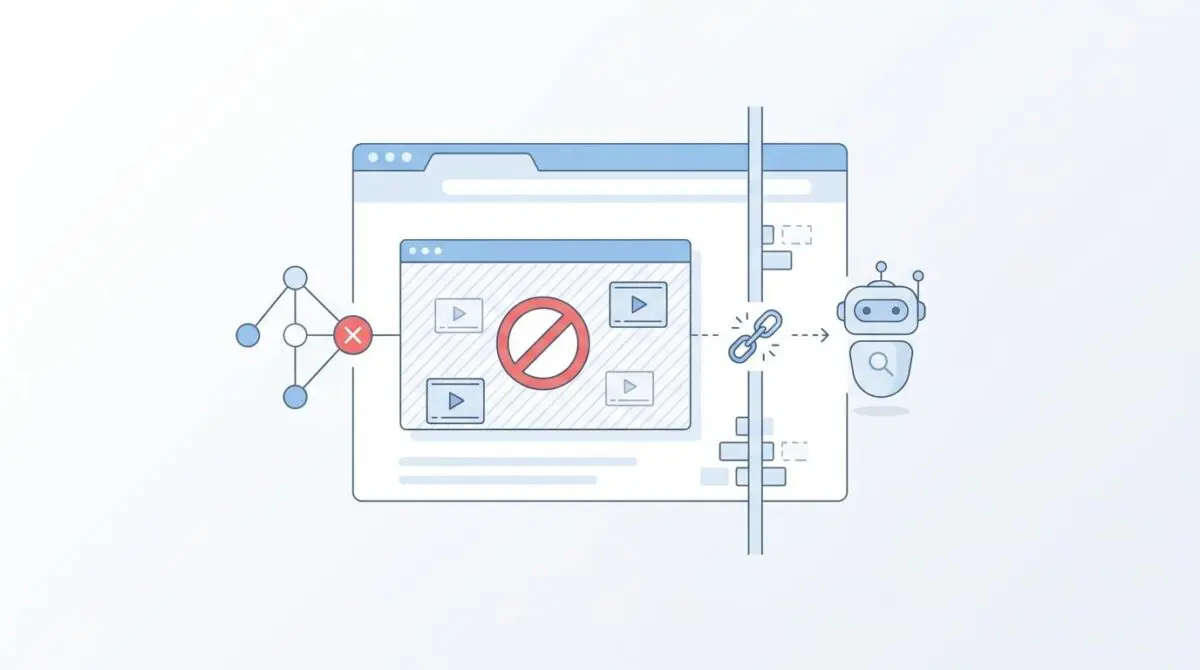
This staggering metric underscores a critical vulnerability in modern server architectures. The error Video not indexed: Video hosted on a platform that blocks Googlebot occurs when Googlebot-Video is programmatically prevented from accessing the media file or player interface.
For successful indexing, Google must fetch the source file or render the player to extract attributes like duration, thumbnails, and metadata. When iframe restrictions or WAF rules block the Googlebot-Video User-Agent, the fetch stage fails entirely at the network edge.
In the 2026 search landscape, this severely degrades both traditional Crawl Budget and Generative Engine Optimization. Search engines now rely heavily on multimodal LLM-based indexing, treating videos as primary knowledge nodes for contextual understanding.
When a server-side block excludes content from AI-generated overviews, it causes a measurable decline in organic visibility. Resolving this requires a deep understanding of how headless browsers interact with third-party domain security policies.
Diagnostic Checkpoints
Resolving this anomaly requires isolating the exact layer where the desynchronization occurs. The block could originate at the DNS level, the Content Delivery Network, or within the application configuration itself.
Diagnostic Checkpoints
Robots.txt Disallow on Hosting Domain
Domain-level crawl restrictions block Googlebot-Video access.
Restrictive X-Frame-Options or CSP Headers
Security headers prevent headless browser iframe rendering.
WAF User-Agent Filtering & Bot Management
Firewalls block bots via JS challenges or 403 errors.
Same-Site Cookie Requirements & Gating
Stateless crawlers fail session-based or cookie gating.
At the server layer, restrictive directives on the video hosting subdomain often default to blocking all crawlers. This is a common tactic used to save egress bandwidth costs on S3 buckets or private CDNs.
On the application side, strict frame control or Content Security Policy headers prevent Google’s Headless Chromium from loading the video player. This happens when the player is embedded inside the parent page’s iframe during the rendering phase.
At the edge layer, aggressive Web Application Firewalls may misidentify Googlebot-Video as a malicious scraper. Over-configured security suites, such as Cloudflare’s Bot Fight Mode, can issue JavaScript challenges that automated indexers simply cannot solve.
Finally, stateless crawlers routinely fail session-based gating protocols. If a platform requires a strict cookie attribute to load the iframe, Googlebot will be redirected to an empty state or a login portal.
The Engineering Resolution Roadmap
Addressing these bottlenecks requires systematically auditing the video source URLs and adjusting headers or metadata payloads. You must map the exact HTTP journey of the crawler to find the point of failure.
Engineering Resolution Roadmap
Identify and Audit Video Source URLs
Open the GSC ‘URL Inspection Tool’ and test the live URL. Check the ‘Crawl’ and ‘More Info’ tabs to see the ‘Page Resources’ list. Identify any 4xx or 5xx errors specifically linked to the domain hosting the video file (e.g., vimeo.com, aws-s3-bucket, or a dedicated CDN).
Validate Robots.txt Accessibility
Navigate to [video-host-domain]/robots.txt and verify that ‘User-agent: Googlebot-Video’ is not disallowed. If the host is third-party (e.g., Vimeo), ensure the video privacy setting is ‘Public’ and ‘Allow Embedding Anywhere’ is toggled on.
Inject VideoObject Schema (Metadata Passthrough)
If you cannot modify the third-party host headers, use the SEO plugin (RankMath/Yoast) or a custom function to inject JSON-LD ‘VideoObject’ schema. This provides Google with the ‘contentUrl’, ‘thumbnailUrl’, and ‘uploadDate’ without requiring them to successfully fetch the video file.
Configure Edge Workers for Header Stripping
If using Cloudflare, deploy a Cloudflare Worker to intercept requests for the video iframe and ensure ‘X-Frame-Options’ is modified to allow the parent domain, or strip the header entirely for ‘Googlebot-Video’ User-Agents.
The first phase is strictly diagnostic and relies on native Google Search Console data. By utilizing the URL Inspection Tool, you can isolate 4xx or 5xx HTTP status codes directly linked to the video host domain.
Once the failing domain is identified, verifying file accessibility is paramount. If the host is a third-party service like Vimeo, ensuring public privacy settings and global embedding rights is often the simplest fix.
However, enterprise environments often lack root access to modify third-party host headers directly. In these scenarios, you must bypass the fetch requirement entirely by injecting structured metadata directly into the parent Document Object Model.
For advanced edge deployments, configuring Cloudflare Workers provides a surgical solution. You can write scripts to strip restrictive frame headers specifically for the Googlebot-Video User-Agent, ensuring seamless rendering without compromising global security.
Resolution Execution: Metadata Passthrough
When direct server header modification is impossible, you must rely on a metadata passthrough strategy. This satisfies core search engine video indexing requirements without requiring a successful fetch of the underlying media file.
By injecting a comprehensive JSON-LD payload, you explicitly define the critical attributes for the crawler. This includes exact pointers to the thumbnail, the duration, and the raw content URL.
This explicit declaration bypasses the need for Google’s Headless Chromium to execute the iframe contents. It provides the indexer with a pristine dataset, effectively sidestepping the 403 Forbidden errors encountered during the rendering phase.
Fixing via Schema Injection
Implement the following JSON-LD payload into the head of the parent page hosting the video. Ensure the content URL points directly to the media asset, or use the embed URL if only the iframe source is available.
{ "@context": "https://schema.org", "@type": "VideoObject", "name": "Optimizing Video for 2026 SEO", "description": "Tutorial on bypassing iframe indexing blocks.", "thumbnailUrl": "https://example.com/thumb.jpg", "uploadDate": "2026-05-29T10:50:00Z", "duration": "PT2M30S", "contentUrl": "https://cdn.example.com/video.mp4", "embedUrl": "https://example.com/embed/video123" }This explicit declaration forces the indexer to map the video entity directly to the parent URL. It overrides the crawler’s dependency on the iframe render, securing your place in video-first carousels.
Validation Protocol & Edge Cases
After deploying the resolution, immediate validation is required to ensure the bot can parse the video entity. Do not wait for Google Search Console to update its index naturally.
Validation Protocol
- Run the Google Rich Result Test tool selecting Smartphone as the agent.
- Verify that the Video tab appears and shows a valid preview.
- Execute curl -I -A “Googlebot-Video/1.0” for the video file URL.
- Confirm a 200 OK response to ensure the host is not blocking.
While standard validation usually confirms the fix, complex architectures introduce unique edge cases. In a Headless WordPress setup utilizing Vercel or Netlify, frontend optimization proxies can cause severe false negatives.
These proxies often convert heavy iframes into static image placeholders to improve Core Web Vitals metrics. If the proxy fails to recognize the Googlebot-Video agent, it serves a low-resolution blurred image instead of the DOM element.
This causes Google to report that the video could not be found, despite the source host being perfectly accessible. To resolve this, ensure your frontend proxy bypass rules explicitly whitelist Google’s crawler IPs.
Autonomous Monitoring & Prevention
Fixing a single indexing anomaly is merely a reactive measure. Enterprise environments require proactive, autonomous monitoring to prevent recurring video indexing failures across thousands of URLs.
Implement a Pre-Flight SEO automated check using advanced crawlers like Screaming Frog or Lumar. Configure these tools to spoof the Googlebot-Video User-Agent to detect regressions in staging environments before they reach production.
Furthermore, establish an automated log-monitoring alert system within your ELK Stack or Datadog instances. Flag any sudden spikes in 403 Forbidden responses specifically on media-heavy directories or subdomains.
At Andres SEO Expert, we architect Make.com pipelines that connect these log anomalies directly to engineering channels in Slack or Jira. This ensures that when an engineering team inadvertently deploys a restrictive security header, the SEO team is notified before crawl budget is wasted.
Monitoring entity integrity at the enterprise level demands this synchronization between DevOps and Technical SEO. You cannot rely solely on delayed reporting from Google Search Console.
Conclusion
Resolving video indexing blocks requires a surgical approach to server configurations, edge network rules, and structured data injection. By auditing your Web Application Firewall, adjusting security headers, and leveraging JSON-LD passthroughs, you can restore full visibility to your media assets.
Navigating the intersection of technical SEO, server architecture, and generative search requires a precise roadmap. If you need to future-proof your enterprise stack, resolve deep-level crawl anomalies, or implement AI-driven SEO automation, connect with Andres at Andres SEO Expert.
Frequently Asked Questions
Why is Googlebot-Video blocked from indexing my hosted videos?
Video indexing often fails when server-side security configurations, such as restrictive X-Frame-Options or Web Application Firewalls (WAF), block the Googlebot-Video User-Agent. This prevents the crawler from fetching the media file or rendering the player to extract critical metadata.
How can I fix the ‘Video hosted on a platform that blocks Googlebot’ error?
To resolve this, audit your video source URLs for 4xx or 5xx errors, verify that robots.txt allows Googlebot-Video, and ensure security headers permit embedding. If host access is restricted, use VideoObject JSON-LD schema to provide metadata directly to Google.
Can X-Frame-Options headers impact video SEO visibility?
Yes. Restrictive X-Frame-Options or Content Security Policy (CSP) headers can prevent Google’s Headless Chromium from loading video players within iframes. Stripping these headers specifically for search crawlers using Edge Workers is a common technical resolution.
What is a metadata passthrough for video indexing?
A metadata passthrough involves injecting structured data (JSON-LD) into the parent page. This bypasses the need for Google to successfully fetch or render the video file itself, as the schema provides all required attributes like contentUrl, thumbnailUrl, and duration.
How do WAF rules like Cloudflare Bot Fight Mode affect videos?
Aggressive Web Application Firewalls often misidentify Googlebot-Video as a scraper, issuing JavaScript challenges that automated crawlers cannot solve. This leads to 403 Forbidden errors and prevents the video from being indexed and appearing in search results.
Does robots.txt affect videos hosted on third-party platforms?
Yes. If the hosting domain (e.g., an S3 bucket or Vimeo) has a robots.txt file that disallows ‘Googlebot-Video’, Google will be programmatically blocked from indexing the asset. You must ensure the host domain permits crawler access for proper indexing.