Key Points
- Web Rendering Service Limits: WRS 5-second execution limits cause blank DOM indexing in React SPAs, directly destroying Crawl Budget and Generative Engine Optimization viability.
- Architecture Overhaul: Transitioning to Server-Side Rendering via Next.js or edge middleware like Prerender.io bypasses client-side rendering bottlenecks entirely.
- Hydration Optimization: Backend API latency must be mitigated using Redis Object Cache to ensure hydration endpoints resolve in under 200ms during WRS simulation.
The Core Conflict: WRS and the Blank DOM
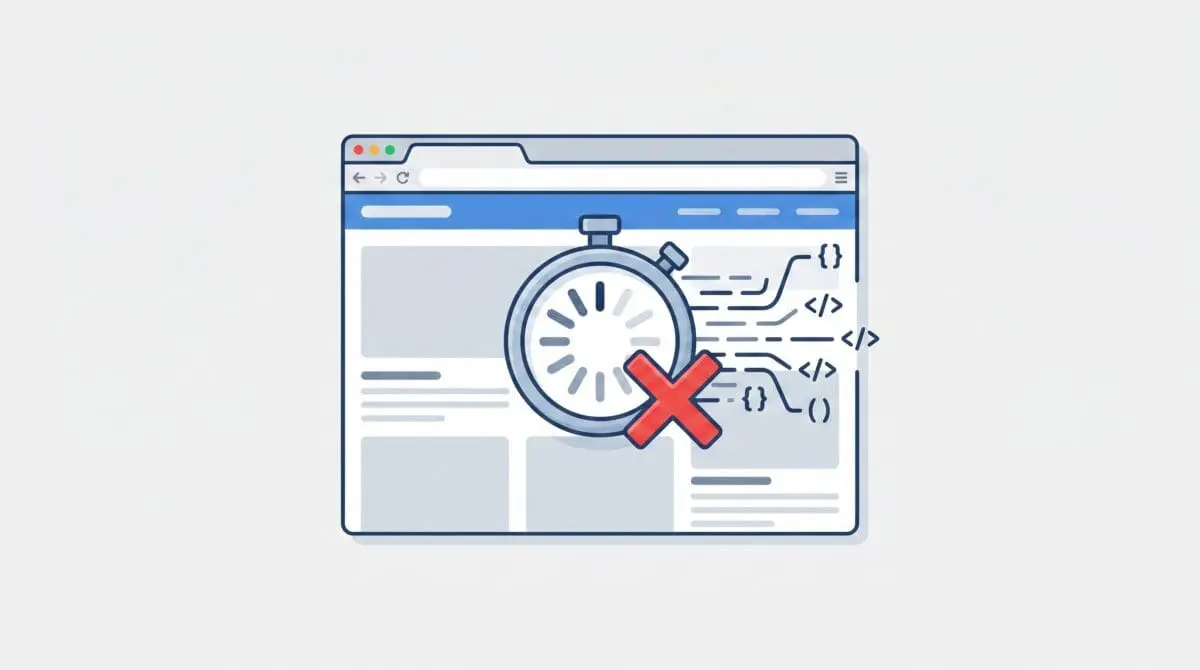
A JavaScript Rendering Timeout occurs when a search engine’s Web Rendering Service halts script execution prematurely. This happens before the page’s Document Object Model is fully populated with content.
This architectural failure is particularly prevalent in Single Page Applications built with frameworks like React. In these environments, the initial HTML source is nearly empty, relying entirely on client-side scripts to inject the content.
When the rendering engine exceeds its allocated time budget, Googlebot captures and indexes the incomplete blank state. You will typically see nothing but a root mounting div in your crawl logs.
The impact on Search Crawl Budget is severe. The engine wastes computational resources crawling URLs that result in zero indexed content, leading directly to Soft 404s or a Crawled – currently not indexed status.
In the context of Generative Engine Optimization, this error is catastrophic. AI-driven search engines rely on scraping fully rendered text to build knowledge graphs. A blank render prevents the site from being used as a source for generative answers, effectively erasing its presence from modern search interfaces.
Diagnostic Checkpoints: Stack Desynchronization
Rendering timeouts are rarely a single point of failure. They represent a desynchronization across your server, edge, and application layers.
Diagnostic Checkpoints
Long-Task Main Thread Blocking
Main thread lock exceeds WRS 5-second execution timeout.
Robots.txt Resource Exclusion
Critical rendering assets blocked from crawler access.
Critical API Latency (Hydration Failure)
Backend API responses exceed rendering engine wait window.
Modern JS Syntax Incompatibility
Uncaught exceptions stop script execution and rendering.
At the server layer, backend API latency is a primary culprit. If your database bottlenecks or lacks object caching, the renderer proceeds with an empty state before the fetch requests resolve.
At the edge layer, aggressive security rules can silently block rendering assets. Cloudflare or similar CDNs might challenge headless browsers, preventing the virtual DOM from building.
Within the WordPress or CMS layer, oversized payloads often block the main thread. When a frontend React app must parse thousands of lines of metadata before the first meaningful paint, the rendering engine simply times out.
The Engineering Resolution Roadmap
Addressing a JavaScript Rendering Timeout requires shifting the computational load away from the crawler. We must guarantee that the crawler receives fully formed HTML.
Engineering Resolution Roadmap
Implement Server-Side Rendering (SSR) or Pre-rendering
Transition the React SPA to a framework like Next.js for SSR or implement a middleware solution like Prerender.io. This ensures Googlebot receives fully formed HTML rather than an empty div.
Optimize API Response Times
Install and configure Redis Object Cache for WordPress to ensure wp-json responses resolve in <200ms. Use the 'fields' parameter in REST API calls to minimize the payload size.
Audit and Unblock Resources
Review the robots.txt file to ensure all JS bundles and API endpoints are ‘Allowed’. Test using the GSC ‘Robots.txt Tester’ to confirm Googlebot has access to the /wp-json/ namespace.
Deferred Script Execution
Refactor the React application to use Code Splitting (React.lazy) and ensure that non-critical third-party scripts (like GTM or Hotjar) are deferred until after the initial render to free up the main thread for Googlebot.
Transitioning a React SPA to a Server-Side Rendering framework like Next.js is the most robust solution. Alternatively, implementing a middleware solution like Prerender.io intercepts bot traffic and serves a cached, fully rendered DOM.
Optimizing API response times is equally critical for hydration. Installing Redis Object Cache ensures that backend responses resolve in under 200 milliseconds.
You must also audit your robots.txt file to ensure critical JS bundles are accessible. Finally, refactoring the application to use code splitting ensures that non-critical scripts do not monopolize the main thread during the initial render.
Code Implementations for Middleware Routing
Fixing via NGINX Configuration
This NGINX block detects search engine user agents and routes them to a pre-rendering service. This ensures bots receive static HTML while human users receive the standard SPA.
location / { if ($http_user_agent ~* 'googlebot|bingbot') { proxy_pass http://prerender_service; } }Fixing via Apache .htaccess
For Apache environments, this rewrite rule captures Googlebot traffic and proxies the request through your rendering endpoint. It preserves the original request URI for accurate caching.
RewriteCond %{HTTP_USER_AGENT} Googlebot [NC] RewriteRule ^(.*)$ http://service.com/render/%{REQUEST_URI} [P,L]Fixing via WordPress REST API (functions.php)
This snippet ensures your WordPress REST API allows Cross-Origin Resource Sharing. This is vital when your headless React frontend and WordPress backend operate on different domains.
add_action('rest_api_init', function() { header('Access-Control-Allow-Origin: *'); });Validation Protocol & Edge Cases
Deploying the fix is only the first phase of resolution. You must rigorously validate the output using simulated crawler environments.
Validation Protocol
- Execute GSC Live URL Test to inspect rendered DOM snapshots.
- Verify Googlebot headers and HTML using command-line curl strings.
- Simulate WRS constraints via 6x CPU throttling in Chrome DevTools.
- Confirm critical API accessibility using the Robots.txt Tester tool.
A common edge case occurs when Cloudflare Bot Management identifies your pre-rendering service as a spoofed bot. It may issue a JavaScript challenge or place the request in a waiting room.
This creates a circular dependency. The rendering service is blocked by the security layer, resulting in the original blank page being served to Googlebot despite the SSR implementation.
To resolve this, you must explicitly whitelist the IP addresses of your pre-rendering service within your Web Application Firewall. Always verify headers using command-line tools to bypass browser-level caching.
Autonomous Monitoring & Prevention
Preventing rendering timeouts requires proactive, automated monitoring. Relying on manual Search Console checks guarantees you will only discover errors after indexing has failed.
Implement an automated CI/CD pipeline step that runs a Puppeteer-based rendering check against a headless browser. This detects blank renders before they ever reach your production environment.
Regularly analyze your server logs to monitor the 90th percentile response time of internal API endpoints used for hydration. Advanced automation pipelines, such as those built in Make.com, can alert your engineering team the moment latency spikes occur.
At Andres SEO Expert, we utilize these precise automation workflows to monitor entity integrity at the enterprise level. Catching a hydration failure in staging is infinitely cheaper than recovering lost organic visibility.
Conclusion
Resolving a JavaScript Rendering Timeout bridges the gap between frontend architecture and technical SEO. By shifting rendering logic server-side and optimizing API latency, you guarantee crawler accessibility.
Navigating the intersection of technical SEO, server architecture, and generative search requires a precise roadmap. If you need to future-proof your enterprise stack, resolve deep-level crawl anomalies, or implement AI-driven SEO automation, connect with Andres at Andres SEO Expert.