Executive Summary
- Heading tags establish a semantic hierarchy that allows search engines to understand the topical relationship between content sections.
- Proper implementation of H1-H3 tags enhances web accessibility, enabling screen readers to navigate complex documents efficiently.
- Strategic placement of primary and secondary keywords within headings provides strong relevance signals for ranking algorithms.
What is Heading Tags (H1, H2, H3)?
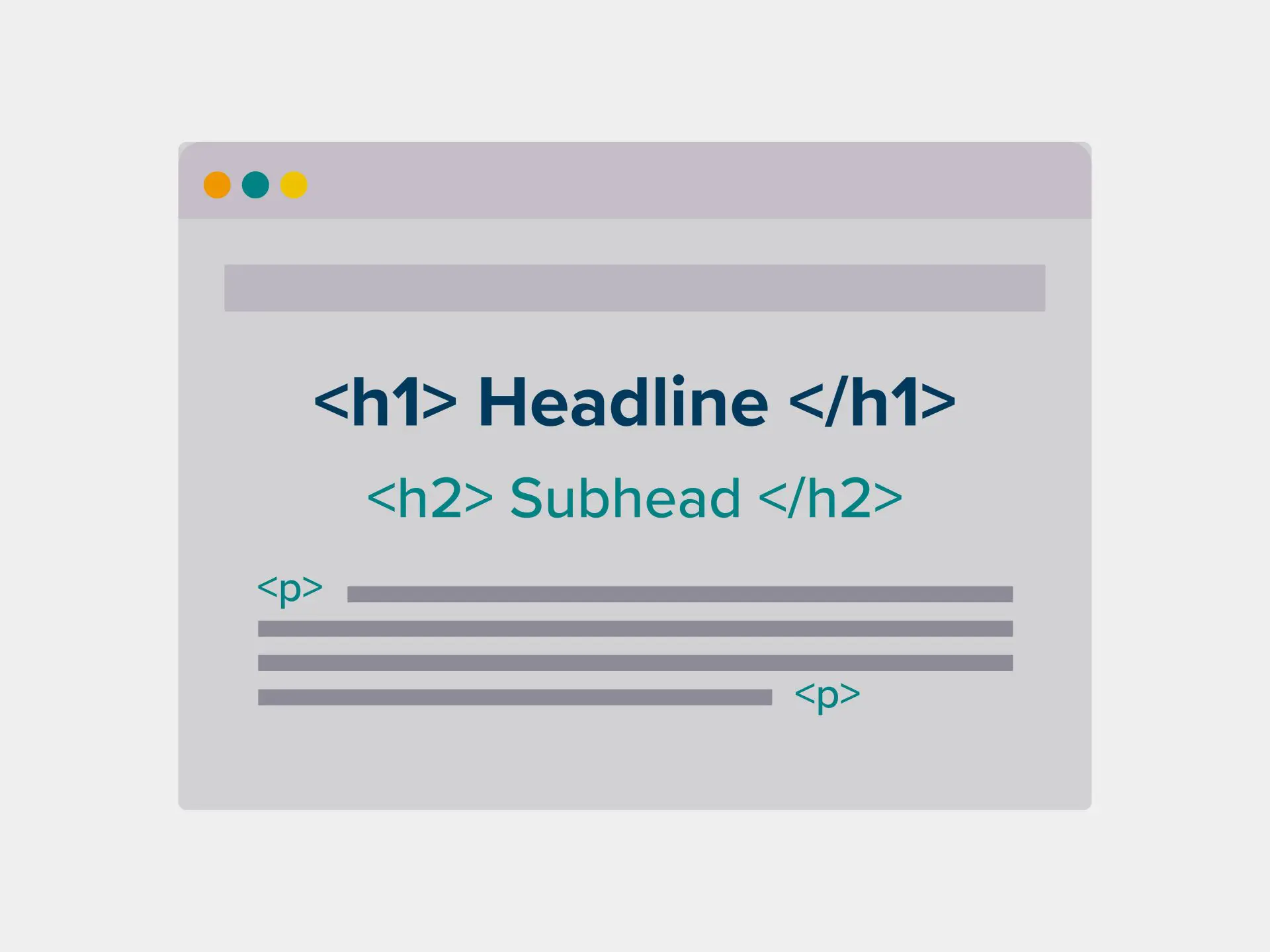
Heading tags are HTML elements ranging from <h1> to <h6> that define the structural hierarchy of a webpage’s content. The H1 tag serves as the primary title of the page, typically representing the most important topic. H2 tags function as subheadings for major sections, while H3 tags further divide those sections into specific subsections. These tags are part of the document’s semantic markup, distinguishing titles from standard paragraph text.
From a technical perspective, these tags create an outline of the document. While browsers often apply default font sizes and weights to these elements, their primary purpose is not aesthetic but structural. Search engine crawlers use this hierarchy to parse the relationship between different blocks of text, identifying the core themes and supporting details of the page’s information architecture.
The Real-World Analogy
Imagine a traditional daily newspaper. The H1 is the main headline on the front page that tells you exactly what the lead story is about. The H2s are the headlines of the various sections, such as “Business,” “Sports,” or “Technology.” The H3s are the titles of individual articles within those sections. Without this hierarchy, the newspaper would be a continuous, unorganized wall of text, making it impossible for a reader to quickly find the information they need or understand the relative importance of each story.
Why is Heading Tags (H1, H2, H3) Important for SEO?
Heading tags are critical for SEO because they provide semantic context to search engine algorithms. By analyzing the text within these tags, engines like Google can determine the topical relevance of a page. A well-structured heading hierarchy helps crawlers understand the “aboutness” of the content, which directly influences how the page is indexed and ranked for specific search queries.
Furthermore, heading tags play a significant role in User Experience (UX) and Accessibility. Users often scan pages for headings to find relevant information quickly. For users with visual impairments, screen readers rely on these tags to navigate the page structure. Additionally, Google often uses H2 and H3 tags to generate “jump links” in search results or to source content for Featured Snippets, increasing the visibility and click-through rate of the website.
Best Practices & Implementation
- Maintain a Logical Hierarchy: Always nest tags in descending order (H1 followed by H2, then H3). Never skip levels, such as jumping from an H1 directly to an H3, as this breaks the semantic flow and confuses crawlers.
- Use Only One H1 Per Page: While HTML5 technically allows multiple H1s, SEO best practice dictates using a single H1 that contains the primary keyword and accurately describes the page’s main purpose.
- Incorporate Keywords Strategically: Include the primary keyword in the H1 and secondary or long-tail keywords in H2 and H3 tags to reinforce topical authority without over-optimizing.
- Keep Headings Concise: Headings should be descriptive but brief. Aim for clarity so that both users and crawlers can immediately grasp the subject of the following section.
Common Mistakes to Avoid
One frequent error is using heading tags for visual styling rather than structural organization. Developers sometimes use an H2 tag simply because they want larger text, even if the content doesn’t represent a new section. Another common mistake is over-optimization, where every heading is stuffed with the same primary keyword, which can trigger spam filters and degrade the user experience.
Conclusion
Heading tags are the structural foundation of on-page SEO, providing the necessary hierarchy for both search engines and users to navigate content effectively. Proper implementation ensures maximum crawlability and accessibility.