Key Takeaways
- WordPress.com adds a persistent Guidelines engine that stores brand voice, image style, and goals for the AI Agent to reuse across workflows.
- Plan renewal warnings now escalate from early heads-up to urgent final-week alerts that itemize exactly what a lapse would cost.
- The latest update also brings FLAC uploads, plugin install recovery, and Reader deduplication fixes for more reliable publishing.
Table of Contents
WordPress.com Quietly Ships AI Brand Memory for the Agent Era
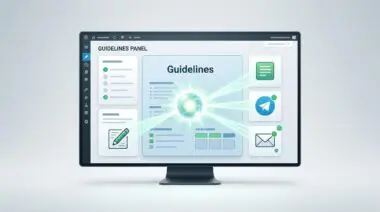
WordPress.com’s latest changelog, published August 14, 2026, reveals a new Guidelines settings page that lets site owners encode brand voice, image style, and goals once for the WordPress Agent to reuse across editor, Telegram, and email workflows.
The same update, covering July 31 through August 13, overhauls plan renewal warnings to escalate from early heads-up to urgent final-week alerts, spelling out exactly what a lapse would cost.
Those two changes sit alongside a batch of reliability fixes, including FLAC audio upload support, stalled plugin install recovery, and sharper featured images in the Reader’s compact mobile view.
Inside the Guidelines Engine and Renewal Warning Escalation
The Guidelines page sits under Settings, according to the WordPress.com changelog, and feeds the WordPress Agent a persistent brand profile rather than requiring repeated prompt-by-prompt descriptions.
A site owner can specify writing tone, image characteristics, and overarching objectives; the Agent then grounds blog drafts, design suggestions, and messaging in that stored context.
On paid plans, the Agent can analyze already-published posts and pages to propose guideline drafts for every section at once or one section at a time.
Each proposal arrives as an accept-or-dismiss change, and nothing is saved until the owner acts. Published content is never edited without human review.
The renewal warning system now stages its messaging across the plan purchase page.
At months out, site owners see a heads-up.
At 60 days, the message shifts to warning.
In the final week, it becomes an urgent notice that lists exactly what would be lost, such as plugins, custom themes, and storage.
That escalation turns an easily ignored date into a decision point before a lapse disrupts the site.
Fixes and polish brought several reliability updates.
- FLAC uploads: Paid-plan users can now upload FLAC files alongside MP3, M4A, WAV, and OGG.
- Payment troubleshooting: Declined card notices now include more context for faster resolution.
- Plugin install recovery: Stalled installs now show a way out, either via the plugin list or support contact, instead of forcing users to wait.
- Reader deduplication: Posts should no longer appear multiple times in the Reader.
- Mobile featured images: Compact Reader views now render featured images more sharply.
- Stats accessibility: The Views and Visitors chart received contrast and accessibility improvements.
Why Automated Brand Consistency Hits WordPress Now
The Guidelines feature addresses a structural weakness in current AI-assisted publishing: context is volatile.
Most AI tools rely on the user repeating brand instructions in every session, which produces drift across long content operations.
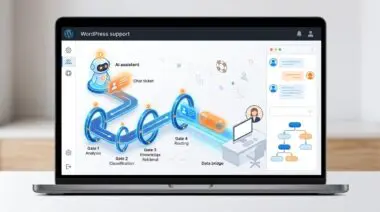
By creating a durable guidelines layer that the WordPress Agent can query across editor, Telegram, and email, WordPress.com shifts brand consistency from a manual prompt task to an infrastructure property.
That distinction matters because WordPress sites increasingly function as multi-surface publishing engines, not just blog pages.
The paid-plan capability to draft guidelines from existing content lowers the activation cost, but the accept-or-dismiss mechanism preserves the editorial gate that professional site operators require.
This balance between automation and consent mirrors a wider WordPress ecosystem concern: AI can accelerate production, but only if owners retain final say over what goes live.
The renewal warning escalation, while less glamorous, targets a critical operational risk.
When plan lapses silently kill plugins, custom themes, and storage, site performance and revenue can degrade before the owner notices.
Urgent final-week messaging that names the exact losses turns a passive subscription event into an active risk-management prompt.
For agencies and freelancers managing multiple client sites, that kind of explicit pre-lapse detail reduces embarrassing and costly downtime.
The Operational Shift for Site Builders
WordPress.com is turning brand memory and renewal visibility into platform-level controls, not just interface tweaks.
For teams building AI-assisted WordPress workflows that need to scale without losing brand control, programmatic SEO and AI automation is how Andres SEO Expert approaches it — talk to us.
Frequently Asked Questions
What is the new Guidelines feature in WordPress.com?
The Guidelines feature, found under Settings, lets site owners encode brand voice, image style, and goals once. The WordPress Agent then reuses this stored context across editor, Telegram, and email workflows instead of requiring repeated prompt-by-prompt descriptions.
How does WordPress.com’s AI brand memory work?
WordPress.com’s AI brand memory works by creating a durable guidelines layer that the WordPress Agent can query. Site owners specify writing tone, image characteristics, and overarching objectives, and the Agent grounds blog drafts, design suggestions, and messaging in that stored context. On paid plans, the Agent can analyze existing posts to propose guideline drafts.
Can the WordPress Agent edit published content automatically?
No. Every guideline proposal arrives as an accept-or-dismiss change, and nothing is saved until the owner acts. Published content is never edited without human review.
What are the new renewal warning timelines on WordPress.com?
The renewal warning system now stages messaging across the plan purchase page. At months out, site owners see a heads-up; at 60 days, the message shifts to a warning; and in the final week, it becomes an urgent notice that lists exactly what would be lost.
What happens if I let my WordPress.com plan lapse?
If a plan lapses, plugins, custom themes, and storage could be lost, potentially degrading site performance and revenue before the owner notices. The urgent final-week messaging now names the exact losses to turn a passive subscription event into an active risk-management prompt.
What other fixes are included in the WordPress.com changelog?
The update includes FLAC audio upload support for paid plans, more context in declined card notices, plugin install recovery for stalled installs, Reader deduplication fixes, sharper mobile featured images, and accessibility improvements to the Views and Visitors chart.