Executive Summary
- Preload is a declarative fetch primitive that forces the browser to download high-priority resources before they are discovered in the document.
- It is essential for optimizing the Largest Contentful Paint (LCP) by accelerating the delivery of hero images and critical web fonts.
- Improper implementation, such as omitting the “as” attribute, can lead to double-fetching and increased network congestion.
What is Preload?
Preload is a declarative fetch primitive, implemented via the <link rel="preload"> HTML element, that instructs the browser to request a resource earlier than it would otherwise be discovered by the browser’s speculative pre-parser. Unlike standard resource loading, which follows a sequential discovery process as the HTML is parsed, preloading allows developers to manually elevate the priority of specific assets—such as fonts, scripts, or hero images—ensuring they are available in the browser’s memory by the time the rendering engine requires them. We at Andres SEO Expert utilize this mechanism to bypass the browser’s default speculative parsing logic for critical-path assets.
Technically, a preload request does not block the window.onload event, but it does compete for bandwidth with other high-priority resources. It is specifically designed for resources needed during the current navigation. By providing the browser with an explicit hint about the necessity of a resource, developers can bypass the natural delays inherent in deep-nested resource dependencies, such as fonts defined within external CSS files or images referenced via JavaScript. This ensures that the browser’s network stack is utilized efficiently from the earliest possible moment in the page lifecycle.
The Real-World Analogy
Imagine a professional chef preparing a complex signature dish. Usually, the chef reads the recipe step-by-step; they only realize they need a specific, rare spice when they reach page three of the instructions. In a standard web environment, this delay causes the kitchen to stop while someone runs to the pantry. Preloading is the equivalent of the chef’s assistant reading the entire recipe ahead of time and placing that rare spice on the counter before the chef even turns the stove on. The ingredient is ready the exact second it is needed, preventing any downtime in the cooking process.
Why is Preload Critical for Website Performance and Speed Engineering?
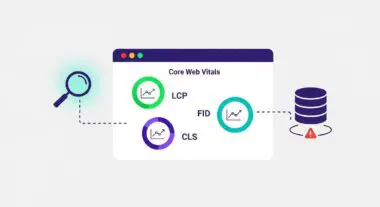
In the era of Core Web Vitals, Preload is a primary lever for optimizing the Largest Contentful Paint (LCP). Many LCP elements, such as background images defined in CSS or web fonts, suffer from “discovery latency.” Because the browser must first download and parse the CSS before it even knows the image or font exists, the start of the download is delayed. Preloading these assets moves the fetch start time to the very beginning of the network waterfall, directly reducing the time to render the most significant content on the page.
Furthermore, Preload is vital for mitigating Flash of Unstyled Text (FOUT) or Flash of Invisible Text (FOIT). By preloading critical web fonts, the browser can begin the font download simultaneously with the CSS, ensuring the text is rendered correctly as soon as the layout is calculated. At Andres SEO Expert, we consider Preload a mandatory optimization for enterprise-grade sites to reduce layout shifts and improve the overall user experience by providing a more stable and faster-perceived loading sequence.
Best Practices & Implementation
- Prioritize Above-the-Fold Assets: Only use preload for resources that are critical to the initial viewport, such as the primary hero image or the main brand font, to avoid delaying other essential tasks.
- Always Include the “as” Attribute: You must specify the type of content (e.g.,
as="image",as="font",as="script") to allow the browser to apply the correct priority and security policies. - Handle CORS for Fonts: When preloading fonts, always include the
crossoriginattribute, even if the font is hosted on the same domain, to match the browser’s default font-loading behavior. - Avoid Over-Preloading: Preloading too many resources can lead to “bandwidth contention,” where critical assets compete with each other, potentially delaying the overall page load and harming performance.
Common Mistakes to Avoid
One frequent error is preloading resources that are not actually used on the current page, which results in wasted data and a browser console warning. Another critical mistake is omitting the as attribute; without it, the browser cannot determine the resource’s priority and may fetch the same file twice—once for the preload and once for the actual usage. Finally, developers often forget that preloaded scripts still need to be executed via a <script> tag later in the document; preloading only fetches the file into the cache, it does not execute the code.
Conclusion
Preload is a high-precision speed engineering tool that allows developers to override default browser discovery logic to prioritize critical-path assets. When implemented correctly, it significantly reduces LCP and improves the visual stability of enterprise-grade web applications.