Executive Summary
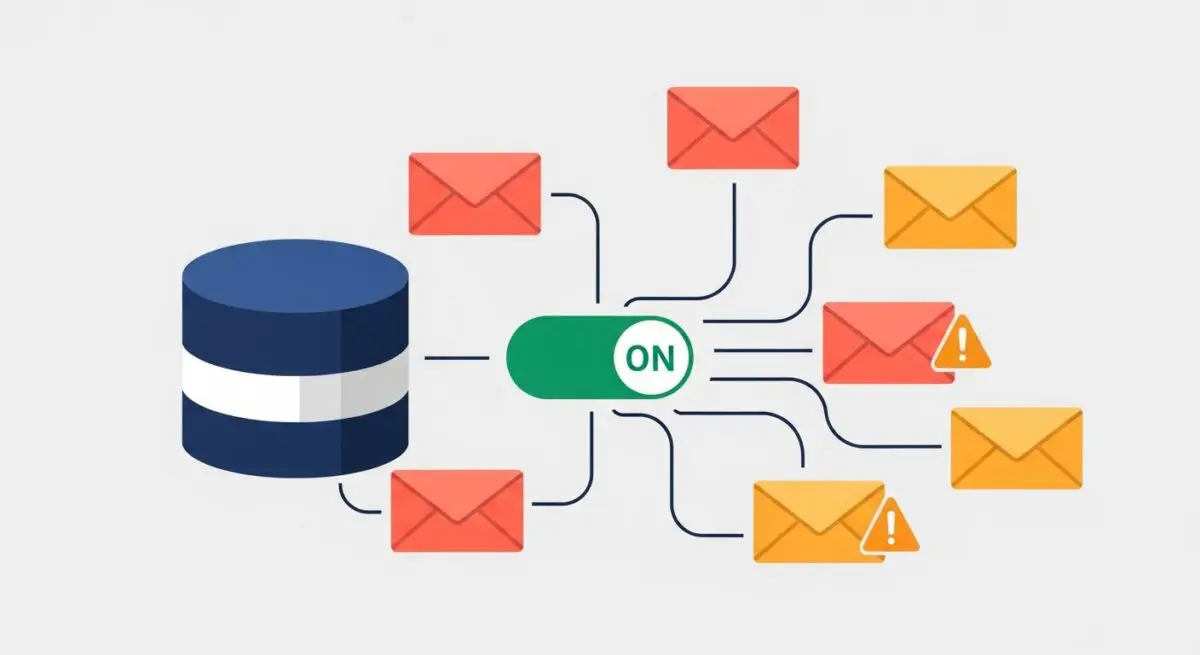
- DMARC (Domain-based Message Authentication, Reporting, and Conformance) is a DNS-level policy framework that leverages SPF and DKIM to authenticate email senders.
- It provides a critical security layer for WordPress transactional emails, preventing domain spoofing and ensuring high inbox placement rates.
- The protocol enables granular reporting, allowing administrators to monitor and authorize third-party mail services integrated with the WordPress ecosystem.
What is DMARC?
DMARC, which stands for Domain-based Message Authentication, Reporting, and Conformance, is a technical protocol designed to reduce email-based abuse, such as phishing and spoofing. It functions as a policy layer that sits atop two existing authentication mechanisms: SPF (Sender Policy Framework) and DKIM (DomainKeys Identified Mail). While SPF lists authorized IP addresses and DKIM provides a cryptographic signature, DMARC instructs receiving mail servers on how to handle messages that fail these checks, using policies such as “none,” “quarantine,” or “reject.”
In the context of WordPress architecture, DMARC is implemented via a TXT record within the domain’s DNS zone file. For enterprise-level deployments, it ensures that transactional emails—such as password resets, order confirmations, and system notifications—are recognized as legitimate by global Mail Transfer Agents (MTAs). Without a valid DMARC record, WordPress sites often suffer from low deliverability, as modern mail providers like Google and Yahoo increasingly mandate DMARC for bulk and transactional senders to maintain server-level trust.
The Real-World Analogy
Imagine a high-security corporate headquarters. SPF is the authorized guest list at the front gate, verifying that the visitor’s vehicle is recognized. DKIM is a tamper-evident wax seal on a confidential briefcase the visitor is carrying, proving the contents haven’t been altered. DMARC is the set of standing orders given to the security team: if a visitor arrives in an unauthorized vehicle or the seal on their briefcase is broken, DMARC tells the guards exactly what to do—let them in anyway but watch them (none), put them in a holding room (quarantine), or deny them entry entirely (reject). Furthermore, DMARC requires the guards to send a daily report back to the owner detailing every attempt to enter the building.
How DMARC Impacts Server Performance & Speed Engineering?
While DMARC does not directly influence the Time to First Byte (TTFB) or the rendering speed of a WordPress front-end, it significantly impacts the efficiency of the server’s communication overhead and reputation management. When a WordPress site sends mail via the local wp_mail() function or a dedicated SMTP plugin, the receiving server must perform DNS lookups to validate the sender. A correctly configured DMARC record reduces the likelihood of “soft bounces” and retries, which can otherwise consume server resources and PHP worker threads if mail queues become backed up due to delivery failures.
Furthermore, DMARC protects the IP reputation of the hosting environment. In shared or VPS hosting scenarios, if one site is flagged for spoofing, it can negatively impact the deliverability of all sites on that IP range. By enforcing DMARC, WordPress administrators contribute to a cleaner mail-sending ecosystem, ensuring that legitimate transactional traffic is processed with minimal latency by receiving MTAs, thereby optimizing the end-to-end user experience for critical site interactions.
Best Practices & Implementation
- Start with a Monitoring Policy: Initially set your DMARC record to
p=none. This allows you to receive RUA (Aggregate) reports to identify legitimate mail sources, such as CRM integrations or newsletter services, without risking the loss of important emails. - Ensure Alignment: For DMARC to pass, either SPF or DKIM must be “aligned.” This means the domain in the “From” header must match the domain validated by SPF or the domain used in the DKIM signature.
- Utilize Dedicated SMTP Providers: Avoid using the default PHP
mail()function. Use professional SMTP providers (e.g., SendGrid, Mailgun, or Amazon SES) that provide dedicated tools for managing DKIM and SPF alignment within the DMARC framework. - Gradual Enforcement: Only move to
p=quarantineorp=rejectonce your reports show that 100% of your legitimate WordPress traffic is passing authentication. - Monitor RUA Reports: Use a DMARC monitoring tool to parse the XML reports sent by mail providers. This provides visibility into unauthorized attempts to use your domain, which is essential for security auditing.
Common Mistakes to Avoid
A frequent error is implementing a p=reject policy before fully auditing all third-party services that send mail on behalf of the domain, which can lead to the immediate loss of critical business communications. Another common mistake is failing to update the SPF record when migrating WordPress hosting providers, causing a DMARC failure because the new server’s IP is not authorized. Finally, many administrators overlook subdomain policies; if not explicitly defined, DMARC policies may or may not apply to subdomains depending on the sp tag configuration, potentially leaving gaps in the security architecture.
Conclusion
DMARC is an essential component of modern WordPress server architecture that bridges the gap between DNS security and email deliverability. By implementing a strict DMARC policy, enterprise WordPress sites protect their brand integrity and ensure that mission-critical transactional data reaches the end-user reliably.