Executive Summary
- Decouples presentation logic from data processing by integrating the Twig templating engine into the WordPress theme layer.
- Enhances code maintainability and security through strict syntax and automatic output escaping, reducing the risk of XSS vulnerabilities.
- Optimizes development workflows in enterprise environments by allowing front-end and back-end developers to work independently on logic and markup.
What is Timber Library?
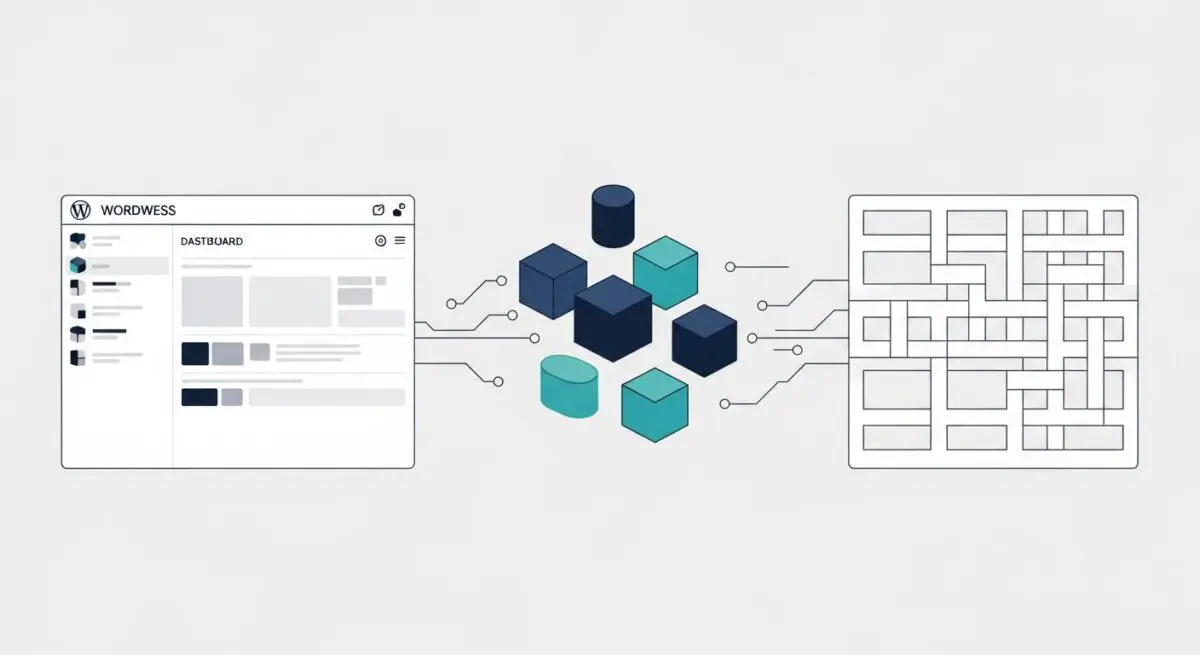
The Timber Library is a sophisticated WordPress integration that facilitates the use of the Twig templating engine within the CMS environment. By abstracting the WordPress Loop and global variables into object-oriented structures, Timber allows developers to separate the application logic (PHP) from the view layer (HTML/Twig). This architectural shift moves away from the traditional “spaghetti code” often found in WordPress themes, where database queries and HTML markup are tightly coupled.
At its core, Timber transforms WordPress data—such as posts, terms, and users—into accessible PHP objects that are passed to Twig templates. This enables a more modern, MVC-like (Model-View-Controller) approach to theme development. It is particularly valuable in enterprise-grade WordPress deployments where code readability, unit testing, and long-term scalability are critical requirements for the development lifecycle.
The Real-World Analogy
Imagine a high-end custom furniture workshop. In a traditional WordPress setup, the carpenter is responsible for sourcing the raw timber, cutting the joints, applying the finish, and also acting as the interior designer who decides where the piece sits in the client’s home—all at the same time. This leads to confusion and messy workspaces. Using the Timber Library is like hiring a dedicated interior designer who receives perfectly prepared components from the carpenter. The carpenter (PHP) focuses solely on the structural integrity and data of the furniture, while the designer (Twig) focuses exclusively on how those pieces are presented and arranged in the room. Both specialists work in their own zones, ensuring a cleaner process and a more polished final product.
How Timber Library Impacts Server Performance & Speed Engineering?
Timber’s impact on server performance is primarily centered around its compilation and caching mechanisms. While adding a library introduces a layer of abstraction, Twig compiles templates into optimized PHP code, which can be cached by the server. When Twig caching is enabled, the performance overhead is negligible, and in some cases, it can improve execution speed by reducing the complexity of the logic processed during the rendering phase.
From a speed engineering perspective, Timber encourages cleaner HTML output, which facilitates better DOM (Document Object Model) management and reduces the size of the rendered page. By separating data fetching from rendering, developers can more easily implement fragment caching, where specific parts of a page are cached independently. This granular control over the render-blocking path and server-side processing allows for more efficient resource allocation in high-traffic managed WordPress hosting environments.
Best Practices & Implementation
- Enable Twig Caching: Always enable the Twig cache in production environments to ensure templates are compiled to PHP and stored, minimizing the overhead of the abstraction layer.
- Strict Logic Separation: Keep all database queries, API calls, and data manipulation within PHP files (controllers), passing only the final data objects to the .twig templates.
- Leverage Timber Objects: Use Timber\Post and Timber\User objects instead of standard WordPress globals to ensure consistent data structures and improved security through Twig’s auto-escaping features.
Common Mistakes to Avoid
A frequent error is performing complex logic or database queries directly inside Twig files, which defeats the purpose of the library and degrades performance. Another common mistake is failing to configure a persistent caching solution (like Redis or Memcached) to work alongside Timber’s internal cache, which is essential for scaling enterprise applications.
Conclusion
The Timber Library is an essential tool for modernizing WordPress theme architecture, providing a clean separation of concerns that enhances both developer productivity and site maintainability. When properly configured with server-side caching, it provides a robust foundation for high-performance enterprise web applications.