Executive Summary
- Granular script management allows for the conditional disabling of CSS and JavaScript assets on a per-URL basis to reduce DOM size.
- Reduces server-side resource consumption by throttling the WordPress Heartbeat API and limiting database bloat through revision control.
- Optimizes Core Web Vitals through advanced front-end techniques including local font hosting, preloading, and fetch priority hints.
What is Perfmatters?
Perfmatters is a specialized performance optimization utility for WordPress designed to address the inherent bloat associated with the CMS core and third-party extensions. Unlike traditional caching plugins that focus on static file delivery and page-level caching, Perfmatters operates at the application layer to prevent unnecessary code from executing. It provides a centralized interface for disabling features that generate additional HTTP requests, such as emojis, embeds, and the WordPress version number, which are often superfluous in enterprise-grade deployments. By stripping away these non-essential elements, the plugin reduces the total number of requests and the overall page weight, leading to faster execution times.
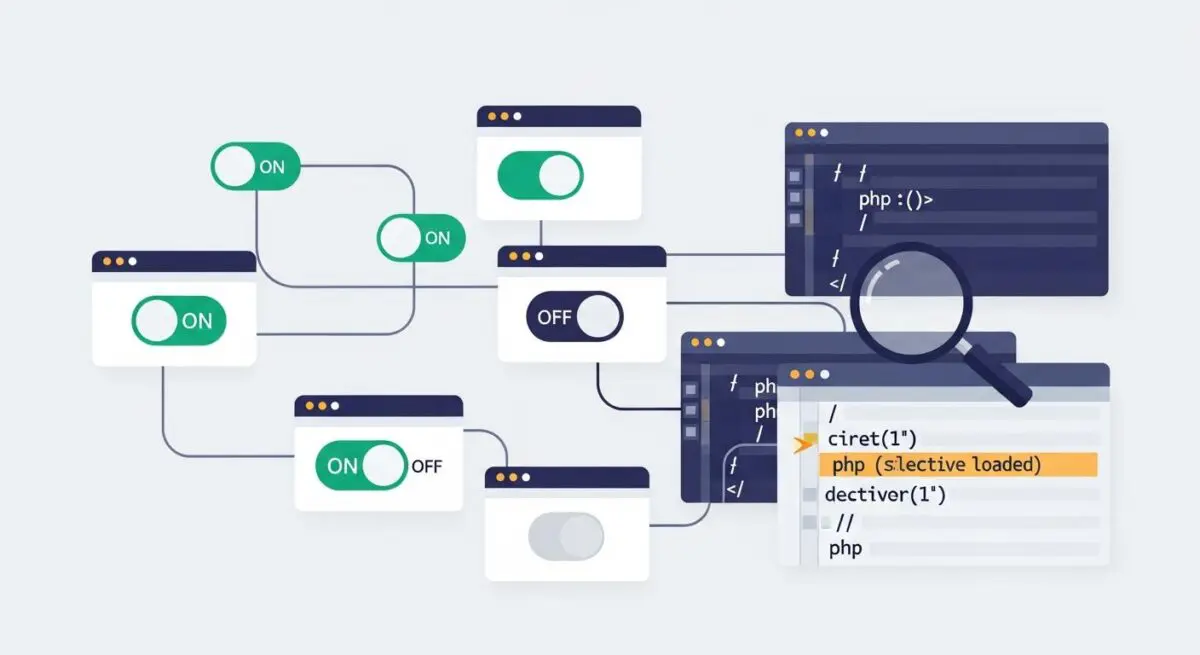
At its core, the plugin functions as a sophisticated resource manager, allowing developers to audit and control the loading sequence of assets. By leveraging a “Script Manager,” administrators can programmatically dequeue scripts and styles that are not required for specific post types or pages. This surgical approach to asset management ensures that the browser only downloads and parses the minimum amount of code necessary to render the Document Object Model (DOM). This is particularly critical in complex WordPress environments where multiple plugins may be enqueuing heavy JavaScript libraries on pages where they serve no functional purpose, thereby degrading the user experience and search engine rankings.
Furthermore, Perfmatters integrates deeply with the WordPress hook system, utilizing actions and filters to intercept the standard loading process. This allows for the optimization of the WordPress REST API, the Heartbeat API, and the XML-RPC functionality, all of which can be significant sources of server-side overhead if left unmanaged. For high-traffic enterprise sites, this level of control is essential for maintaining a lean architecture and ensuring that server resources are allocated to critical tasks rather than background processes.
The Real-World Analogy
Imagine a professional moving company hired to transport a single desk. Instead of sending a small van, they send a massive semi-truck filled with packing peanuts, extra boxes, and heavy lifting equipment they do not actually need for that specific job. The truck is slow, consumes too much fuel, and takes forever to park. Perfmatters is like a logistics expert who audits the truck before it leaves the warehouse, removing every unnecessary item so the vehicle is as light as possible. This allows the truck to reach its destination faster, use less fuel, and navigate traffic with much higher efficiency, ensuring the delivery is completed in the shortest time possible.
How Perfmatters Impacts Server Performance & Speed Engineering?
Perfmatters significantly enhances server performance by reducing the execution overhead of the PHP engine and the subsequent load on the database. By disabling the WordPress Heartbeat API or increasing its polling interval, the plugin reduces the frequency of AJAX calls to admin-ajax.php. In many hosting environments, frequent Heartbeat calls can saturate server CPU resources and exhaust PHP-FPM workers, leading to increased Time to First Byte (TTFB) and potential server crashes during peak traffic. By managing these background tasks, Perfmatters ensures that the server remains responsive for actual user requests.
From a front-end engineering perspective, Perfmatters addresses critical bottlenecks in the critical rendering path. By facilitating the local hosting of Google Fonts and Google Analytics scripts, it eliminates the latency associated with external DNS lookups and TLS handshakes. Furthermore, its ability to add preconnect and dns-prefetch hints allows the browser to initiate connections to essential third-party domains earlier in the loading process. This effectively reduces the Largest Contentful Paint (LCP) metric by ensuring that critical assets are prioritized by the browser’s preload scanner.
The plugin also impacts database performance through its optimization module. WordPress databases can become bloated with thousands of post revisions, expired transients, and orphaned metadata, which slows down SQL query execution. Perfmatters allows for the automated cleanup and limitation of these records, maintaining a lean database schema. This is vital for enterprise scalability, as it ensures that the database remains performant even as the content library grows into the tens of thousands of posts.
Best Practices & Implementation
- Utilize the Script Manager: Conduct a thorough audit of all active plugins and disable their assets on pages where their functionality is not utilized. For example, disable contact form scripts on all pages except the “Contact Us” page to reduce the global JavaScript payload.
- Optimize Database Bloat: Configure scheduled cleanups for post revisions, auto-drafts, and expired transients. Set a limit on post revisions (e.g., 5 to 10) to prevent the wp_posts table from growing exponentially over time.
- Localize External Assets: Host web fonts and tracking scripts locally. This allows you to leverage your own Content Delivery Network (CDN) and browser caching headers, providing more control over asset expiration and reducing third-party dependencies.
- Throttle Heartbeat API: Set the Heartbeat API to “Only show when editing posts” or increase the frequency to 60 seconds. This preserves server CPU cycles and prevents the admin-ajax.php file from becoming a performance bottleneck.
- Implement Fetch Priority: Use the plugin’s ability to add fetchpriority=”high” to the LCP image. This signals to the browser that the image should be downloaded immediately, often shaving hundreds of milliseconds off the perceived load time.
Common Mistakes to Avoid
One frequent error is the global deactivation of scripts without verifying dependencies. For instance, disabling jQuery globally will break most WordPress themes and plugins that rely on it for interactive elements. It is essential to use the Script Manager’s “Testing Mode” to ensure that optimizations do not break the site’s functionality for end-users. Another common mistake is failing to test optimizations in a staging environment; because Perfmatters can prevent essential code from loading, it is vital to validate the site’s functionality across different device types and user roles after every configuration change.
Additionally, some users overlap Perfmatters features with other caching or optimization plugins, such as WP Rocket or Autoptimize. While these tools can work together, enabling the same optimization (like lazy loading or CSS minification) in multiple plugins can lead to redundant processing, code conflicts, and unexpected layout shifts. Always ensure that each performance task is handled by only one tool in your stack.
Conclusion
Perfmatters is an essential tool for WordPress architects seeking to minimize technical debt and optimize resource allocation. By providing granular control over asset delivery and server-side processes, it ensures a high-performance, scalable infrastructure that meets modern Core Web Vitals standards.