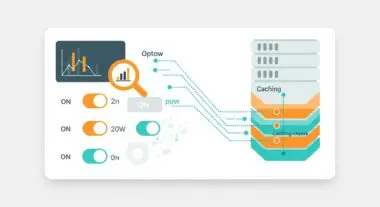
Executive Summary
- Cloudflare functions as a reverse proxy and Anycast DNS provider, intercepting traffic at the edge to reduce latency and origin server load.
- The platform provides a sophisticated Web Application Firewall (WAF) with specific managed rulesets designed to mitigate WordPress-specific vulnerabilities like XML-RPC exploits.
- Integration of Automatic Platform Optimization (APO) enables the caching of dynamic HTML content, significantly improving Core Web Vitals by bypassing the PHP processing layer.
What is Cloudflare?
Cloudflare is a global edge network and security platform that operates as a reverse proxy between a website’s origin server and its end users. In the context of WordPress architecture, Cloudflare replaces the traditional DNS resolution process with its Anycast network, which spans hundreds of data centers globally. By routing traffic through its infrastructure, Cloudflare can perform real-time analysis, filtering, and optimization of every request before it ever reaches the hosting environment. This architectural layer is critical for enterprise-grade WordPress deployments that require high availability and protection against distributed denial-of-service (DDoS) attacks.
Technically, Cloudflare operates primarily at Layer 7 (the Application Layer) of the OSI model for its Web Application Firewall (WAF) and content delivery services, while also providing Layer 3 and 4 protection for network-level security. For WordPress developers, this means that the platform can intercept malicious SQL injection attempts, cross-site scripting (XSS), and brute-force attacks on the wp-login.php or xmlrpc.php endpoints. Furthermore, Cloudflare provides advanced TLS/SSL termination, ensuring that the handshake process occurs at the edge, closer to the user, which reduces the computational overhead on the origin server.
The Real-World Analogy
Imagine your WordPress website is a high-end boutique located in a busy city center. Without Cloudflare, every single person—whether they are a loyal customer, a window shopper, or a potential thief—walks directly through your front door and talks to your limited staff. If a thousand people rush the door at once, your staff is overwhelmed, and the building becomes inaccessible. Cloudflare acts as a highly trained, elite security and concierge team stationed at every major transit hub leading to your city. They check IDs, filter out known troublemakers, and even provide maps and brochures to customers before they even reach your street. This ensures that when a visitor finally arrives at your boutique, they are verified, and your staff only has to handle the final transaction, making the entire process faster and safer for everyone involved.
How Cloudflare Impacts Server Performance & Speed Engineering?
Cloudflare’s impact on WordPress performance is rooted in its ability to offload resource-intensive tasks from the origin server to the edge. One of the most significant technical advantages is the reduction of Time to First Byte (TTFB). By utilizing its global CDN, Cloudflare caches static assets such as CSS, JavaScript, and images. When a user requests these files, they are served from the nearest edge node rather than the origin server, minimizing geographical latency. Furthermore, Cloudflare’s implementation of HTTP/3 and 0-RTT (Zero Round Trip Time) resumption accelerates the connection establishment process, which is vital for mobile users on high-latency networks.
For WordPress specifically, the Automatic Platform Optimization (APO) service is a game-changer for speed engineering. Traditionally, WordPress generates HTML dynamically via PHP and MySQL, which is a slow process. APO allows Cloudflare to cache the actual HTML output of WordPress pages at the edge. When a non-authenticated user requests a page, Cloudflare serves the cached HTML directly, completely bypassing the origin server’s PHP engine. This results in near-instantaneous page loads and a dramatic reduction in server CPU and memory utilization, allowing even modest hosting environments to handle massive traffic spikes without degradation.
Best Practices & Implementation
- Enable Full (Strict) SSL/TLS Mode: Ensure that the connection between Cloudflare and your origin server is encrypted with a valid SSL certificate. This prevents man-in-the-middle attacks and ensures end-to-end data integrity.
- Implement WordPress-Specific WAF Rules: Configure the Cloudflare WAF to block access to sensitive files like wp-config.php and restrict access to the /wp-admin/ directory to known IP addresses or through Cloudflare Zero Trust Access.
- Configure Page Rules for Dynamic Content: Use Page Rules or Cache Rules to fine-tune caching behavior. For example, ensure that the WordPress admin dashboard and preview pages are never cached to avoid administrative errors and data leaks.
- Leverage Brotli Compression: Enable Brotli at the edge to provide superior compression ratios compared to Gzip, reducing the payload size of text-based assets like HTML and CSS.
- Utilize Early Hints: Enable the Early Hints feature to allow the browser to begin preloading linked resources (like fonts or critical CSS) while the server is still generating the main HTML response.
Common Mistakes to Avoid
A frequent error is the “Flexible SSL” trap, where the connection between the user and Cloudflare is encrypted, but the connection between Cloudflare and the origin server is not. This creates a false sense of security and can lead to infinite redirect loops if the WordPress site is configured to enforce HTTPS. Another common mistake is failing to restore original visitor IPs. Because Cloudflare acts as a proxy, your server logs will show Cloudflare’s IP addresses instead of the actual visitors’. This can break security plugins and analytics unless the ‘mod_remoteip’ module or the Cloudflare WordPress plugin is correctly configured to extract the ‘CF-Connecting-IP’ header.
Conclusion
Cloudflare is an essential component of modern WordPress infrastructure, providing a sophisticated layer of edge intelligence that enhances both security and performance. By offloading computational tasks and filtering malicious traffic at the network perimeter, it ensures that WordPress remains scalable and resilient in an increasingly complex digital landscape.