Executive Summary
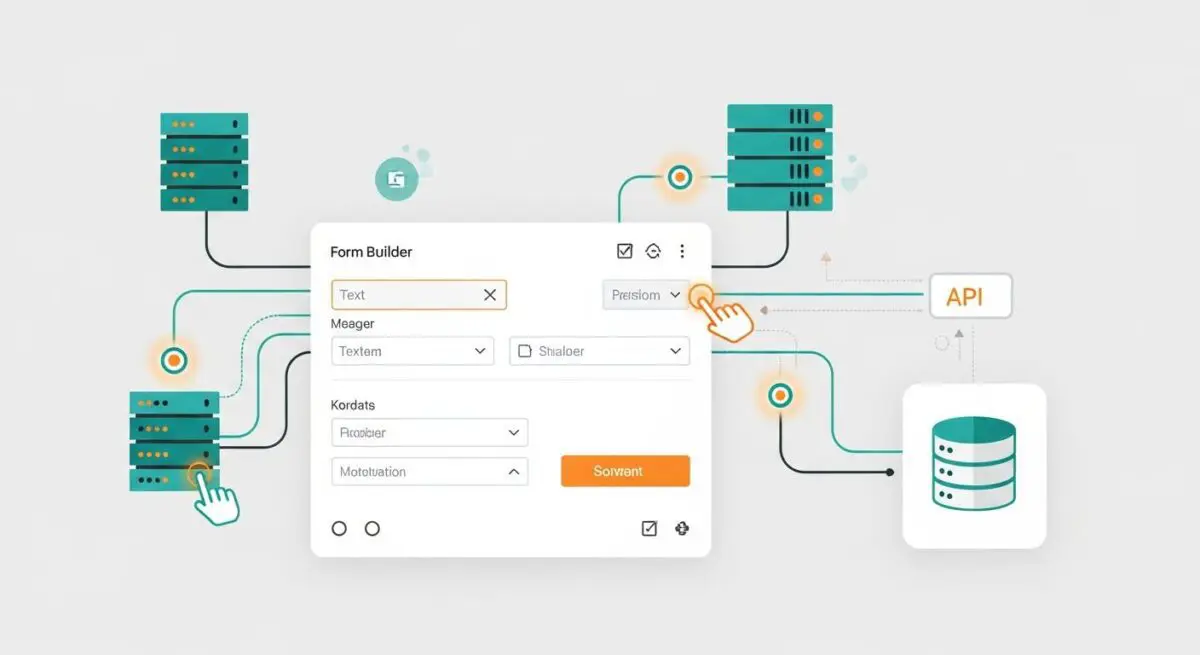
- WPForms utilizes a modular PHP architecture to handle front-end form rendering, server-side validation, and asynchronous data submission via the WordPress AJAX API.
- The plugin impacts Core Web Vitals through the injection of CSS and JavaScript assets, which require strategic conditional loading to prevent render-blocking on non-form pages.
- Enterprise scalability depends on efficient database management of form entries and the offloading of email delivery to dedicated SMTP providers to reduce server-side processing overhead.
What is WPForms?
WPForms is a sophisticated form builder plugin for the WordPress CMS, designed to facilitate complex data collection through a drag-and-drop interface. From a technical perspective, it is a collection of PHP classes and JavaScript modules that integrate with the WordPress core to provide form creation, management, and entry storage. It operates by hooking into the WordPress action and filter system, allowing developers to extend its functionality through custom hooks. The plugin handles the entire lifecycle of a form submission: from the initial rendering of the HTML form elements to the server-side sanitization and validation of user input, and finally the persistence of that data within the WordPress database or its transmission via email notifications.
At its core, WPForms is built to be extensible. It utilizes a modular addon system that allows for integration with third-party services such as payment gateways (Stripe, PayPal), marketing automation tools (Mailchimp, HubSpot), and CRM systems. For enterprise-level WordPress deployments, WPForms provides a robust framework for building custom workflows, such as user registration, file uploads, and conditional logic-based surveys. The plugin’s architecture is designed to minimize the footprint on the WordPress admin interface while providing a high degree of flexibility for front-end developers to style forms using CSS variables or custom stylesheets.
The Real-World Analogy
Imagine a high-end medical clinic that uses a standardized intake form for every patient. WPForms is the architect who designed that form. Instead of the clinic staff (the server) having to manually ask every patient the same questions and write down the answers in a disorganized notebook, the form provides a structured, pre-defined template. The patient (the user) fills out the form in the waiting room (the front-end). Once submitted, the form is checked by a receptionist (server-side validation) to ensure no critical information is missing. If everything is correct, the form is filed into a specific cabinet (the database) and a copy is sent to the doctor’s office (email notification). Without this structured system, the clinic would be chaotic, with information lost or incorrectly recorded, much like a website trying to handle user data without a robust form management system.
How WPForms Impacts Server Performance & Speed Engineering?
The primary impact of WPForms on server performance revolves around asset management and database interactions. By default, many WordPress plugins load their CSS and JavaScript files globally across all pages of a website. WPForms, if not configured correctly, can contribute to render-blocking resources by enqueuing its scripts on pages where no form exists. This increases the total page weight and negatively affects the Largest Contentful Paint (LCP) and Total Blocking Time (TBT) metrics. Advanced speed engineering requires the use of conditional loading techniques, ensuring that WPForms assets are only enqueued when the wpforms_display function or shortcode is present on a specific URI.
Furthermore, WPForms utilizes the WordPress AJAX API (admin-ajax.php) for form submissions to provide a seamless user experience without page reloads. While this improves UX, high-traffic sites may experience server strain if multiple simultaneous AJAX requests are made, as each request initializes the entire WordPress core. From a database perspective, every form entry is stored in the wp_options or custom wp_wpforms_entries tables. Over time, an accumulation of thousands of entries can lead to database bloat, increasing query response times for the entire site. Efficient hosting environments must implement object caching (like Redis or Memcached) and regular database optimization to mitigate these effects.
Best Practices & Implementation
- Implement Conditional Asset Loading: Use the
wpforms_global_assetsfilter or a custom function infunctions.phpto ensure that WPForms scripts and styles are only loaded on pages that actually contain a form, reducing unnecessary HTTP requests. - Offload Email Delivery via SMTP: Never rely on the default PHP
mail()function for form notifications. Integrate a dedicated SMTP provider (like SendGrid or Amazon SES) using the WP Mail SMTP plugin to ensure high deliverability and reduce the processing load on the web server. - Enable Anti-Spam Protections: Utilize hCaptcha or Google reCAPTCHA v3 to prevent automated bot submissions. This reduces the number of junk entries in the database and prevents the server from processing malicious or unnecessary POST requests.
- Regular Database Maintenance: Periodically prune old form entries and optimize the database tables using tools like WP-Optimize or WP-CLI to maintain fast query execution and prevent storage overhead.
- Leverage Fragment Caching: For high-traffic forms, consider using fragment caching for the form HTML to reduce the PHP processing required for each page view, especially when using complex conditional logic.
Common Mistakes to Avoid
One frequent error is the failure to optimize the form’s front-end assets, leading to a significant drop in mobile performance scores. Developers often overlook the “Global Assets” setting in the WPForms configuration, which results in the plugin loading its entire library on every single page load. Another common mistake is neglecting the security implications of file upload fields; failing to restrict file types and sizes can expose the server to malicious uploads or disk space exhaustion. Finally, many organizations fail to implement a data retention policy, allowing the wp_wpforms_entries table to grow indefinitely, which eventually degrades the performance of the WordPress administrative dashboard and slows down backup processes.
Conclusion
WPForms is a powerful tool for WordPress data acquisition, but its deployment must be managed with a focus on asset optimization and database efficiency. By adhering to technical best practices, developers can leverage its full potential without compromising server performance or scalability.