Executive Summary
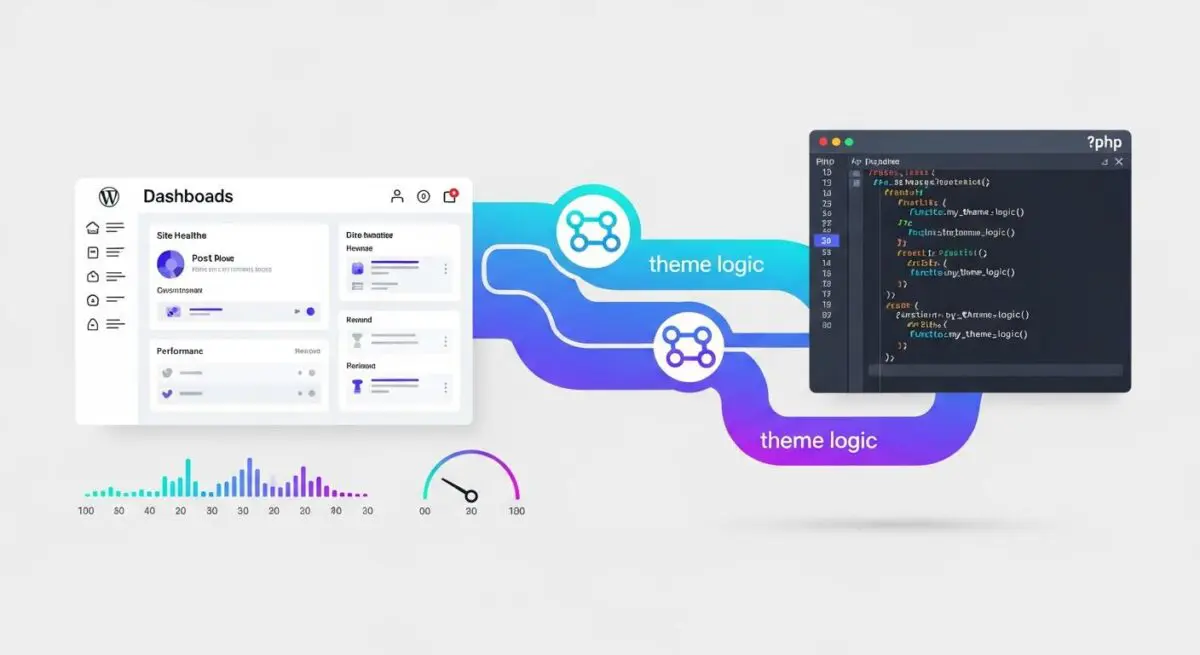
- Functions.php serves as the primary orchestration layer for theme-specific logic, allowing developers to hook into the WordPress Core initialization process.
- The file is executed on every page load, making it a critical junction for server-side performance optimization and PHP memory management.
- Architectural best practices dictate a separation of concerns, where presentation-related logic remains in the theme while core business logic is offloaded to plugins.
What is Functions.php?
The functions.php file, often referred to as the theme functions file, is a critical component of the WordPress theme architecture. It acts as a bridge between the WordPress Core and the specific presentation layer of a website. Unlike other template files such as index.php or single.php, which are responsible for rendering specific pages based on the WordPress Template Hierarchy, functions.php is automatically loaded during the WordPress initialization process on every request, both in the front-end and the administrative back-end. This file allows developers to define custom functions, classes, and hooks that modify the behavior of the WordPress CMS. Technically, it functions similarly to a WordPress plugin, but with one major distinction: it is only active when the theme containing it is active. If a user switches themes, the logic contained within the previous theme’s functions.php file is no longer executed.
From a technical standpoint, WordPress loads the functions.php file via the wp-settings.php core file. During the bootstrap process, after the basic environment is set up and plugins are loaded, WordPress identifies the active theme and includes its functions.php file. In a Child Theme environment, the child theme’s functions.php is loaded immediately before the parent theme’s functions.php. This specific loading order is vital for developers, as it allows child themes to override or augment parent theme functionality without modifying the parent files directly. The file is primarily used to initialize theme features using the add_theme_support() function, register navigation menus with register_nav_menus(), and enqueue CSS and JavaScript assets using the wp_enqueue_scripts hook. Because it is a standard PHP file, it can also be used to define custom global variables, constants, and complex logic that interacts with the WordPress database via the $wpdb class.
The Real-World Analogy
To understand the role of functions.php, imagine a high-end, modular office building. The building’s foundation, plumbing, and electrical grid represent the WordPress Core—the essential infrastructure that makes the building functional. Each floor of the building can be rented by a different company, representing a WordPress Theme. When a company moves in, they bring their own “Office Manual” (the functions.php file). This manual doesn’t change how the building’s foundation works, but it dictates exactly how that specific office operates. It might specify that the lights turn on automatically at 8:00 AM, that the receptionist must greet guests with a specific phrase, or that certain doors require a keycard. If the company moves out and a new one moves in, the old manual is discarded, and a new one takes its place. The building remains the same, but the internal rules and specialized features change entirely based on the manual currently in use.
How Functions.php Impacts Server Performance & Speed Engineering?
Because the functions.php file is parsed and executed on every single page load, its impact on server performance is direct and significant. In high-traffic enterprise environments, a bloated or poorly optimized functions.php file can become a major bottleneck for the PHP interpreter. Every line of code, every included file, and every database query defined within this file adds to the total execution time and memory consumption of the request. If the file contains thousands of lines of unoptimized code, the server must allocate more resources to process the script before it can even begin rendering the HTML for the user. This directly increases the Time to First Byte (TTFB), a core metric in web performance and SEO. Furthermore, if the file includes multiple require_once or include_once statements to pull in external logic, the server’s file system must perform additional I/O operations, which can accumulate latency on slower storage systems.
Beyond basic execution time, the logic within functions.php can interfere with modern caching strategies. For instance, if a developer adds a function that performs a complex WP_Query directly inside functions.php without utilizing the Transients API or an object cache like Redis, that query will run on every request, bypassing many of the benefits of page caching. Additionally, the way assets are enqueued in functions.php affects the Critical Rendering Path. If scripts are enqueued without the async or defer attributes, or if they are loaded in the header instead of the footer, they can become render-blocking resources. This delays the Largest Contentful Paint (LCP) and negatively impacts the user experience. Efficient speed engineering requires that functions.php remains lean, utilizing conditional tags like is_admin() or is_single() to ensure that code is only executed when absolutely necessary, thereby reducing the CPU cycles required for each request.
Best Practices & Implementation
- Utilize Hook-Based Execution: Always wrap your logic in appropriate WordPress hooks. Instead of calling a function directly, use
add_action()oradd_filter(). This ensures your code runs at the correct point in the WordPress lifecycle, preventing errors where functions are called before the necessary core classes are initialized. - Implement Proper Asset Management: Never hardcode
<link>or<script>tags. Usewp_enqueue_style()andwp_enqueue_script()within thewp_enqueue_scriptsaction hook. This allows WordPress to manage dependencies, prevent duplicate scripts, and enables optimization plugins to concatenate or minify assets effectively. - Adopt a Modular File Structure: For complex themes, avoid a single, massive functions.php file. Instead, create a
/inc/or/functions/directory and userequire_onceto include smaller, logically organized files (e.g., post-types.php, enqueue.php, shortcodes.php). This improves maintainability and readability for development teams. - Namespace and Prefixing: To avoid collisions with WordPress Core, plugins, or other themes, always prefix your functions and global variables with a unique identifier (e.g.,
andres_seo_custom_function()) or use PHP namespaces. This is critical for preventing fatal errors in diverse hosting environments. - Leverage Conditional Loading: Use conditional tags such as
is_front_page(),is_cart(), oris_user_logged_in()to wrap logic that is only needed in specific contexts. This prevents the server from executing unnecessary code on pages where the functionality is not required, optimizing resource allocation.
Common Mistakes to Avoid
One of the most frequent errors in WordPress development is the “Theme Lock-in” effect, which occurs when developers place core business logic—such as Custom Post Type registrations or essential data processing—inside the functions.php file. Because this file is theme-dependent, the user will lose all that functionality and data accessibility if they ever decide to change their theme. This logic should instead reside in a site-specific plugin or a Must-Use (MU) plugin. Another common mistake is leaving the closing PHP tag (?>) at the very end of the file. If any whitespace or a newline character exists after that tag, it can trigger the “Headers already sent” error, which prevents WordPress from performing redirects or setting cookies, often resulting in a broken site or the infamous White Screen of Death (WSOD). Finally, failing to sanitize, validate, and escape data within custom functions created in functions.php can introduce severe security vulnerabilities, such as SQL injection or Cross-Site Scripting (XSS), compromising the entire hosting environment.
Conclusion
The functions.php file is a powerful tool for theme customization, but it requires a disciplined, modular approach to maintain server efficiency and site security. By adhering to WordPress coding standards and separating presentation from core logic, developers can ensure a scalable and high-performing CMS architecture.