Executive Summary
- WordPress utilizes a Role-Based Access Control (RBAC) system where permissions (capabilities) are decoupled from user identities.
- Role and capability data is stored as a serialized array in the wp_options table, impacting PHP memory allocation and database I/O.
- Granular capability management is essential for maintaining the Principle of Least Privilege (PoLP) and optimizing server-side execution.
What is User Roles and Capabilities?
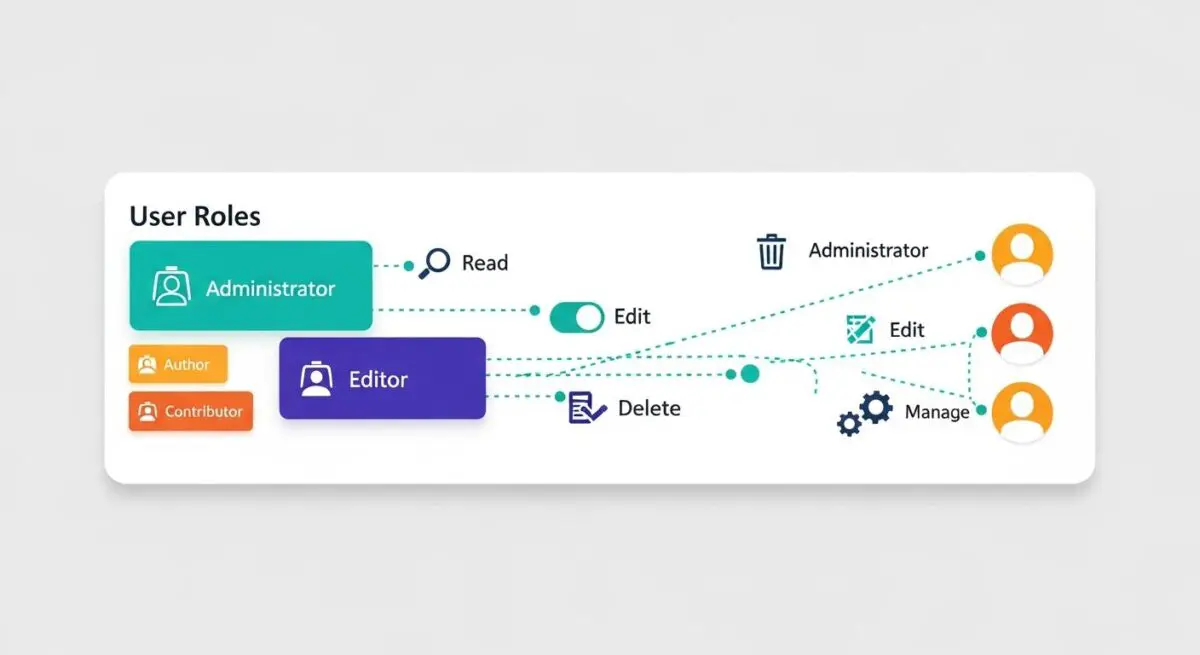
WordPress User Roles and Capabilities constitute the core Role-Based Access Control (RBAC) framework within the CMS architecture. This system is designed to manage what actions specific users can perform on a site. A Role is essentially a grouping of specific permissions, while a Capability represents an individual permission or task, such as edit_posts, upload_files, or manage_options. By default, WordPress includes several predefined roles: Administrator, Editor, Author, Contributor, and Subscriber, each with a hierarchical set of capabilities. In a multisite environment, the Super Admin role is also introduced, granting global network management permissions.
Technically, these roles and their associated capabilities are stored within the wp_options table under the wp_user_roles option key as a serialized array. When a user is authenticated, their assigned role is retrieved, and the WP_User object is populated with the corresponding capability set. This architecture allows developers to extend the system by creating custom roles or modifying existing ones using the add_role(), remove_role(), and add_cap() functions. Understanding the distinction between roles and capabilities is critical for maintaining a secure and scalable WordPress environment, as it allows for precise control over the application’s attack surface and administrative workflow.
The Real-World Analogy
Imagine a large international airport. The Roles are the job titles of the people working there: Pilot, Security Guard, Janitor, and Passenger. Each of these roles comes with a specific set of Capabilities represented by their security clearance badges. A Pilot has the capability to enter the cockpit and access the runway, but they might not have the capability to access the financial records in the administrative office. Conversely, a Passenger only has the capability to enter the terminal and their specific gate. If you gave every passenger the “Pilot” role, the entire system would collapse into chaos. In WordPress, assigning the correct role ensures that users can only “enter the rooms” necessary for their specific job, preventing accidental or malicious interference with the “flight” of the website.
How User Roles and Capabilities Impacts Server Performance & Speed Engineering?
While User Roles and Capabilities are primarily a security and administrative feature, they have direct implications for server-side performance and PHP execution efficiency. Every time a page is requested by a logged-in user, WordPress must verify if that user has the authority to view the content or perform specific actions. This is typically handled via the current_user_can() function. In complex enterprise environments with hundreds of custom capabilities or numerous plugins, frequent calls to this function can lead to incremental increases in PHP processing time, especially if these checks are performed within expensive loops or during the init hook.
Furthermore, because roles are stored as serialized data in the wp_options table, they are loaded into memory on every page request if the wp_user_roles option is set to autoload. On high-traffic sites with massive role configurations, this can contribute to memory exhaustion or increased database I/O. From a caching perspective, user roles complicate the implementation of Full Page Caching (FPC). Since different roles see different interface elements (like the Admin Bar or edit links), the server must generate unique cache fragments or bypass the cache entirely for logged-in users. This fragmentation places a higher load on the origin server and requires sophisticated edge caching strategies to maintain low Time to First Byte (TTFB) for authenticated traffic.
Best Practices & Implementation
- Implement the Principle of Least Privilege (PoLP): Always assign users the minimum level of access required for their tasks. For example, use the Contributor role for guest writers to prevent them from publishing content or uploading files without oversight.
- Check Capabilities, Not Roles: When developing themes or plugins, always use
current_user_can( 'edit_posts' )instead of checking for a specific role likecurrent_user_can( 'editor' ). This ensures compatibility with custom roles and provides better granularity. - Sanitize Custom Role Data: If your application requires custom roles, ensure they are added during plugin activation rather than on every page load. This prevents unnecessary database writes and keeps the
wp_optionstable lean. - Audit the wp_user_roles Option: Periodically check the
wp_user_rolesentry in your database for bloat. Many plugins leave behind custom capabilities even after they are uninstalled, which can lead to a fragmented and oversized serialized array that slows down option loading.
Common Mistakes to Avoid
One of the most frequent errors is granting the unfiltered_html capability to untrusted users. This allows them to bypass security filters and potentially inject malicious scripts into the database, leading to Cross-Site Scripting (XSS) vulnerabilities. Another common mistake is hardcoding role checks into theme templates, which breaks the flexibility of the WordPress RBAC system and makes future migrations or permission updates difficult. Finally, many administrators fail to remove custom roles created by deactivated plugins, leading to “ghost roles” that complicate the security audit process and increase database overhead.
Conclusion
User Roles and Capabilities are the cornerstone of WordPress security and administrative efficiency. By adhering to capability-based checks and the principle of least privilege, developers can ensure a robust, high-performance environment suitable for enterprise-scale deployments.