Executive Summary
- Root access grants unrestricted administrative privileges to the server’s operating system, allowing for deep-level configuration of the hosting stack.
- It is essential for implementing advanced performance optimizations such as custom PHP-FPM pools, kernel-level tuning, and specialized caching layers.
- While providing maximum flexibility, it necessitates rigorous security protocols to prevent unauthorized system-wide compromises.
What is Root Access?
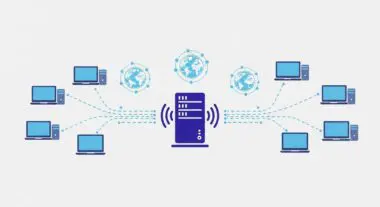
Root access refers to the highest level of administrative permission available on a Linux or Unix-based server environment. In the context of WordPress hosting, the “root” user (or superuser) possesses the authority to read, write, and execute any file, modify system-wide configurations, and manage hardware resources. This level of access is typically accessed via Secure Shell (SSH) and is the foundation upon which the entire web serving stack—including the operating system, web server (Nginx or Apache), database management system (MySQL or MariaDB), and PHP processor—is built and maintained.
For enterprise WordPress deployments, root access is the gateway to environment-specific tuning. Unlike shared hosting or restricted managed environments where users are confined to a specific directory or a limited control panel interface, root access allows engineers to install custom binaries, update system libraries, and manage firewall rules at the kernel level. It represents the absolute control over the server’s execution environment, making it a critical component for high-scale architecture.
The Real-World Analogy
Imagine a high-security skyscraper. A standard tenant has a key to their specific office suite; they can move furniture and paint the walls, but they cannot change the building’s plumbing or electrical grid. Root access is equivalent to possessing the master key and the architectural blueprints for the entire building. With it, you can not only enter every room but also rewire the elevators, upgrade the central HVAC system for better efficiency, or even change the structural foundation. While this power allows for total optimization, a single mistake in the boiler room could affect every tenant in the building.
How Root Access Impacts Server Performance & Speed Engineering?
Root access is a prerequisite for advanced speed engineering and server-side optimization. It enables the implementation of Nginx FastCGI caching and the fine-tuning of PHP-FPM (FastCGI Process Manager) settings, such as pm.max_children and request_terminate_timeout, which are vital for handling high-traffic spikes without latency. Furthermore, it allows for the installation and configuration of persistent object caches like Redis or Memcached at the system level, significantly reducing database load and Time to First Byte (TTFB).
Beyond software configuration, root access permits kernel-level optimizations, such as adjusting TCP stack parameters or implementing Brotli compression, which offers superior compression ratios compared to standard Gzip. By having the ability to monitor system resources using tools like htop, iotop, or netstat, developers can identify and resolve bottlenecks in real-time, ensuring that the WordPress application operates within a perfectly tailored environment rather than a generic, one-size-fits-all container.
Best Practices & Implementation
- Implement SSH Key Authentication: Disable password-based logins for the root user to mitigate brute-force attack risks, utilizing 2048-bit or higher RSA keys.
- Utilize the Principle of Least Privilege: Avoid logging in directly as root for daily tasks; instead, use a standard user account with sudo privileges to execute administrative commands.
- Configure a Robust Firewall: Use root permissions to set up iptables or nftables to restrict access to essential ports and block malicious IP ranges at the network layer.
- Automate System Updates: Maintain the security integrity of the server by scheduling regular patches for the OS kernel and core services using package managers like apt or yum.
Common Mistakes to Avoid
One of the most critical errors is running web-facing services, such as the web server or database, directly under the root user, which creates a massive security vulnerability if the application is exploited. Another frequent mistake is the accidental execution of recursive deletion commands (e.g., rm -rf /) while in the root directory, which can lead to irreversible data loss. Finally, many organizations fail to log and audit root-level activities, making it difficult to perform forensic analysis after a security incident.
Conclusion
Root access is the cornerstone of high-performance WordPress hosting, providing the necessary control to optimize every layer of the server stack. When managed with strict security protocols, it enables unparalleled scalability and speed for enterprise-grade digital assets.