Executive Summary
- Lando serves as a high-level abstraction layer for Docker Compose, specifically engineered to automate the orchestration of complex WordPress development stacks.
- It ensures strict environment parity by utilizing a declarative configuration file (.lando.yml) to define PHP versions, database engines, and caching layers.
- The tool integrates natively with enterprise hosting providers and CI/CD pipelines, facilitating seamless database migrations and asset synchronization.
What is Lando for WordPress?
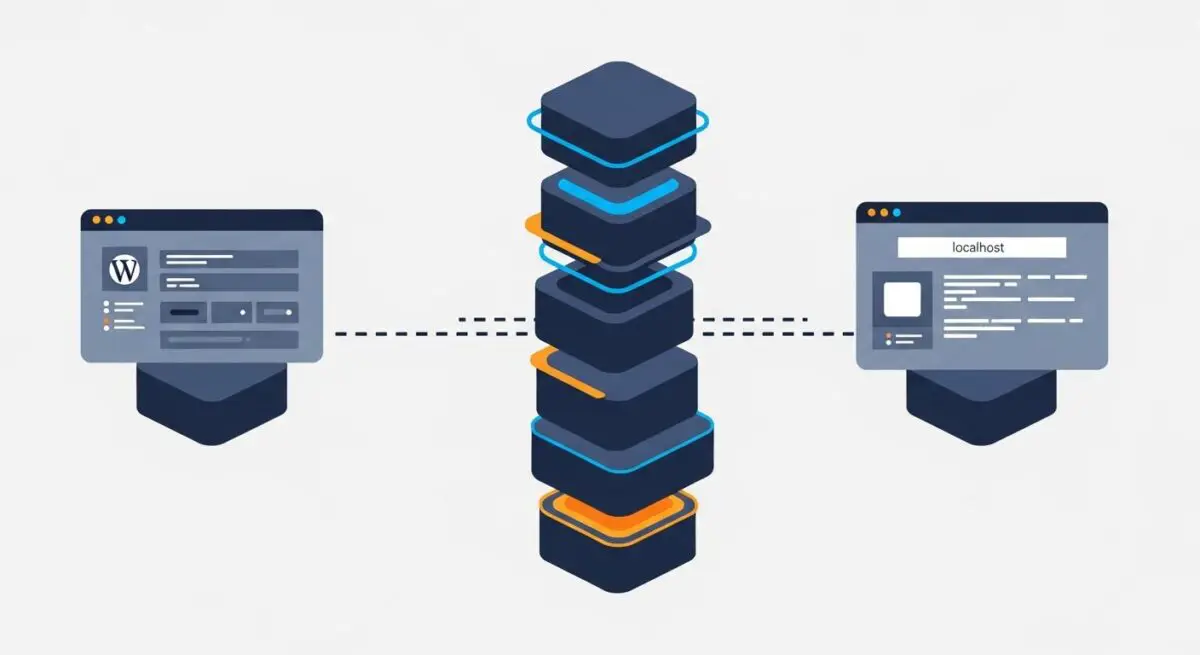
Lando for WordPress is a powerful, open-source local development tool and DevOps abstraction layer built on top of Docker. Unlike traditional local development environments such as XAMPP or MAMP, which install software directly onto the host operating system, Lando utilizes containerization to isolate the WordPress application stack. This architecture allows developers to define their entire infrastructure—including the web server (Nginx or Apache), database (MySQL or MariaDB), PHP-FPM, and auxiliary services like Redis, Varnish, or Elasticsearch—within a single version-controlled file known as the .lando.yml.
In the context of enterprise WordPress engineering, Lando acts as a wrapper for Docker Compose, simplifying the management of complex networking, volume mounting, and container linking. It provides a standardized “recipe” system specifically for WordPress, which pre-configures the environment with optimal settings for the CMS. This includes automatic SSL certificate generation, local domain routing via a built-in proxy, and pre-installed command-line tools such as WP-CLI, Composer, and Node.js. By abstracting the complexities of Docker, Lando enables engineering teams to focus on code quality and architecture rather than infrastructure maintenance.
The Real-World Analogy
To understand Lando for WordPress, imagine a professional chef who needs to replicate a specific five-star kitchen environment in multiple locations across the globe. Instead of traveling to each location and manually installing specific ovens, refrigerators, and prep stations—hoping they all work the same way—the chef uses a high-tech, modular shipping container. This container comes pre-fitted with the exact equipment, calibrated to the exact temperatures, and organized in the exact layout required for their signature recipes. Lando is that shipping container. It ensures that whether you are working on a laptop in a coffee shop or a high-powered workstation in an office, the “kitchen” (your WordPress server environment) is identical, predictable, and ready to perform without manual setup.
How Lando for WordPress Impacts Server Performance & Speed Engineering?
Lando significantly impacts performance engineering by facilitating environment parity, which is the practice of ensuring that the local development environment is a mirror image of the production server. When developers work in an environment that lacks parity, they often overlook performance bottlenecks that only appear in production. For instance, Lando allows developers to run the exact version of PHP and the specific caching engines (like Redis or Memcached) that the live server uses. This allows for the early detection of memory leaks, slow database queries, and inefficient object caching strategies before the code ever reaches a staging environment.
Furthermore, Lando’s integration with Docker allows for precise resource allocation. Developers can simulate low-resource environments to test how WordPress behaves under CPU or RAM constraints, which is critical for optimizing Core Web Vitals and Server Response Times (TTFB). By utilizing Lando’s tooling section, teams can automate performance testing suites, running Lighthouse or specialized PHP profiling tools like Xdebug and Blackfire directly within the containerized environment. This proactive approach to speed engineering ensures that the final WordPress build is optimized for the specific architectural constraints of the target hosting infrastructure.
Best Practices & Implementation
- Declarative Configuration: Always define your stack in the .lando.yml file and commit it to your version control system (Git). This ensures that every developer on the team is running the exact same service versions and configurations, eliminating the “it works on my machine” syndrome.
- Custom Tooling Integration: Utilize the
toolingproperty in Lando to create custom commands for WP-CLI, PHPUnit, or Gulp. This allows team members to execute complex build processes or database operations without needing to install the underlying dependencies on their local machine. - Database and Asset Syncing: Leverage Lando’s ability to connect with remote hosting providers (like Pantheon or Platform.sh) to pull down production databases and media files. Use the
lando pullcommand to keep local data synchronized, ensuring that performance testing is conducted against realistic datasets. - Service Isolation: For complex enterprise builds, use Lando to spin up separate containers for specialized services like Elasticsearch for search optimization or MailHog for testing transactional emails, ensuring these services do not conflict with the core WordPress processes.
Common Mistakes to Avoid
One frequent error is the over-allocation of system resources to the Docker Desktop backend. Since Lando relies on Docker, assigning too much RAM or too many CPU cores can degrade the performance of the host machine, while assigning too little will cause the WordPress environment to lag or crash during heavy operations like database migrations. Another common mistake is failing to use the lando rebuild command after making changes to the .lando.yml file. Developers often modify the configuration and expect immediate changes, but Docker containers must be re-orchestrated to reflect new service definitions or environment variables.
Conclusion
Lando for WordPress is an essential tool for modern CMS architecture, providing the containerized stability required for high-performance development. By enforcing environment parity and automating infrastructure management, it allows agencies to deliver scalable, optimized, and secure WordPress applications.