Executive Summary
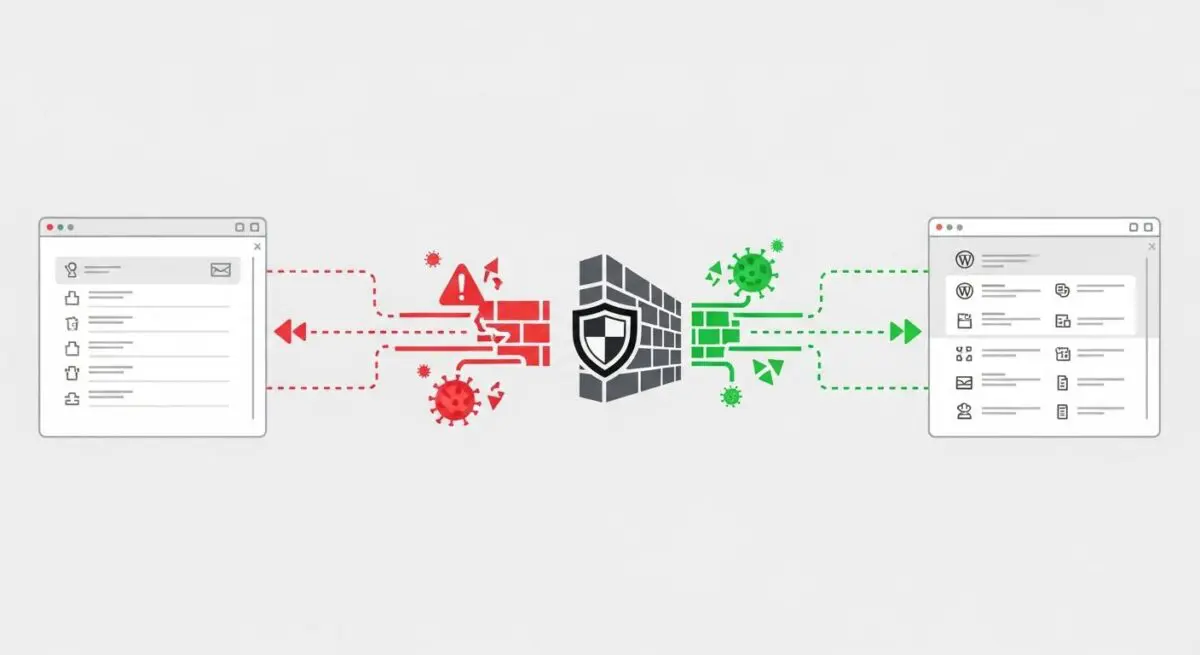
- Wordfence operates as an Endpoint Web Application Firewall (WAF) that executes at the PHP level to intercept malicious requests before they reach the WordPress core.
- The platform utilizes a proprietary Threat Intelligence Feed to provide real-time protection against zero-day vulnerabilities, SQL injections, and Cross-Site Scripting (XSS).
- Implementation requires careful resource management, as deep malware scanning and live traffic logging can significantly impact CPU utilization and database I/O.
What is Wordfence?
Wordfence is a sophisticated, enterprise-grade security framework designed specifically for the WordPress ecosystem. At its core, it functions as an Endpoint Web Application Firewall (WAF) and malware scanner. Unlike cloud-based firewalls that operate at the DNS level, Wordfence is integrated directly into the application layer. This allows it to leverage the full context of the WordPress environment, including user sessions, database queries, and plugin-specific hooks, to make highly informed security decisions. It is engineered to identify and neutralize threats such as brute-force attacks, malicious file uploads, and complex code injections that target specific WordPress vulnerabilities.
Technically, Wordfence operates by hooking into the WordPress initialization process. In its most optimized state, it uses an auto_prepend_file directive in the server’s PHP configuration. This ensures that the Wordfence security engine executes before any other WordPress code, effectively shielding the application from the very first byte of a request. The system is backed by the Wordfence Threat Intelligence Team, which continuously updates a global database of malicious IP addresses and malware signatures, pushing these updates to protected sites to ensure defense against the latest exploits in the wild.
The Real-World Analogy
To understand Wordfence, imagine a high-security laboratory. A cloud-based firewall (like Cloudflare) is the perimeter fence and the guard at the main gate of the complex. They stop known criminals from entering the grounds. Wordfence, however, is the specialized security detail stationed directly inside the laboratory, right at the door of the cleanroom. This team doesn’t just look at who you are; they inspect your briefcase, your credentials, and your specific actions once you are inside. Because they are inside the building, they know exactly which rooms are off-limits and can stop a threat even if the person managed to trick the guard at the front gate. It is the final, most informed line of defense that understands the internal layout of the facility perfectly.
How Wordfence Impacts Server Performance & Speed Engineering?
The integration of Wordfence into the WordPress architecture introduces a specific set of performance considerations that speed engineers must address. Because Wordfence is an endpoint WAF, it requires PHP execution for every incoming request. This naturally adds a layer of latency to the Time to First Byte (TTFB). In high-traffic environments, the overhead of processing firewall rules for thousands of concurrent users can lead to increased CPU load. Furthermore, the malware scanning engine is resource-intensive; it performs deep file system inspections and compares file hashes against a massive database of known threats, which can saturate disk I/O and memory if not properly throttled.
Database performance is another critical area of impact. Wordfence stores security logs, blocked IP data, and scan results within the WordPress database (specifically in tables like wfLogs and wfHits). Without regular maintenance or proper configuration, these tables can grow to several gigabytes, leading to slower query execution times for the entire site. However, when configured correctly—using the optimized firewall mode and disabling non-essential features like ‘Live Traffic’ logging—the security benefits often outweigh the marginal performance cost, as blocking malicious bots actually reduces the overall server load by preventing them from triggering expensive WordPress processes.
Best Practices & Implementation
- Optimize Firewall Integration: Always configure the Wordfence WAF to run in ‘Extended Protection’ mode by setting the auto_prepend_file directive in your .user.ini or php.ini file. This allows the firewall to block threats before the PHP engine fully initializes WordPress.
- Database Maintenance: Limit the amount of security data stored in the database by navigating to the Wordfence options and reducing the ‘Amount of Live Traffic data to store’ and ‘Maximum number of hits to log’. This prevents the wp_options and Wordfence-specific tables from bloating.
- Strategic Scan Scheduling: For enterprise-level sites, avoid running malware scans during peak traffic hours. Use the manual scheduling feature to trigger deep scans during low-activity periods to ensure that CPU resources remain available for legitimate users.
- Disable Live Traffic for High-Volume Sites: While the Live Traffic feature provides real-time visibility, it is extremely write-heavy. On high-traffic deployments, disabling this feature can significantly reduce database contention and improve overall responsiveness.
Common Mistakes to Avoid
One frequent error is the ‘Set and Forget’ mentality, where administrators leave the firewall in ‘Learning Mode’ indefinitely. While Learning Mode is essential for identifying legitimate traffic patterns during initial setup, failing to switch to ‘Enabled and Protecting’ leaves the site vulnerable to known exploits. Another common mistake is running Wordfence in conjunction with multiple other heavy security plugins. This redundancy creates significant PHP overhead and can lead to conflicts that crash the site or create false positives. Finally, many developers neglect to whitelist their own server’s IP address or the IPs of their management tools, which can lead to accidental lockouts during routine maintenance or automated deployments.
Conclusion
Wordfence is a critical component of a hardened WordPress architecture, providing deep-level security that DNS-level firewalls cannot match. By understanding its impact on PHP execution and database I/O, developers can implement a robust defense strategy that secures the application without compromising server performance.