Executive Summary
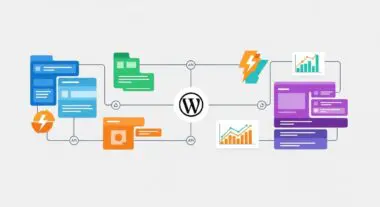
- LocalWP utilizes a proprietary Lightning Services architecture to provide isolated, high-performance local server environments without the overhead of traditional virtualization.
- The platform enables strict environment parity by allowing developers to hot-swap PHP versions, web server software (Nginx/Apache), and database engines to match production specifications.
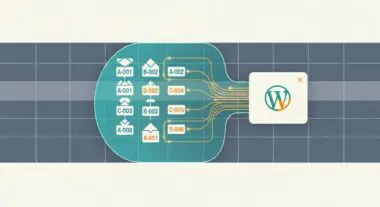
- Integrated workflow tools, including Magic Sync and WP-CLI support, optimize the deployment pipeline and reduce the risk of database corruption during migration.
What is LocalWP?
LocalWP is a specialized local development environment designed specifically for the WordPress ecosystem. Unlike generic local server stacks such as XAMPP, WAMP, or MAMP, LocalWP is architected to streamline the WordPress-specific DevOps lifecycle. It provides a containerized-like experience using what the developers call Lightning Services. These are pre-compiled binaries for PHP, Nginx, Apache, and MySQL/MariaDB that run natively on the host operating system (macOS, Windows, or Linux) while maintaining logical isolation between different site instances. This architecture ensures that each WordPress installation has its own dedicated configuration files, database, and file system root, preventing cross-contamination between projects.
From a technical standpoint, LocalWP manages the orchestration of the local loopback interface and the host machine’s hosts file to map custom domain names (e.g., mysite.local) to the local IP address 127.0.0.1. It also includes a built-in certificate authority (CA) that allows developers to issue and trust self-signed SSL certificates with a single click, ensuring that the local environment accurately mirrors the HTTPS protocol requirements of modern production servers. This level of specialization makes it an essential tool for WordPress architects who require high-fidelity testing environments that closely replicate the constraints and capabilities of managed WordPress hosting providers.
The Real-World Analogy
To understand LocalWP, consider the role of a high-fidelity flight simulator used by commercial airline pilots. Before a pilot ever takes control of a multi-million dollar aircraft with hundreds of passengers, they spend thousands of hours in a simulator. This simulator perfectly replicates the cockpit, the physics of flight, and various emergency scenarios without the risk of a real-world crash. LocalWP serves as this simulator for web developers. It allows a developer to test “extreme weather” conditions—such as a major PHP version upgrade, a complex database migration, or a complete theme overhaul—in a safe, isolated environment. If the “plane” crashes in LocalWP, the live production site remains completely unaffected, allowing the developer to debug the failure and refine the process until it is flight-ready.
How LocalWP Impacts Server Performance & Speed Engineering?
LocalWP significantly impacts speed engineering by eliminating the network latency inherent in remote development. When a developer works on a live staging server, every file save and database query must travel over the internet, which can introduce delays of several hundred milliseconds per request. In a local environment, these requests occur at the hardware level of the host machine, allowing for near-instantaneous feedback loops. This is particularly critical when using profiling tools like Xdebug. LocalWP provides native integration for Xdebug, enabling developers to step through PHP execution line-by-line to identify bottlenecks in custom code or third-party plugins that would otherwise degrade server response times (TTFB) in production.
Furthermore, LocalWP allows for the testing of server-side caching strategies and database optimization before deployment. By mimicking the production server’s software stack (e.g., matching Nginx versions and PHP-FPM configurations), developers can identify render-blocking resources and optimize the critical rendering path locally. The platform also supports Image Optimizer add-ons and WP-CLI, allowing for the automation of performance-related tasks such as regenerating thumbnails or cleaning up database overhead. By resolving these issues in the local environment, the final deployment to the production server is pre-optimized, ensuring maximum efficiency and adherence to Core Web Vitals from the moment the site goes live.
Best Practices & Implementation
- Maintain Environment Parity: Always configure the LocalWP environment to match the production server’s PHP version, web server (Nginx vs. Apache), and MySQL/MariaDB version. This prevents “it works on my machine” errors caused by deprecated functions or differing SQL modes.
- Utilize Blueprints for Standardization: Create and use “Blueprints” in LocalWP to save a baseline configuration of WordPress, including preferred security plugins, performance settings, and theme frameworks. This ensures consistency across all agency projects and reduces setup time.
- Leverage Xdebug for Code Profiling: Enable Xdebug within the LocalWP settings to perform deep-dive analysis of PHP execution. This is essential for identifying inefficient loops or heavy database queries that could impact server-side performance.
- Automate with WP-CLI: Use the integrated terminal to run WP-CLI commands for bulk operations, such as search-and-replace for URL migrations or plugin management, which is faster and less error-prone than using the WordPress admin dashboard.
- Regularly Sync with Magic Sync: When deploying to providers like Flywheel or WP Engine, use the Magic Sync feature to view a differential of file changes. This ensures that only modified files are transferred, reducing deployment time and the risk of overwriting critical data.
Common Mistakes to Avoid
One frequent error is the failure to account for differences in server-level caching. LocalWP environments typically do not have the same aggressive Varnish or Redis caching layers found on managed WordPress hosts. Developers may find that a site performs well locally but behaves differently when these caching layers are introduced in production. Another common mistake is hardcoding local URLs (e.g., http://mysite.local) into the database or theme files. While LocalWP handles many URL replacements during deployment, hardcoded strings in serialized data can break functionality. Finally, neglecting to update the local SSL certificate’s trust status can lead to issues with API integrations and loopback requests that rely on secure connections.
Conclusion
LocalWP is a foundational tool for professional WordPress architecture, providing the isolation and technical fidelity required for modern web development. By leveraging its Lightning Services and environment parity features, developers can ensure that their sites are optimized for performance and stability long before they reach a production server.