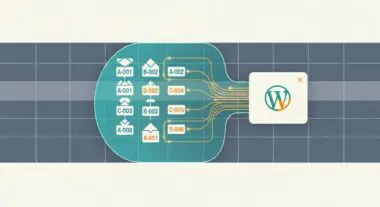
Executive Summary
- Beaver Builder utilizes a modular front-end framework that prioritizes semantic HTML output and minimizes shortcode dependency compared to legacy builders.
- The system generates static CSS and JavaScript files for each layout, reducing real-time database queries and improving Time to First Byte (TTFB).
- Architectural efficiency is maintained through a decoupled UI that separates the layout engine from the WordPress core theme hierarchy.
What is Beaver Builder?
Beaver Builder is a sophisticated content construction framework and page builder plugin for WordPress designed to facilitate front-end development through a modular, drag-and-drop interface. Unlike many legacy page builders that rely heavily on nested shortcodes—which can lead to “content lock-in” and significant database bloat—Beaver Builder generates clean, semantic HTML and CSS. It operates as a layer on top of the WordPress CMS, allowing developers to create complex grid systems and interactive components without manual PHP template manipulation.
From a technical standpoint, Beaver Builder is comprised of a core plugin and an optional framework theme. The engine utilizes a custom JavaScript-driven UI that interacts with the WordPress REST API and admin-ajax.php to provide real-time previews. Data is stored within the wp_postmeta table as serialized arrays, but crucially, Beaver Builder also caches the rendered layout as static assets to ensure that the front-end delivery is not entirely dependent on expensive database lookups during every page load cycle.
The Real-World Analogy
To understand Beaver Builder, imagine a high-end modular office system. WordPress is the structural building (the foundation, plumbing, and electricity), and the theme is the exterior architecture. Beaver Builder is the modular interior wall and furniture system. Instead of hiring a mason to build permanent brick walls (coding PHP templates) every time you want to change an office layout, you use a standardized system of panels and connectors. These panels are pre-engineered to fit perfectly, can be rearranged quickly, and most importantly, they don’t compromise the structural integrity of the building. If you decide to remove the modular system later, the building remains intact, and you are left with a functional, open space rather than a pile of rubble.
How Beaver Builder Impacts Server Performance & Speed Engineering?
Beaver Builder is often cited in the WordPress community for its relatively lean footprint compared to competitors like Elementor or Divi. Its primary impact on server performance stems from its asset management strategy. When a page is saved, Beaver Builder compiles the necessary CSS and JavaScript for that specific layout and writes it to the /uploads/bb-plugin/ directory. This allows the server to serve static files, which can be easily offloaded to a Content Delivery Network (CDN) or cached at the edge, rather than dynamically generating styles on the fly.
However, from a Speed Engineering perspective, developers must be wary of the Document Object Model (DOM) depth. While Beaver Builder produces cleaner code than many alternatives, excessive nesting of rows, columns, and modules can still lead to a high DOM node count, which negatively impacts Google’s Core Web Vitals, specifically Cumulative Layout Shift (CLS) and Interaction to Next Paint (INP). Furthermore, because Beaver Builder loads its own framework, there is an inherent overhead of approximately 100-150kb of JavaScript and CSS that must be accounted for in the initial page weight budget.
Best Practices & Implementation
- Enable Asset Minification: Always ensure that the global settings for CSS and JavaScript minification are enabled within the Beaver Builder settings to reduce payload size.
- Leverage Beaver Themer for Dynamic Data: Use the Beaver Themer add-on to create singular and archive templates. This allows for the use of a single layout across thousands of posts, significantly reducing database overhead and simplifying site-wide CSS updates.
- Optimize Image Delivery: Since Beaver Builder allows for easy background image implementation, ensure that all images are served in modern formats like WebP and utilize proper ‘srcset’ attributes to prevent loading oversized assets on mobile devices.
- Conditional Module Loading: Disable unused modules within the Beaver Builder settings menu. This prevents the plugin from registering unnecessary scripts and styles that are not being utilized in the project.
Common Mistakes to Avoid
One frequent error is the failure to clear the Beaver Builder cache after performing a site migration or changing an SSL certificate. Because the plugin hardcodes absolute URLs into its generated CSS files, failing to refresh the cache can result in broken layouts or mixed content warnings. Another common mistake is over-nesting elements; developers often create rows within rows within columns to achieve specific spacing, which unnecessarily inflates the HTML structure and slows down browser rendering engines. Finally, many users neglect to set up a proper Object Cache (like Redis or Memcached), which is essential for handling the serialized data processing required when the editor is active.
Conclusion
Beaver Builder represents a balanced approach to WordPress site construction, offering a developer-centric architecture that prioritizes clean output and performance. When implemented with a focus on DOM management and server-side caching, it serves as a robust foundation for enterprise-level WordPress deployments.