Key Points
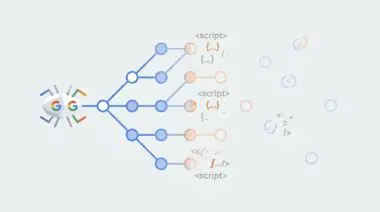
- Schema Desynchronization: Premature expiration occurs when the server’s internal clock, database metadata, and cached JSON-LD schema lose synchronization.
- ISO 8601 Offset: Missing or incorrect timezone offsets in the validThrough property force Googlebot to default to localized timezones, triggering early removal.
- Dynamic Cache Purging: Implementing targeted cache invalidation on save_post actions ensures Googlebot-Jobspool always crawls the freshest structured data.
Table of Contents
The Core Conflict: Premature Job Expired Errors
According to Google Search Central documentation, providing an accurate ‘validThrough’ date is a high-priority requirement for the JobPosting structured data. Failure to maintain this field’s accuracy can lead to a complete removal from Google for Jobs search results within 24 hours of the expiration timestamp. This strict enforcement ensures searchers do not encounter closed or unavailable positions.
When a JobPosting validThrough property expiration error occurs, organic recruitment visibility halts immediately. The Googlebot-Jobspool user-agent expects strict adherence to schema guidelines during specialized crawls. If it detects an anomaly or an expired timestamp, the listing is dropped from the AI-driven search interface to protect user experience.
You will typically see a spike in ‘Expired jobs’ within the Google Search Console Job Postings report. Server logs may simultaneously show HTTP 404 or 410 status codes for job URLs. This happens even while the schema still technically exists in the database, indicating a severe desynchronization in the server stack.
Diagnostic Checkpoints in the Stack
Diagnostic Checkpoints
ISO 8601 Timezone Offset Conflict
ISO 8601 offset mismatch triggers premature job expiration.
Stale Object or Page Caching
Stale cache serves expired schema to Googlebot crawlers.
Indexing API Desynchronization
Indexing API updates conflict with near-expiry schema dates.
Database Transient Expiration
Transient metadata loss results in default null expiration.
Premature expiration often stems from a conflict between the server’s internal clock and the database-stored expiration date. Persistent object caches like Redis or Memcached can inadvertently serve stale HTML containing dates that have already passed. When Googlebot crawls this cached version, it triggers an immediate expiration protocol.
Another common failure point occurs within the WordPress caching layer. Plugin-based caching solutions often fail to purge individual job posts when a global expiration date is reached. This serves stale schema to Googlebot even after a database update has been successfully executed.
Finally, automated Indexing API plugins may trigger a delete request prematurely. If the WordPress post status changes to expired before the schema property is updated, the conflict leads to the listing being flagged as unreliable. This drops the URL from the Jobs SERP entirely.
The Engineering Resolution
Engineering Resolution Roadmap
Standardize Timezone and Format
Ensure the ‘validThrough’ date is rendered in full ISO 8601 format (YYYY-MM-DDTHH:mm:ss+00:00). Update the PHP logic to pull the date directly from the post meta and format it using the ‘c’ date character.
Implement Dynamic Cache Purging
Hook into the job post type’s save_post action to flush the specific URL from NGINX/Varnish and clear the Redis object cache whenever the expiration date is modified.
Synchronize Indexing API Calls
Ensure the Google Indexing API ‘URL_UPDATED’ notification is only sent AFTER the schema on the page has been successfully updated and the cache has been verified as ‘fresh’ via a HEAD request.
Set Default Buffer Period
Modify the schema generation template to add a 24-hour ‘buffer’ to the ‘validThrough’ property relative to the actual application deadline to account for crawl latency.
To permanently resolve this vulnerability, you must standardize the timezone and format of the schema output. This ensures the JSON-LD string strictly adheres to the official JobPosting guidelines required by Google’s parsing engine. A missing offset forces the search engine to guess the timezone, which often results in early termination.
Dynamic cache purging must also be implemented at the server level. Hooking into the save_post action guarantees that NGINX or Varnish drops the stale HTML document. This forces the server to regenerate the schema payload with the accurate, future-dated validThrough property.
Additionally, you must synchronize your Indexing API calls. Sending an update ping to Google while the server is still caching an expired date will burn crawl budget and damage entity trust. Always verify the cache is fresh via a HEAD request before pinging the API.
Executing the Fix via PHP and WordPress
The validThrough property must be rendered in full ISO 8601 format, including the correct timezone offset. Review the standard definition of the validThrough property to understand the exact string requirements for compliant structured data. Without this precision, Generative Engine Optimization (GEO) efforts will fail.
We must intercept the schema generation process to enforce this formatting. The following PHP snippet hooks into the Rank Math schema generator to pull the raw expiration date and reformat it. This ensures the output string includes the critical timezone offset.
PHP Implementation
Inject this logic into your child theme’s functions.php file or a custom functionality plugin. This code targets the specific JobPosting entity and forces the PHP date function to output the ‘c’ character format.
add_filter( 'rank_math/snippet/rich_snippet_jobposting_entity', function( $entity ) {
    if ( isset( $entity['validThrough'] ) ) {
        $post_id = get_the_ID();
        $expiry_date = get_post_meta( $post_id, '_job_expires', true );
        if ( $expiry_date ) {
            // Ensure format is ISO 8601 with timezone offset
            $entity['validThrough'] = date( 'c', strtotime( $expiry_date ) );
        }
    }
    return $entity;
});
Once deployed, this function bypasses any conflicting WordPress timezone settings. It relies directly on the server’s PHP configuration to generate an accurate, localized timestamp that Googlebot can parse without ambiguity.
Validation Protocol & Edge Cases
Validation Protocol
- Use the Google Rich Results Test to confirm the ‘validThrough’ date is in the future and correctly formatted.
- Run ‘curl -I -A “Googlebot” [Job_URL]’ to ensure the server is not serving a cached 404/410.
- Inspect the ‘X-Cache’ header in Chrome DevTools Network tab to verify a cache ‘MISS’ or ‘HIT’ from the current date.
- Trigger a ‘Live Test’ in Google Search Console URL Inspection tool to see exactly what Googlebot sees in the rendered HTML.
Always verify the schema output using the Rich Results Test before requesting indexing. You must confirm that the validThrough date is in the future and correctly formatted. Running a cURL command simulating the Googlebot user-agent will also reveal if the server is improperly serving a cached 404 error.
Watch out for complex edge cases involving Content Delivery Networks. A conflict can occur where a Cloudflare Edge Worker dynamically modifies headers or body content for SEO A/B testing. This process can inadvertently strip the validThrough property entirely.
Furthermore, Edge Workers might pull a stale version of the JSON-LD from a separate Key-Value (KV) store. This overrides the correct data being sent from the WordPress origin server, causing Googlebot to process outdated expiration metrics.
Autonomous Monitoring & Prevention
To prevent future occurrences, implement a server-side cron job that validates the validThrough field against the current system time for all published job posts. This automated script should flag any URL where the expiration date is approaching within 24 hours. Proactive monitoring prevents listings from silently dropping out of the index.
Use a log analysis tool like ELK Stack or Graylog to monitor Googlebot-Jobspool crawl frequency and response codes. Tracking these specific user-agent requests allows you to identify cache misses or rendering timeouts before they impact search visibility. At Andres SEO Expert, we recommend automating a weekly GSC API audit to detect Expired status trends.
Building an automated pipeline using Make.com can also streamline this process. By connecting your database to the Indexing API and a Slack alert channel, you create an autonomous feedback loop. This ensures your engineering team is notified the moment a schema desynchronization occurs.
Conclusion
Resolving premature schema expiration requires strict alignment between your database, caching layers, and PHP output formatting. By enforcing ISO 8601 standards and implementing dynamic cache purging, you secure your listings against sudden drops in Google for Jobs.
Navigating the intersection of technical SEO, server architecture, and generative search requires a precise roadmap. If you need to future-proof your enterprise stack, resolve deep-level crawl anomalies, or implement AI-driven SEO automation, connect with Andres at Andres SEO Expert.