



Key Points
- Strict Tag Support: Googlebot only processes the data-nosnippet directive when it is explicitly applied to div, span, or section HTML elements.
- Server-Side Injection: Relying on client-side JavaScript to inject exclusion attributes causes rendering desynchronization, leading to sensitive data leakage.
- Minification Conflicts: Aggressive HTML optimization plugins often strip data-attributes to reduce payload size, requiring explicit whitelisting in the caching configuration.
Table of Contents
The Core Conflict: Semantic Leakage in SERPs
According to the 2025 Web Almanac by the HTTP Archive, approximately 14% of technical SEO implementations for snippet control fail due to rendering desynchronization. This occurs when the crawler processes a version of the page that lacks dynamically injected data-attributes.
This desynchronization is the primary reason Googlebot ignores the data-nosnippet attribute. Consequently, sensitive text can inadvertently appear in search result snippets.
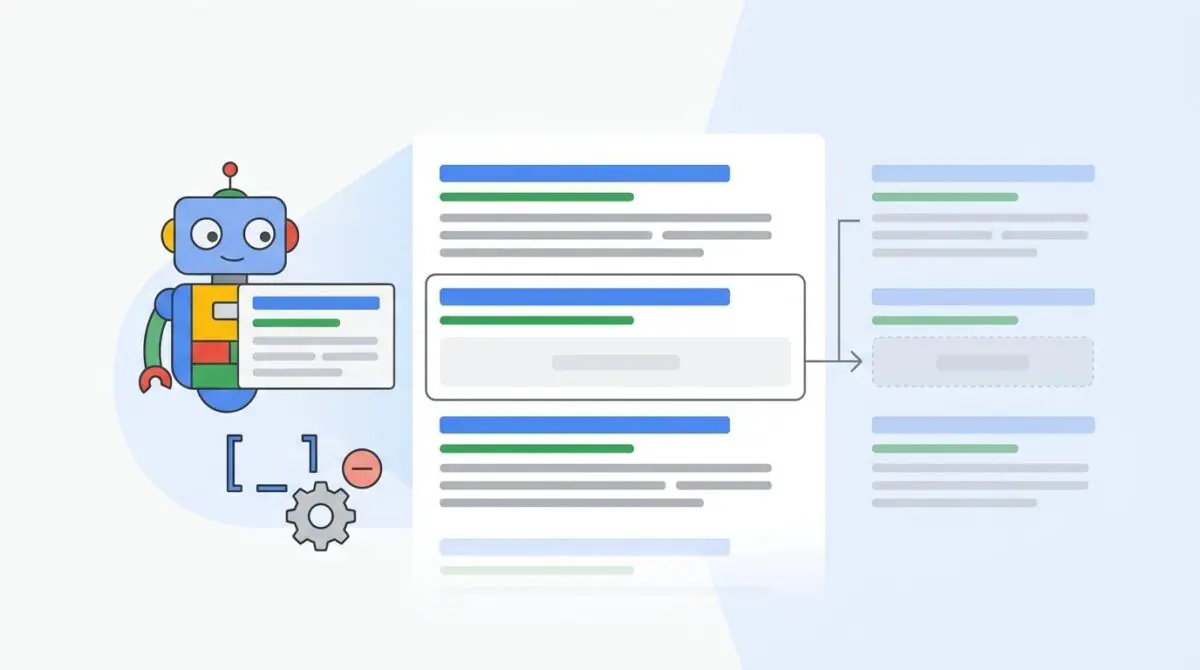
The data-nosnippet attribute is a granular HTML specification designed to exclude specific sections of a webpage from search engine extraction. Unlike the page-level nosnippet meta tag, this attribute allows developers to block targeted text while keeping the surrounding content indexed.
In the era of Generative Engine Optimization (GEO), correctly implementing this attribute is critical. It serves as a strict directive to Large Language Models (LLMs) and RAG-based systems to exclude private data clusters from generative summaries.
When this attribute fails, websites suffer from semantic leakage. Private information, internal SKUs, or legal disclaimers are hallucinated into AI-generated answers and standard SERP snippets. This negatively impacts your overall compliance standing.
You can identify this symptom when sensitive text wrapped in the attribute appears in the Google Search Console (GSC) Performance report. Server logs will show Googlebot-Render/2.1 fetching the page.
However, the rendered HTML in the GSC Live Test often reveals the attribute is missing or broken in the DOM tree.
Diagnostic Checkpoints: Identifying the Desynchronization
Diagnostic Checkpoints
Unsupported HTML Tag Nesting
Directive only works on div, span, or section tags.
Client-Side Rendering (CSR) Execution Delay
JS injection occurs after Googlebot generates the snippet.
Aggressive HTML Minification
Plugins strip data-attributes to reduce HTML payload size.
Attribute Value Specification Error
Malformed syntax or assigned values prevent correct parsing.
When troubleshooting this error, you must analyze the stack across the server layer, the edge layer, and the application framework. The most common point of failure is unsupported HTML tag nesting.
Googlebot strictly requires the attribute to be applied to div, span, or section elements. If your content management system wraps the text in a paragraph tag or a custom web component, the directive is instantly voided.
Client-Side Rendering (CSR) delays also cause significant crawling conflicts. If the attribute is injected via JavaScript, Googlebot often generates the snippet from the initial raw HTML response. This happens before the rendering engine finishes modifying the DOM.
Aggressive HTML minification at the server or CDN level frequently strips out what it considers non-essential code. Plugins like WP Rocket or Autoptimize may remove data-attributes during output buffering to reduce payload size.
Finally, attribute value specification errors will break the parser. The attribute is boolean, meaning it does not require a value.
Assigning a value like data-nosnippet=”true” or malforming the syntax using esc_attr() in WordPress will cause legacy crawlers to ignore the instruction entirely.
The Engineering Resolution Roadmap
Engineering Resolution Roadmap
Verify HTML Source and Tag Type
Ensure the sensitive content is wrapped in a <div>, <span>, or <section>. Check the ‘View Source’ (Ctrl+U) to confirm the attribute exists in the raw HTML, not just the ‘Inspect’ DOM. Example: <div data-nosnippet>Sensitive Content</div>.
Disable Attribute Stripping in Optimization Plugins
In WordPress, navigate to your caching plugin settings (e.g., WP Rocket > File Optimization). Disable HTML Minification temporarily to test if the attribute persists. If it does, add ‘data-nosnippet’ to the list of excluded attributes or scripts in the plugin’s advanced settings.
Force Server-Side Injection
Modify the WordPress template files (header.php or single.php) or use a filter like ‘the_content’ in functions.php to programmatically wrap specific strings in the supported tags before the page is served to the edge.
Request URL Re-indexing in GSC
Use the Google Search Console ‘URL Inspection Tool’. Paste the URL, click ‘Test Live URL’, and check the ‘HTML’ tab. Search for ‘data-nosnippet’. If present, click ‘Request Indexing’ to force Google to update its snippet cache.
Resolving snippet extraction anomalies requires forcing the correct DOM structure before the rendering phase begins. You must verify that the attribute exists in the raw HTML payload, not just the client-side rendered DOM.
If you are using aggressive caching or minification plugins, disable them temporarily to isolate the stripping behavior. Once confirmed, you must explicitly whitelist the data-nosnippet string in your plugin advanced exclusion settings.
Relying on client-side JavaScript to protect sensitive data is an architectural flaw. You must move the injection of the attribute strictly to the server side.
By modifying your template files or utilizing backend filters, you ensure the attribute is hardcoded into the initial HTML response. This guarantees that even if rendering fails or times out, Googlebot still processes the exclusion directive.
For further reading on correct implementation, review official search engine documentation regarding snippet specifications. Understanding how the DOM affects crawling, rendering, and indexing is also crucial for mastering server-to-crawler synchronization.
Execution: Implementing the Server-Side Fix
To permanently resolve this issue in a WordPress environment, you must intercept the content before it is served to the edge. This prevents frontend blocks from wrapping sensitive text in unsupported tags.
Fixing via WordPress Filter
The following PHP solution utilizes the the_content filter to automatically wrap predefined sensitive content patterns in a compliant div tag. This ensures the attribute is injected server-side.
<?php
// WordPress Filter to automatically wrap sensitive content types in data-nosnippet
function protect_sensitive_content($content) {
    if (is_singular()) {
        $pattern = '/\[sensitive\](.*?)\[\/sensitive\]/s';
        $replacement = '<div data-nosnippet>$1</div>';
        $content = preg_replace($pattern, $replacement, $content);
    }
    return $content;
}
add_filter('the_content', 'protect_sensitive_content');
?>
Validation Protocol and Edge Cases
Validation Protocol
- Run a ‘Live Test’ in Google Search Console and inspect the ‘Rendered HTML’ tab to ensure the attribute is present on the correct tag.
- Use ‘curl’ with Googlebot User-Agent to verify the server response includes the attribute.
- Use the ‘Rich Results Test’ to see how Google parses the structured and unstructured data.
After deploying the server-side fix, immediate validation is required. Do not rely on standard browser inspection, as it does not reflect the exact viewport or rendering sequence of the crawler.
Use the URL Inspection Tool in Google Search Console to run a Live Test. Check the Rendered HTML tab to confirm the attribute is correctly nested on a supported tag.
In high-traffic environments utilizing Cloudflare Edge Workers, you may encounter severe edge cases. A worker script designed for find-and-replace operations might transform a compliant div into a custom element after the initial server response.
If the attribute is attached to an element that is subsequently altered by an Edge Worker, Googlebot will ignore the directive on the newly transformed tag. This leads to snippet exposure despite the origin server code being perfectly valid.
Autonomous Monitoring and Prevention
Preventing semantic leakage requires proactive, automated oversight. Manual spot-checks are insufficient for enterprise-scale websites with dynamic content pipelines.
Implement a CI/CD pipeline check that actively scans raw HTML outputs for sensitive patterns, such as credit card formats or internal IDs. This pipeline must fail the build if these patterns are not wrapped in a compliant container.
Utilize advanced log analysis tools to monitor Googlebot-Render activity. By parsing your server logs, you can identify exactly when and how crawlers are accessing your protected endpoints.
At Andres SEO Expert, we recommend integrating automated scripts using the Google Indexing API. This allows you to verify snippet consistency across top-performing pages autonomously.
This ensures entity integrity is maintained without manual intervention.
Conclusion
Protecting sensitive data from search engine extraction is a critical component of modern server architecture. By enforcing strict server-side injection and understanding crawler rendering phases, you can eliminate semantic leakage permanently.
Navigating the intersection of technical SEO, server architecture, and generative search requires a precise roadmap. If you need to future-proof your enterprise stack, resolve deep-level crawl anomalies, or implement AI-driven SEO automation, connect with Andres at Andres SEO Expert.
Frequently Asked Questions
Why is Googlebot ignoring my data-nosnippet attribute?
Googlebot typically ignores the attribute due to rendering desynchronization, where the attribute is added via JavaScript after the crawler has already processed the snippet. It also fails if applied to unsupported tags like paragraph tags or if it is stripped by server-side HTML minification plugins.
Which HTML tags support the data-nosnippet attribute?
The data-nosnippet attribute is only valid when applied to <div>, <span>, and <section> elements. If the attribute is placed on other tags, such as paragraph or custom elements, Google will not honor the exclusion directive.
How does data-nosnippet impact Generative Engine Optimization (GEO)?
In the context of GEO, data-nosnippet serves as a strict exclusion directive for Large Language Models (LLMs) and RAG systems. It prevents private data clusters from being indexed or used to generate summaries, protecting against semantic leakage in AI-generated answers.
Can HTML minification plugins cause snippet extraction errors?
Yes, aggressive optimization plugins often strip data-attributes to minimize the HTML payload. To fix this, you must whitelist the ‘data-nosnippet’ string in your plugin’s advanced settings to ensure it remains in the raw HTML served to crawlers.
How do I verify if my data-nosnippet implementation is working?
The most reliable method is using the Google Search Console ‘URL Inspection Tool’. Perform a ‘Live Test’ and review the ‘Rendered HTML’ tab to confirm that the attribute is correctly nested on a supported tag within the DOM as processed by Googlebot.
Is it better to implement data-nosnippet via JavaScript or PHP?
You should always implement data-nosnippet server-side using PHP or template modifications. Relying on client-side JavaScript is an architectural risk because Googlebot may generate the snippet from the initial HTML response before the rendering engine finishes modifying the DOM.