


Key Points
- Asynchronous Implementation: Migrate from synchronous head scripts to asynchronous ‘async-hide’ patterns to prevent HTML parser blocking.
- Timeout Reduction: Reduce the global timeout threshold of your testing snippet from 4000ms to a maximum of 1500ms to protect Core Web Vitals.
- Edge-Side Migration: Shift to Edge-Side testing via Cloudflare Workers or Vercel Middleware to eliminate client-side LCP delays entirely.
Table of Contents
The Core Conflict: LCP Delays and AI Visibility
According to the HTTP Archive’s 2026 State of the Web report, 43% of e-commerce websites failing Core Web Vitals benchmarks cite third-party testing scripts as the primary cause for LCP inflation on mobile devices. This metric highlights a systemic failure in modern performance optimization. Developers are unknowingly sacrificing foundational user experience in exchange for marketing experimentation.
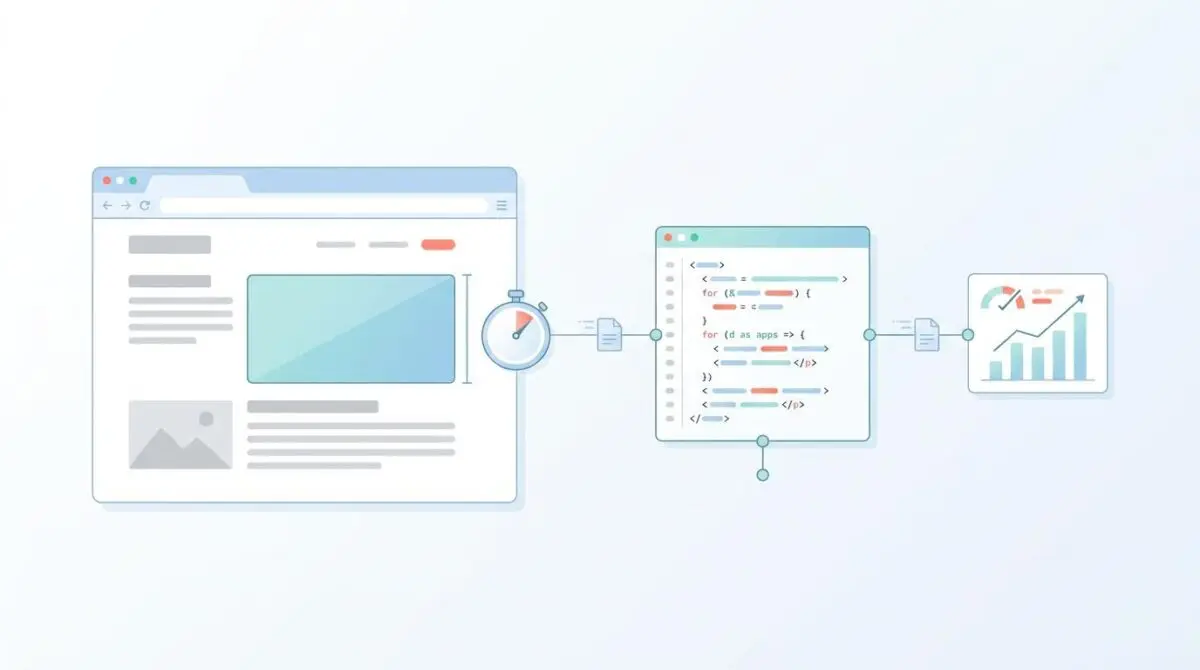
An LCP-blocking anti-flicker snippet is a client-side JavaScript mechanism employed by A/B testing platforms like Optimizely, VWO, or Adobe Target. Its primary function is to prevent the Flash of Original Content by hiding the page body until test variations are fully applied. In the modern SEO landscape, these snippets are a primary catalyst for poor Largest Contentful Paint scores.
These snippets force the browser to delay rendering primary visual elements. They effectively hold the LCP event hostage until the script resolves or hits its timeout.
This delay creates a render-blocking period where the browser’s main thread is idle or waiting. The result directly inflates the LCP metric beyond the 2.5-second threshold recommended for ranking health.
Regarding Generative Engine Optimization, these snippets pose a critical risk to AI visibility. If an AI agent or LLM-based crawler fetches a page while the anti-flicker snippet is active, it may encounter a blank DOM or a hidden body. This leads to failed summarization and a total lack of citations in AI Overviews or SearchGPT results.
Modern search architectures prioritize instantly indexable content. Any script that obscures the body for even 500ms can result in the page being de-prioritized by high-velocity generative crawlers. These advanced bots interpret the lack of visible content as a soft-404 or a severely low-quality signal.
Diagnostic Checkpoints for Script Latency
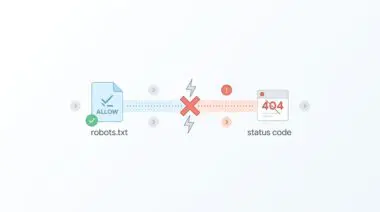
This error is usually a desynchronization in the stack. It occurs when the testing platform and the server fail to communicate efficiently. Identifying the exact layer of conflict is the first step toward a permanent resolution.
Diagnostic Checkpoints
Synchronous Script Execution
Synchronous head scripts block parser and stall LCP.
Excessive Max-Timeout Configuration
High timeouts delay page visibility beyond LCP limits.
Optimization Plugin Conflict (JS Delay)
JS delay features prevent testing script execution.
GTM Container Bloat and Latency
Large GTM containers add latency before script release.
In Google Search Console, the Page Experience report will typically show a high volume of URLs failing the mobile LCP assessment. Chrome DevTools will reveal a long task associated with a body style of zero opacity or hidden visibility. Server log analysis may even show Googlebot hits failing to find primary assets because the render-blocking CSS was active during the initial snapshot.
Many legacy A/B testing implementations require the anti-flicker script to be placed synchronously in the document head. This creates a direct bottleneck for the First Contentful Paint and subsequently the LCP. This is a well-documented issue, with many engineers warning about client-side A/B testing libraries hiding content and blocking rendering across enterprise environments.
Advanced optimization plugins like WP Rocket or LiteSpeed Cache often exacerbate this by introducing JavaScript delay features. If these plugins delay the script responsible for removing the anti-flicker CSS class, the page body remains hidden until a user interaction occurs. This effectively sets the LCP to the exact moment of the first user click, destroying performance metrics.
Engineering Resolution Roadmap
Resolving this conflict requires a shift from synchronous, client-heavy execution to asynchronous or edge-level logic. The goal is to decouple the testing variations from the initial render pathway.
Engineering Resolution Roadmap
Implement Asynchronous Anti-Flicker Logic
Replace synchronous snippets with an asynchronous ‘async-hide’ pattern. Ensure the script is placed at the very top of the <head> but uses a non-blocking download method. Adjust the CSS to hide only the specific elements being tested (e.g., #hero-section) rather than the entire <body>.
Reduce Global Timeout Threshold
Locate the ‘timeout’ variable in your script (often named ‘h’ or ‘timeout’) and reduce it from the default 4000ms to a maximum of 1000ms or 1500ms. This ensures that even if the testing script fails, the page reveals itself before the LCP threshold is breached.
Configure Plugin Exclusions
In WordPress optimization plugins (WP Rocket, LiteSpeed), add your A/B testing script handles or specific JS filenames (e.g., ‘vwo.js’, ‘optimizely.js’) to the ‘Excluded JavaScript Files’ and ‘Always-load-first’ lists to prevent them from being delayed.
Shift to Edge-Side Testing
Migrate from client-side testing scripts to Edge Workers (Cloudflare Workers, Akamai EdgeWorkers, or Vercel Middleware). Edge-side testing modifies the HTML at the CDN level before it reaches the browser, completely eliminating the need for anti-flicker snippets and LCP delays.
Anti-flicker snippets contain a timeout variable which dictates the maximum time the page stays hidden if the experiment fails to load. In modern search environments, a four-second timeout is catastrophic for LCP health. Reducing this timeout ensures the browser forces a render before the vital 2.5-second threshold is crossed.
When the anti-flicker snippet is managed through Google Tag Manager, the latency of the container itself adds to the hide duration. The browser must fetch GTM, parse it, and then execute the snippet within it. This adds hundreds of milliseconds of overhead, with recent data pointing to third-party testing scripts causing widespread LCP inflation across the web.
Resolution Execution: Implementing the Fix
To execute this resolution, you must directly modify the testing script embedded in your document head. The focus is on implementing an asynchronous hide pattern that targets specific elements rather than the entire document body.
Fixing via JavaScript Optimization
The following code implements a targeted, asynchronous anti-flicker logic. Notice the timeout variable is strictly set to 1000ms, preventing catastrophic LCP delays even under heavy network congestion.
<style>.async-hide { opacity: 0 !important; } </style>
<script>
(function(a,s,y,n,c,h,i,d,e){
  s.className+=' '+y;
  h.start=1*new Date;
  h.end=i=function(){s.className=s.className.replace(RegExp(' ?'+y),'')};
  (a[n]=a[n]||[]).hide=h;
  setTimeout(function(){i();h.end=null},c);
  h.timeout=c;
})(window,document.documentElement,'async-hide','dataLayer',1000,{'GTM-XXXXXX':true});
</script>
Ensure this script is placed as high in the document head as possible. If you are utilizing WordPress caching plugins, you must explicitly exclude this inline script from any deferral or delay optimizations.
Validation Protocol & Edge Cases
Once the asynchronous logic is deployed, you must aggressively validate the rendering pathway. Synthetic testing alone is not enough. You must observe how the browser’s main thread handles the updated script execution.
Validation Protocol
- Verify LCP occurs before 2.5s in DevTools Performance tab.
- Check Network Waterfall for anti-flicker resolution before LCP.
- Confirm content visibility in Google Search Console Live Test.
- Use cURL with Googlebot UA to verify server headers.
A rare edge case occurs when Cloudflare’s Rocket Loader or Auto Minify is enabled alongside a client-side A/B script. Rocket Loader may asynchronously load all JavaScript, including the script responsible for removing the async-hide CSS class.
If the browser’s main thread is congested, Rocket Loader might wait until after the LCP element has been loaded to execute the reveal script. This results in a ghost LCP where the element exists but is transparent. This forces the browser to record the LCP only after the script finally clears the opacity style.
Autonomous Monitoring & Prevention
Preventing LCP regressions requires implementing a strict performance budget within your CI/CD pipeline. Builds should automatically fail if total blocking time or LCP in synthetic tests exceeds the 2.5-second threshold.
Utilize real-user monitoring tools to get instant alerts when 75th percentile LCP spikes correlate with new A/B test deployments. Regularly audit server logs for Googlebot rendered snapshots to ensure AI crawlers are never served blank or hidden content during their crawl cycles.
For enterprise environments, advanced automation pipelines using Make.com can be configured to parse server logs and trigger API alerts upon detecting render-blocking anomalies. Partnering with Andres SEO Expert ensures your architecture remains resilient against these deep-level crawl disruptions.
Conclusion
Eliminating LCP delays caused by anti-flicker snippets is non-negotiable for modern search visibility. By migrating to asynchronous logic, reducing global timeouts, and properly configuring plugin exclusions, you protect both your Core Web Vitals and your AI crawlability.
Navigating the intersection of technical SEO, server architecture, and generative search requires a precise roadmap. If you need to future-proof your enterprise stack, resolve deep-level crawl anomalies, or implement AI-driven SEO automation, connect with Andres at Andres SEO Expert.
Frequently Asked Questions
What is an anti-flicker snippet?
An anti-flicker snippet is a client-side JavaScript mechanism used by A/B testing platforms like Optimizely or VWO to hide page content until test variations are applied, preventing a Flash of Original Content (FOOC).
How do anti-flicker snippets cause LCP delays?
These snippets force the browser to delay rendering by keeping the page body or specific elements hidden until the script resolves or a timeout is reached. This delay directly inflates the Largest Contentful Paint (LCP) metric, often exceeding the 2.5-second threshold.
Why are anti-flicker scripts a risk for AI Overviews and SearchGPT?
If an AI crawler or LLM-based agent fetches a page while an anti-flicker script is active, it may encounter a blank DOM. This leads to failed summarization and a total lack of citations in AI Overviews and SearchGPT results.
What is the recommended timeout for testing scripts to maintain SEO health?
To protect Core Web Vitals and LCP scores, the timeout variable in anti-flicker scripts should be reduced from the default 4000ms to a maximum of 1000ms or 1500ms, ensuring the page reveals itself before performance thresholds are breached.
How do WordPress optimization plugins conflict with anti-flicker scripts?
Optimization plugins like WP Rocket or LiteSpeed Cache often use JavaScript delay features. If these plugins delay the script responsible for removing the anti-flicker CSS, the page body may remain hidden until the first user interaction, destroying LCP metrics.
What is the best alternative to client-side anti-flicker snippets?
The most effective alternative is Edge-side testing using Edge Workers (like Cloudflare or Akamai). This method modifies the HTML at the CDN level before it reaches the browser, completely eliminating the need for render-blocking scripts.