Key Points
- Viewport Prominence: The video element must be strictly positioned within the initial 1024×768 rendering window to prevent the Page Layout algorithm from classifying preceding text as the primary content.
- Layout Stability: Explicit width, height, and aspect-ratio CSS properties must be defined to eliminate Cumulative Layout Shift (CLS), preventing Googlebot from rendering the page before the player fully expands.
- Schema Validation: Precise VideoObject JSON-LD injection is mandatory to provide explicit content signals when layout parsers fail, ensuring the page does not default to a standard article classification.
Table of Contents
- The Core Conflict: Video Indexing Failures on Minimal Text Pages
- Diagnostic Checkpoints: Identifying the Layout Desynchronization
- The Engineering Resolution: Realigning Viewport Prominence
- Resolution Execution: Injecting Structured Data
- Validation Protocol & Edge Cases
- Autonomous Monitoring & Prevention
- Conclusion
The Core Conflict: Video Indexing Failures on Minimal Text Pages
According to recent search engine updates, pages where the video is not the primary content are no longer eligible for video-specific features in search results. Industry studies indicate that websites failing this main content check saw a massive decrease in video-driven organic traffic compared to previous peaks.
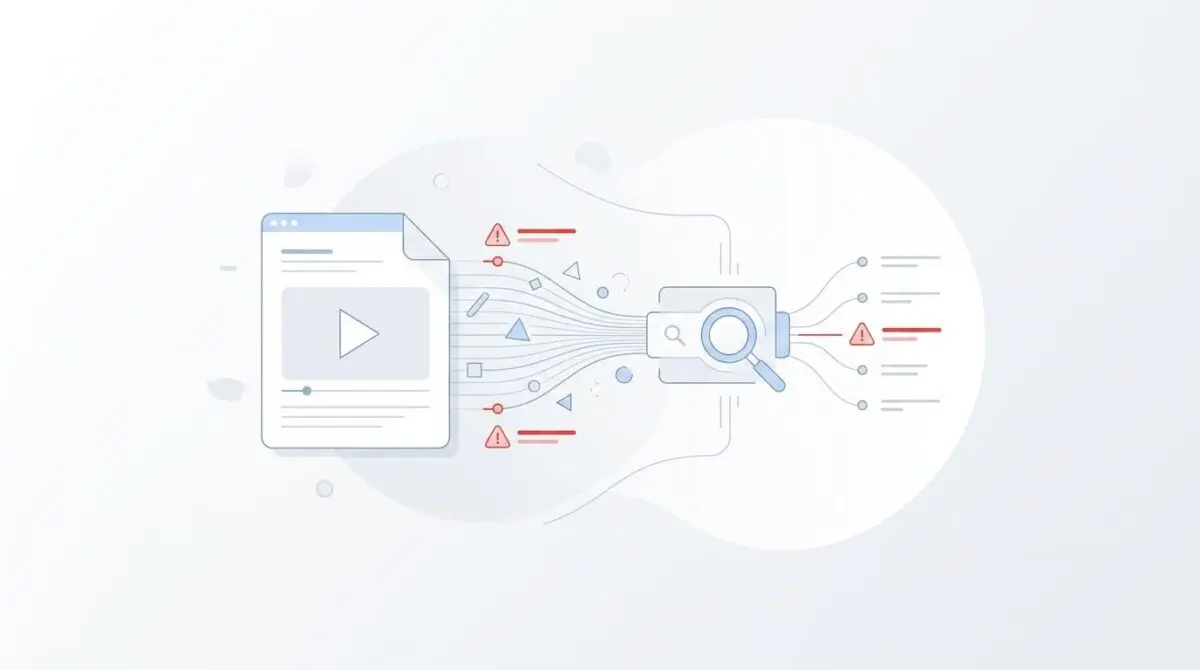
This error occurs when indexing algorithms determine that a video on a URL is not the primary visual or functional focus. This classification hurdle is critical because modern generative search experiences prioritize video-first pages to satisfy specific user intents.
From a technical perspective, rendering services calculate the prominence score of the video element relative to the document’s total surface area. They evaluate the position within the initial viewport and the presence of competing elements like large headers or intrusive ads. If the video is relegated below the fold on a minimal text page, search engines misinterpret the intent.
This misinterpretation results in a severe loss of crawl budget efficiency. Video crawlers will cease fetching the media file once the main content threshold fails. Server logs will show the video user agent failing to request manifest files despite the standard crawler successfully accessing the HTML.
Diagnostic Checkpoints: Identifying the Layout Desynchronization
Resolving this indexing failure requires understanding that the error is fundamentally a desynchronization between your server delivery, browser rendering, and the snapshotting process. The rendering engine relies heavily on immediate visual hierarchy.
Diagnostic Checkpoints
Viewport Prominence and Placement Conflict
Video must be visible within initial 1024×768 rendering window.
Cumulative Layout Shift (CLS) Displacement
Layout shifts cause engine to misidentify focal content points.
Intrusive Interstitial and Z-Index Overlays
Overlays obscuring >25% of player trigger secondary classification.
Missing or Generic VideoObject Schema
Lack of structured signals defaults page to standard Article.
At the content management layer, this desynchronization commonly occurs when using hero sections where the title and featured image occupy the entire first screen. This layout pushes the video block to a lower coordinate, forcing the crawler to evaluate the preceding text as the primary content.
At the edge layer, intrusive interstitials and overlays create significant rendering roadblocks. If a cookie consent banner or full-screen overlay covers more than a quarter of the video player during the initial render, the video is classified as background content.
The Engineering Resolution: Realigning Viewport Prominence
To restore indexing eligibility, you must physically and semantically restructure the landing page to pass rigorous layout checks introduced in recent video indexing updates. The rendering engine requires mathematical proof that the media element is the focal point.
Engineering Resolution Roadmap
Optimize Above-the-Fold Placement
Adjust the CSS and HTML structure to ensure the <video> or <iframe> tag is within the top 500px of the document. Reduce the height of header elements and remove large featured images that precede the video.
Define Strict Aspect Ratio and Dimensions
Set explicit ‘width’ and ‘height’ attributes or use the CSS ‘aspect-ratio: 16 / 9;’ property on the container. This prevents CLS and ensures the rendering engine reserves the correct space for the player immediately.
Inject Enhanced VideoObject JSON-LD
Manually or via a hook, inject JSON-LD that includes ‘contentUrl’, ’embedUrl’, ‘thumbnailUrl’, and ‘uploadDate’. Ensure the ‘name’ and ‘description’ properties align with the page’s <h1> and meta description.
Disable Lazy-Loading for Main Video
Add the attribute ‘loading=”eager”‘ to the main video iframe and ensure it is excluded from any JS-based lazy-loading scripts (e.g., WP Rocket or Flywheel’s native lazy-load).
Disabling lazy-loading for the main video asset is a critical step that many developers overlook. When optimization plugins delay the player’s appearance, crawlers finish their main content calculation before the video is fully sized.
You must ensure that the primary video iframe carries an eager loading attribute. It is equally important to exclude this specific element from any JavaScript-based deferral scripts operating at the server or application level.
Resolution Execution: Injecting Structured Data
In the absence of clear layout signals, the rendering engine relies entirely on structured data payloads. If multiple videos are declared on one page without a primary flag, the engine defaults to treating the page as a standard webpage rather than a dedicated video asset.
Fixing via JSON-LD Injection
You must inject a highly specific VideoObject Schema payload into the document head. This payload must precisely match the on-page elements and provide direct paths to the media files.
Implement the following JSON-LD structure via your application header injection hook. Ensure that the seek-to-action parameters are correctly mapped to your player routing logic.
{ "@context": "https://schema.org", "@type": "VideoObject", "name": "Example Video Title", "description": "Brief description of the dedicated video content.", "thumbnailUrl": "https://example.com/thumb.jpg", "uploadDate": "2026-05-31T01:50:47Z", "contentUrl": "https://example.com/video.mp4", "embedUrl": "https://example.com/embed/123", "potentialAction": { "@type": "SeekToAction", "target": "https://example.com/video?t={seek_to_second_number}", "startOffset-input": "required name=seek_to_second_number" } }Validation Protocol & Edge Cases
Once the layout adjustments and schema injections are deployed, you must rigorously validate the changes using tools that simulate exact rendering pipelines. Relying on standard browser rendering is insufficient for diagnosing bot-specific layout shifts.
Validation Protocol
- Inspect via GSC ‘Live Test’ to verify video prominence in screenshots.
- Validate Schema via ‘Rich Result Test’ for mandatory property inclusion.
- Throttled Network check in DevTools to confirm zero layout shift.
- Execute Googlebot-Video User-Agent crawl to confirm server asset access.
You must also account for complex edge cases involving content delivery networks. A common conflict arises with early hints or signed exchanges where a cached version of the page is served without the latest CSS updates.
This caching anomaly causes the pre-renderer to see the old layout where the video was still positioned below the fold. You must purge all edge cache layers and invalidate signed exchanges to ensure the bot receives the updated viewport geometry.
Autonomous Monitoring & Prevention
Manual troubleshooting is not a sustainable strategy for enterprise environments. You must implement a video-first continuous integration and deployment check to catch layout regressions before they reach production.
Use automated performance runs to monitor cumulative layout shift specifically for your primary video containers. You should also regularly analyze your server logs to verify that the video user agent is receiving successful HTTP status codes on your media assets.
To achieve true operational resilience, setting up custom API alerts via automation pipelines is highly recommended. We utilize these advanced automation workflows to monitor entity integrity, instantly flagging when the error count spikes after a theme update or deployment.
Conclusion
Resolving the video prominence error requires a strict alignment of server delivery, frontend rendering, and structured data execution. By prioritizing viewport geometry and eliminating layout shifts, you ensure that search engines correctly classify your dedicated media assets.
Navigating the intersection of technical SEO, server architecture, and generative search requires a precise roadmap. If you need to future-proof your enterprise stack, resolve deep-level crawl anomalies, or implement AI-driven SEO automation, connect with Andres at Andres SEO Expert.
Frequently Asked Questions
Why is Google not indexing the video as the main content on my page?
According to the late-2024 Video Indexing update, Google only indexes videos as primary content if they are the clear visual focal point. If a video is positioned below the fold, obscured by intrusive overlays, or secondary to heavy text blocks, it will fail the main content threshold and lose video-specific SERP features.
How can I fix video prominence errors for better search visibility?
To resolve prominence issues, ensure the video player is within the top 500px of the viewport. You should reduce the height of header elements, remove large featured images that precede the video, and use the CSS aspect-ratio property to reserve space so the rendering engine identifies the video immediately.
Does lazy-loading impact how Google indexes video content?
Yes, lazy-loading is a frequent cause of indexing failures. If a video player is deferred via JavaScript or the ‘loading=lazy’ attribute, Google’s rendering engine may complete its analysis before the video is fully rendered, leading the bot to conclude that the video is missing or not the primary content.
What structured data is required to pass video indexing checks in 2026?
You must implement highly specific VideoObject JSON-LD that includes mandatory properties like name, description, thumbnailUrl, uploadDate, and contentUrl. For Generative Engine Optimization, including SeekToAction parameters is critical to help AI models navigate and timestamp your media content accurately.
Why does my server log show Googlebot-Video failing to fetch manifest files?
When the Google Indexing pipeline determines that a video is not the primary content of a URL, it triggers a crawl budget efficiency protocol. Googlebot-Video will intentionally stop requesting media files and manifest data if the page layout fails the initial prominence and classification checks.
How do layout shifts and interstitials affect video SEO?
Cumulative Layout Shift (CLS) and intrusive interstitials (like cookie banners) create rendering roadblocks. If an overlay covers more than 25% of the video player during the initial snapshot, Google’s Computer Vision algorithms often misclassify the video as background content rather than the primary asset.