Key Takeaways
- n8n Assistant plans, builds, runs, and repairs workflows from plain-language instructions on your canvas.
- Unlike one-shot generators, it keeps workflows inspectable and fully auditable in n8n’s native editor.
- It ships behind a preview flag: first drafts need human review before production and edge cases may require retries.
Table of Contents
A Builder That Runs, Fails, and Fixes Itself
The automation gap has never been about what n8n can execute; it has been about converting an outcome into nodes, credentials, and error logic before the work stalls.
That translation step is exactly what n8n Assistant attacks.
The n8n engineering blog broke the news on September 9, 2026 that the platform now has an assistant capable of planning, building, running, and debugging workflows from plain-language instructions.
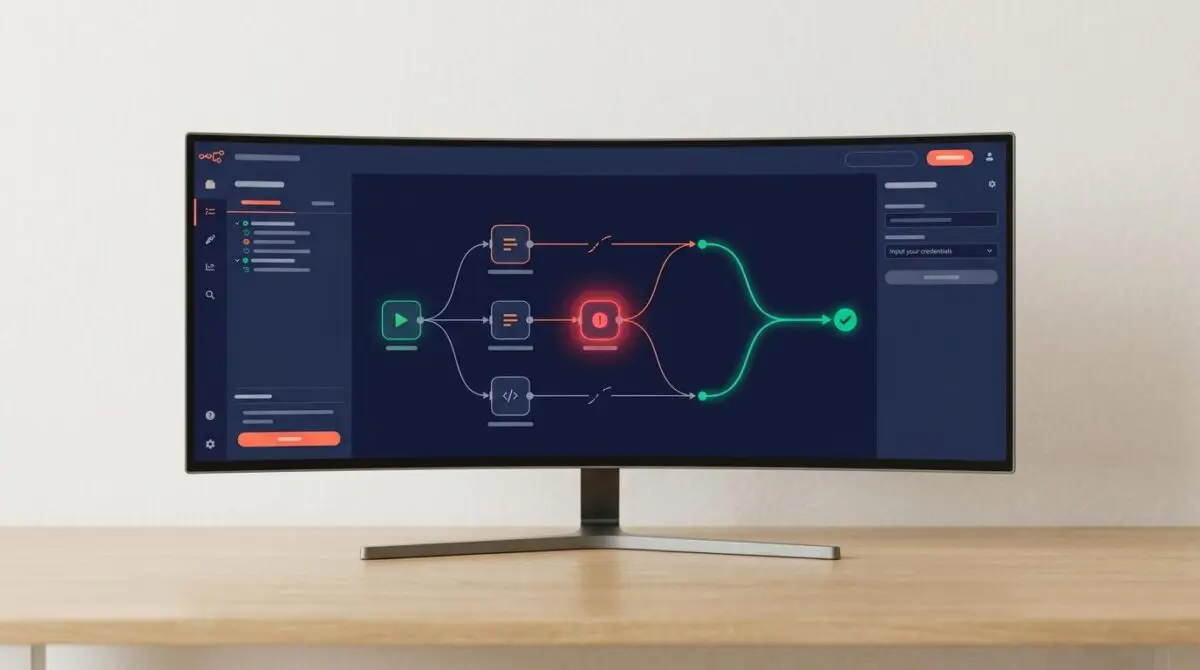
According to the n8n engineering blog, rather than producing a static graph or a standalone script, the assistant builds directly on the user’s canvas, requests credentials when a node requires them, executes the result, reads failures, and iterates on a fix.
The end product is an ordinary n8n workflow that can be inspected, edited, audited, and handed off to someone who never saw the original prompt.
From Plain Language to Persistent Canvas Workflows
n8n Assistant begins with the desired outcome, not the implementation steps.
When a request is ambiguous, it asks a clarifying question instead of building the wrong automation.
Nodes appear on the canvas, wired and ready to open, rather than hidden inside a config file or hosted codebase.
It requests credentials at the exact point a node needs an account, then runs the workflow and reads the same execution data a human would inspect.
If something fails, the assistant diagnoses the cause, proposes a repair, applies it, and runs the loop again.
Credential access and activation still wait for explicit user confirmation before anything consequential happens.
A common scenario is inbound form triage: enrich the company, check whether it is already a customer, and route the submission to sales or a templated reply.
n8n Assistant builds that flow, asks for the CRM credential when it reaches the relevant node, runs a test submission, catches an edge case, and returns an eight-node workflow with a clean execution.
What a build costs
Usage draws on the plan’s existing AI credit allocation.
Spend is counted separately from the previous AI Workflow Builder, so existing balances do not change.
A build requiring several debugging rounds costs more than one that succeeds on the first attempt.
Top-up options are slated to arrive in the coming weeks.
Availability and current limits
n8n Cloud instances have the assistant enabled by default, though Enterprise Cloud is excluded from that default for now.
Self-hosted Docker deployments can enable it from n8n version 2.36 onward by supplying their own model keys and additional environment variables.
npm self-hosted setups are not supported, and Enterprise availability is on the roadmap.
The assistant still ships behind a preview flag, so it is in active development and not yet a complete surface.
- Production readiness: The first workflow is not guaranteed to be production-ready; human review remains essential.
- Proactivity: It does not monitor an instance, learn preferences over time, or suggest automations unprompted.
- Scope: It operates on one instance only, with no multi-instance capabilities in this launch.
- Browser control: It cannot drive a computer or browser; browser-assisted credential setup is still being explored.
The launch also supersedes the older AI Workflow Builder.
Where the previous tool generated a workflow once and stopped, n8n Assistant builds, runs, and continues improving the result.
Operational Impact: Why Auditability Changes the Automation Equation
The real shift is not generation; it is persistence and inspectability.
Several AI tools can turn a sentence into an automation, but the output often becomes something only the original prompter can explain.
n8n Assistant keeps the artifact inside the same canvas, project, execution history, and manual editing model as a hand-built workflow.
That is the difference between a demo and an operational asset, especially when routing rules change or a colleague inherits the automation weeks later.
Official documentation now frames this assistant as the path for building, editing, and running workflows from chat, while the older Ask n8n AI help assistant is no longer actively developed.
That is a meaningful consolidation: AI is moving from a support layer bolted onto the platform to an operational actor inside the workflow engine.
A late-August official self-hosting walkthrough showed a one-command Docker installation that preconfigures the code sandbox and private web search used by the assistant, as shown in the following demonstration:
Recent demonstrations paired the assistant with OpenRouter using Claude Opus 5 and with a local self-hosted run using Kimi K3, highlighting the shift toward model-level choice in deployment.
Still, the preview flag is not a formality.
The same walkthrough noted that the assistant can stall mid-build and may need a ‘continue’ prompt or a model switch to clear repeated errors.
That caveat should frame expectations: the first generated workflow is a strong draft, not a production guarantee.
From one-shot generation to a debug loop
The retired AI Workflow Builder stopped after generation.
n8n Assistant extends the loop through execution, failure detection, repair, and rerun.
That moves automation AI closer to an agentic cycle while keeping confirmation gates on sensitive actions.
What Teams Should Build First Under the Preview Flag
The immediate next step is to choose a real automation with one integration and at least one plausible failure point, then let the assistant build, fail, and repair it.
The result is not just a generated graph; it is an auditable workflow a colleague can open, edit, and run next week.
For teams building automation pipelines that need to scale beyond one-shot generation, programmatic SEO and AI automation is how Andres SEO Expert approaches this — contact us.
Frequently Asked Questions
What is n8n Assistant and how does it differ from the previous AI Workflow Builder?
n8n Assistant is a new AI tool that builds, runs, and debugs n8n workflows from plain-language instructions. Unlike the retired AI Workflow Builder, which stopped after generating a workflow, n8n Assistant extends the loop through execution, failure detection, repair, and rerun, leaving an auditable, persistent workflow on the canvas.
How does n8n Assistant handle credentials and sensitive actions?
It requests credentials at the exact point a node needs an account and still requires explicit user confirmation before credential access and activation. Any consequential action remains gated by the user.
What are the current limitations of n8n Assistant?
It ships behind a preview flag, so the first workflow is not guaranteed production-ready. It does not monitor an instance, learn preferences, or suggest automations unprompted. It operates on one instance only and cannot drive a computer or browser. Builds may stall and need a continue prompt or model switch.
Which n8n deployment types are supported for the assistant?
n8n Cloud instances have the assistant enabled by default, except Enterprise Cloud. Self-hosted Docker deployments from n8n version 2.36 onward can enable it with their own model keys and environment variables. npm self-hosted setups are not supported, and Enterprise availability is on the roadmap.
How does n8n Assistant usage and billing work?
Usage draws on the plan’s existing AI credit allocation and is counted separately from the previous AI Workflow Builder. A build requiring several debugging rounds costs more than one that succeeds first. Top-up options are planned.
Why does auditability change the automation equation?
Generated workflows live directly on the canvas, inside the same project, execution history, and manual editing model as hand-built workflows. That means they can be inspected, edited, and handed off to someone who never saw the original prompt, turning a one-off generation into an operational asset.
What should teams build first with n8n Assistant under the preview flag?
Teams should choose a real automation with one integration and at least one plausible failure point, then let the assistant build, fail, and repair it. The result is an auditable workflow a colleague can open, edit, and run later.