Executive Summary
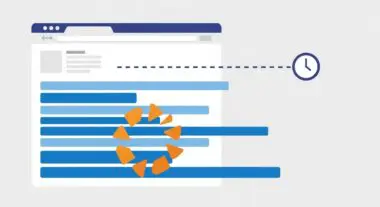
- Repaint is the browser rendering stage where pixels are redrawn on the screen without altering the document’s layout or geometry.
- Frequent repaints increase CPU and GPU overhead, directly impacting the Interaction to Next Paint (INP) metric and overall animation smoothness.
- Optimization strategies focus on offloading work to the compositor thread and minimizing style changes that trigger the paint pipeline.
What is Repaint?
In the context of browser rendering engines, a Repaint (or redraw) occurs when changes are made to an element’s skin or visual appearance that do not affect its layout or position within the document flow. When a property such as color, background-image, or visibility is modified, the browser must update the pixels on the screen to reflect these changes. This process follows the Reflow (or Layout) stage in the Critical Rendering Path, though a Repaint can occur independently if the geometry of the elements remains static.
Technically, the browser must traverse the render tree and determine which layers need to be updated. Once identified, the browser’s painting software (like Skia in Chrome) issues draw calls to fill in the pixels. While Repaints are generally less computationally expensive than Reflows—which require recalculating the entire box model for affected elements—they still consume significant CPU and GPU cycles, particularly on mobile devices with limited hardware resources.
The Real-World Analogy
Imagine you own a high-end art gallery. A Reflow is equivalent to moving the interior walls or changing the size of the rooms; it requires a structural architect and significant labor to reorganize the space. A Repaint, conversely, is like deciding to change the color of the wallpaper or swapping a painting’s frame while leaving the walls exactly where they are. While you haven’t changed the structure of the building, you still have to hire a painter to manually apply the new color to every square inch of the surface. It takes time, effort, and materials, even though the floor plan remains identical.
Why is Repaint Critical for Website Performance and Speed Engineering?
Repaint efficiency is a cornerstone of modern Speed Engineering because it directly influences the Interaction to Next Paint (INP) Core Web Vital. When a user interacts with a page—such as clicking a button or toggling a menu—the browser must process that interaction and render the visual feedback. If the main thread is bogged down by excessive Repaint operations, the time between the user’s action and the visual update increases, leading to a perceptible lag and a poor INP score.
Furthermore, Repaints can cause significant battery drain and thermal throttling on mobile devices. In high-frequency scenarios, such as parallax scrolling or complex CSS animations, triggering constant Repaints can drop the frame rate below the standard 60 frames per second (fps), resulting in “jank” or stuttering. By minimizing the area and frequency of Repaints, developers ensure that the browser can maintain a smooth, responsive user interface while preserving system resources.
Best Practices & Implementation
- Promote Elements to Compositor Layers: Use the
will-changeCSS property ortransform: translateZ(0)to move elements to their own layer. This allows the GPU to handle updates via compositing rather than triggering a full Repaint on the main thread. - Avoid Animating Paint-Triggering Properties: Instead of animating properties like
top,left, orbackground-color, utilizetransformandopacity. These properties are handled by the compositor and do not trigger Reflow or Repaint in most modern engines. - Batch DOM Updates: Use
requestAnimationFrameto synchronize visual changes with the browser’s refresh rate. This prevents multiple Repaints from occurring within a single frame, consolidating them into a single, efficient update. - Minimize Paint Areas: Use the Chrome DevTools “Paint Flashing” tool to identify which areas of the screen are being redrawn. Simplify CSS selectors and reduce the use of expensive styles like
box-shadoworfilter: blur()on frequently updated elements.
Common Mistakes to Avoid
One frequent error is the excessive use of heavy CSS effects on elements that change state often. Applying complex gradients, large box-shadows, or blurs forces the browser to perform expensive rasterization every time the element is repainted. Another common mistake is failing to account for layer explosion; while promoting elements to new layers can prevent Repaints, creating too many layers consumes excessive memory and can actually degrade performance more than the Repaints themselves.
Conclusion
Mastering Repaint optimization is essential for achieving high-performance rendering and superior Core Web Vitals. By understanding the rendering pipeline and prioritizing compositor-only properties, developers can deliver fluid, responsive digital experiences.