Key Points
- Internal Signal Alignment: Database-wide URL updates are required to prevent legacy internal links from overriding 301 redirect canonicalization algorithms.
- Header Injection: Transmitting a canonical link header alongside a 301 status code provides a definitive double-signal to accelerate index consolidation.
- Edge Cache Management: Purging stale XML sitemaps and bypassing edge layer caches ensures search engine crawlers receive correct server directives instead of outdated HTTP 200 responses.
Table of Contents
The Core Conflict: URL Canonicalization Lag
According to recent technical SEO studies, approximately 18% of enterprise-level site migrations suffer from URL Canonicalization Lag exceeding 120 days. This happens when internal linking structures are not updated simultaneously with server-side redirects.
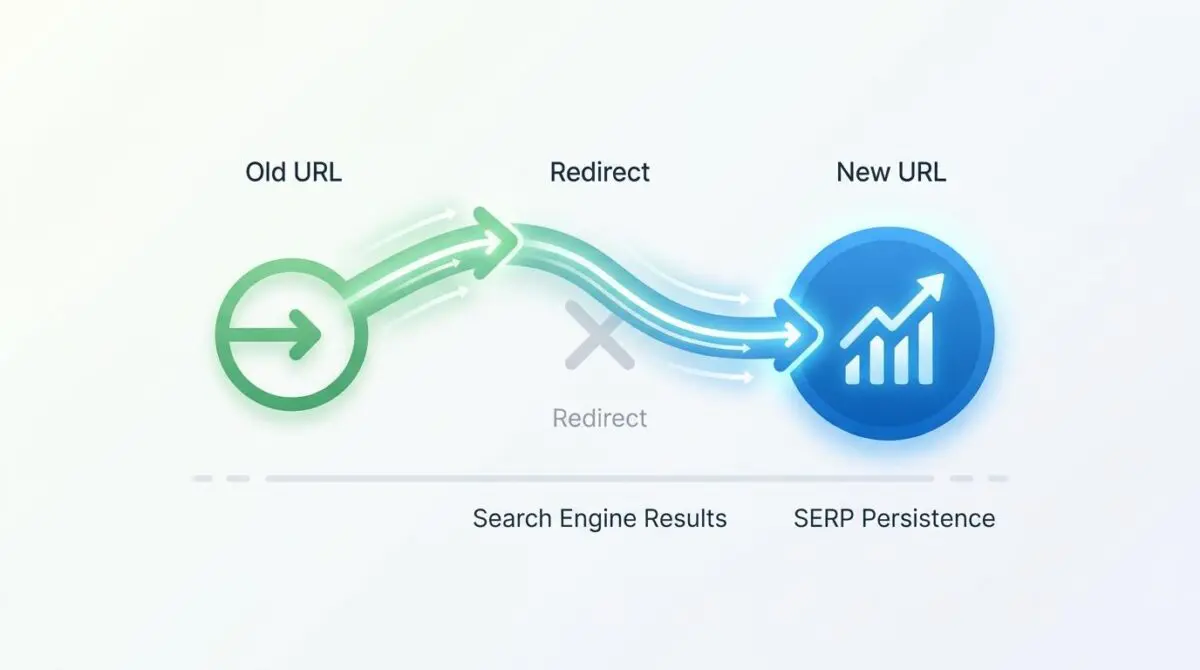
This metric highlights a critical failure point in modern search engine architecture. URL Canonicalization Lag occurs when Google successfully recognizes a 301 permanent redirect and transfers link equity, but fails to update the actual search results display.
As a result, the legacy URL remains visible to users for months. This creates a frustrating user experience and dilutes brand authority during a critical migration window.
This technical debt arises from a conflict within the canonicalization signal cluster. Secondary signals contradict the server-side redirect instruction, preventing Google from reaching a definitive conclusion on the representative URL.
When you inspect Google Search Console, the old URL is often listed as indexed rather than recognized as a page with a redirect. Server logs will show consistent Googlebot hits returning a 301 status, yet the URL Inspection tool reveals the Google-selected canonical remains the legacy URL.
Diagnostic Checkpoints for Signal Desynchronization
Resolving this error requires understanding that a 301 redirect is just one signal among many. When a migration stalls, it is almost always due to a desynchronization in your technology stack.
Diagnostic Checkpoints
Internal Signal Contradiction
Internal links override redirects via weighted canonicalization algorithms.
Sitemap Persistence & Cache Bloat
Stale XML sitemaps contradict 301 headers during crawling.
Fragmented Discovery via Hreflang
Legacy hreflang tags preserve old URLs in regional mapping.
Service Worker / Edge Cache Interference
Edge layers serve cached 200 OKs, bypassing origin redirects.
Internal Link Architecture Contradictions
Google utilizes a highly weighted algorithm for canonicalization. While a 301 header is a strong directive, a high volume of internal attributes pointing to the legacy URL can easily override it.
Google’s engine assumes the redirect might be temporary or accidental if the site’s own infrastructure still references the old path. You must update internal links to reflect the new canonical to align these signals definitively.
In WordPress environments, databases often contain hardcoded absolute URLs within post content and options tables. Changing the site URL in the dashboard does not alter these static internal content links.
Sitemap and Edge Cache Bloat
If old URLs remain in your XML sitemap, it signals to Google that these pages are still discoverable and important. Because sitemap inclusion acts as a canonicalization signal, a stale sitemap creates a logic loop that contradicts the 301 header.
Furthermore, fragmented discovery can occur via hreflang tags on multilingual sites. If regional mappings are not updated, the header of every page globally will continue to broadcast the old URL to Googlebot.
Finally, modern edge layers like Cloudflare Workers can interfere by caching HTTP 200 OK responses. If the redirect logic is applied at the origin but the edge layer has a cache rule, Googlebot may receive a stale HTML body.
Engineering Resolution Roadmap
To break the logic loop, we must align every secondary canonical signal with the primary server-side redirect.
Engineering Resolution Roadmap
Database-Wide URL Migration
Use WP-CLI to perform a dry-run search and replace: ‘wp search-replace “https://old-site.com” “https://new-site.com” –dry-run’. Once verified, execute it across all tables including serialized data to ensure no internal links point to the legacy structure.
Inject Canonical Headers on Redirects
Modify the server configuration to send a ‘Link: <https://new-site.com/target/>; rel=”canonical”‘ header along with the 301 status. This provides a double-signal to Google’s indexing engine during the crawl of the old URL.
Force Sitemap Flush & Ping
Manually delete the XML sitemap cache. Use the Google Indexing API to submit the new URLs for priority crawling and use the GSC ‘Removals’ tool ONLY for ‘Clear Cached URL’ to force a snippet refresh without deindexing the page.
Global Hreflang Audit
Crawl the new site with Screaming Frog (configured to follow redirects) and check the ‘Hreflang’ tab for any references to the old domain. Update translation plugin settings to reflect the new URL structure.
Executing a database-wide URL migration is the first mandatory step. A comprehensive search and replace ensures no internal links point to the legacy structure.
Injecting canonical headers directly into the redirect response provides a powerful double-signal to Google’s indexing engine. This accelerates the consolidation process during the next crawl.
Forcing a sitemap flush eliminates the contradictory XML signals. Submitting the new URLs via the Indexing API ensures priority crawling.
Finally, a global hreflang audit guarantees that cross-page signals and regional mappings point strictly to the new URL architecture.
The Resolution Execution: Server & Application Layer
Implementing these fixes requires direct intervention at both the application database layer and the server configuration layer.
Fixing via WordPress & NGINX
To inject canonical headers alongside your redirects in WordPress, you can hook into the header generation process. This explicitly tells Google where the link equity and canonical status belong.
For NGINX servers, you can enforce snippet removal on the old path while executing the redirect. This forces Google to drop the cached SERP result immediately.
add_filter( 'wp_headers', function( $headers ) { if ( is_page() && isset($_SERVER['HTTP_X_REDIRECTED_BY']) ) { $headers['Link'] = '<' . get_permalink() . '>; rel="canonical"'; } return $headers;});# NGINX Example: Adding Noarchive to redirects to force snippet removallocation ~* ^/old-path/ { add_header X-Robots-Tag "noarchive, index, follow"; return 301 https://new-site.com/new-path/;}Validation Protocol & Edge Cases
Once the server and application layers are updated, you must rigorously validate the changes to ensure Googlebot interprets them correctly.
Validation Protocol
- Verify 301 status and Link: rel=canonical header via curl -I.
- Confirm Google-selected canonical in GSC URL Inspection Live Test.
- Ensure no 304 Not Modified responses via Chrome DevTools.
- Execute Rich Results Test to verify rendering of redirect destination.
While standard environments respond well to these fixes, headless architectures introduce unique edge cases. Decoupled router patterns, such as Next.js hosted on Vercel, often utilize middleware to handle routing.
If the Vercel Edge Middleware is configured to rewrite rather than redirect, the URL in the bot address bar never changes. This serves identical content on two different URLs without a 301 status.
This specific configuration causes a soft 404 or duplicate content error. It ultimately leads to the permanent retention of the old URL in the search engine results.
Autonomous Monitoring & Prevention
Preventing canonicalization lag requires shifting from reactive troubleshooting to proactive infrastructure monitoring.
Implementing an automated site migration checklist is essential for enterprise deployments. This must include a mandatory server-log monitoring phase immediately post-launch.
Using advanced log analysis tools allows you to track redirected URL indexation metrics in real-time. Setting up a Content Security Policy or audit script within your deployment pipeline will flag outgoing links to the old domain before they reach production.
At Andres SEO Expert, we engineer custom API alerts and automated pipelines to monitor entity integrity. This ensures that server architecture and SEO directives remain perfectly synchronized at scale.
Conclusion
Resolving URL Canonicalization Lag demands a meticulous alignment of server headers, database references, and edge cache configurations.
By eliminating internal signal contradictions and enforcing strict redirect protocols, you can force Google to update its index efficiently.
Navigating the intersection of technical SEO, server architecture, and generative search requires a precise roadmap. If you need to future-proof your enterprise stack, resolve deep-level crawl anomalies, or implement AI-driven SEO automation, connect with Andres at Andres SEO Expert.
Frequently Asked Questions
What is URL Canonicalization Lag?
URL Canonicalization Lag is a technical SEO condition where Google recognizes a 301 redirect and transfers link equity but fails to update the URL displayed in search results. This delay usually stems from signal desynchronization, where internal links or sitemap data contradict the server-side redirect directive.
Why does my old URL still show in Google after a 301 redirect?
The legacy URL often remains visible because of conflicting secondary signals. If your site architecture, XML sitemaps, or hreflang tags still point to the old URL, Google’s weighted canonicalization algorithm may prioritize these signals over the 301 header, assuming the redirect was accidental or temporary.
How do internal links impact site migration and canonicalization?
Internal links are heavily weighted by Google’s indexing engine. If thousands of internal attributes still point to a legacy URL, they can override a 301 redirect. Aligning internal link architecture to point directly to the new canonical URLs is essential for forcing Google to update its index.
What is a Link rel=canonical header and how does it help?
A Link rel=”canonical” header is a server-side signal injected into the HTTP response. By sending this header alongside a 301 status, you provide a “double-signal” that confirms the destination URL is the new authoritative version, accelerating the consolidation process during Googlebot crawls.
Can edge caching interfere with SEO redirects?
Yes, edge layers like Cloudflare or Vercel can cache HTTP 200 OK responses for old URLs. If the edge cache serves the legacy HTML before the request reaches the origin server’s redirect logic, Googlebot will see the old page as active, leading to persistent indexation of outdated URLs.
How can I force Google to refresh its search snippets after a migration?
To force a refresh, use the Google Search Console ‘Removals’ tool specifically for ‘Clear Cached URL’ to drop the old snippet. Simultaneously, submit the new URLs via the Google Indexing API and ensure the server returns an X-Robots-Tag with ‘noarchive’ on the redirected paths.