Executive Summary
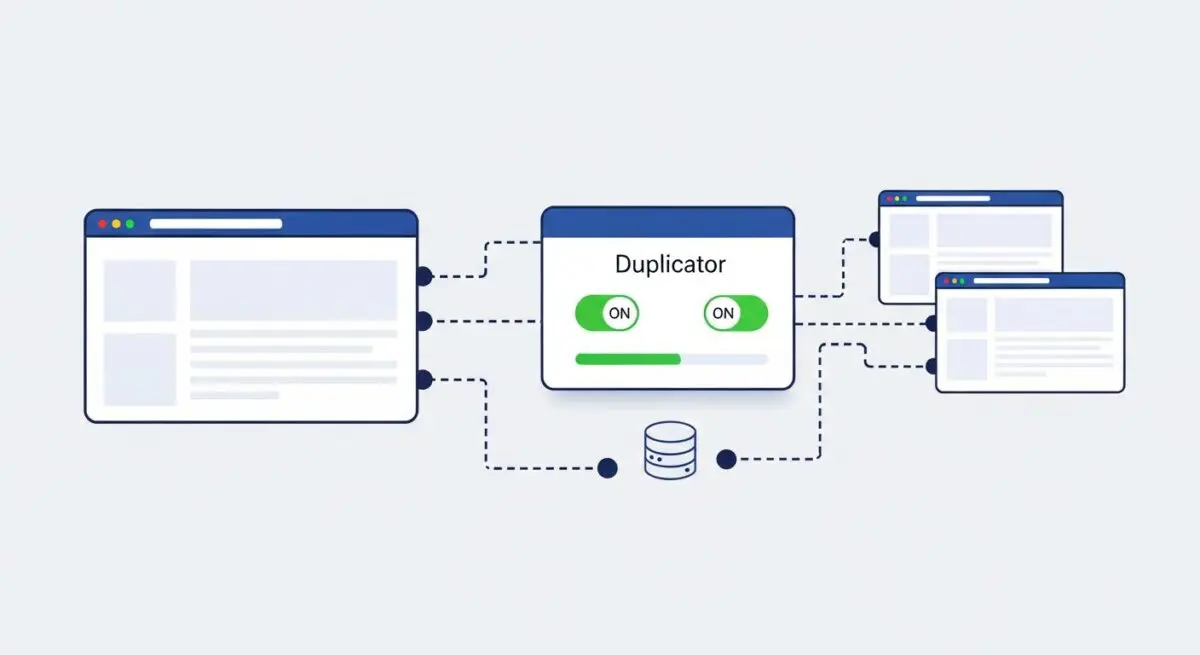
- Duplicator facilitates WordPress environment portability by bundling the database and filesystem into a self-contained archive and PHP-based installer.
- The tool automates complex migration tasks such as serialized data replacement and absolute path reconfiguration across disparate server architectures.
- Enterprise-level implementation requires careful resource management to prevent server-side timeouts and ensure data integrity during high-volume site transfers.
What is Duplicator?
Duplicator is a specialized WordPress migration and backup utility designed to facilitate the cloning, moving, and distribution of a WordPress instance across different hosting environments. At its core, the tool operates by aggregating the entire WordPress filesystem and the MySQL/MariaDB database into a single, compressed archive (typically in .zip or .daf format). This package is accompanied by a standalone installer.php script, which acts as the deployment engine on the destination server.
From an architectural standpoint, Duplicator abstracts the complexities of environment-specific configurations. It handles the critical process of search-and-replace for serialized data, ensuring that site URLs, file paths, and database references are correctly updated to match the new host’s infrastructure. This prevents the common integrity issues associated with manual migrations, making it a staple for developers managing staging-to-production workflows and high-availability site deployments.
The Real-World Analogy
Imagine you need to move a fully furnished, high-tech laboratory from one city to another. Instead of moving every piece of equipment, furniture, and wiring individually—which risks losing a component or breaking a connection—you use a specialized machine that perfectly shrinks the entire building and its contents into a single, standardized shipping container. You also receive a “Universal Setup Robot” that travels with the container. Once you reach the new location, the robot unpacks the container, expands the building, and automatically rewires all the equipment to fit the local power grid and plumbing, ensuring everything functions exactly as it did before the move.
How Duplicator Impacts Server Performance & Speed Engineering?
The impact of Duplicator on server performance is primarily observed during the “Package Building” and “Extraction” phases. During package creation, the plugin initiates intensive I/O operations and high CPU utilization as it traverses the directory structure and exports the database. On shared hosting environments with restrictive resource limits, this can lead to PHP execution timeouts or memory exhaustion. Efficient speed engineering requires optimizing the build process by excluding non-essential directories, such as wp-content/cache or large media folders, to reduce the computational load.
On the destination server, the extraction process demands significant disk write speed and temporary storage space. For enterprise-grade deployments, using the “Manual Extraction” mode or shell-based unzipping is often preferred to bypass PHP’s processing overhead, leading to faster deployment times and reduced server strain. Furthermore, because Duplicator ensures clean database entries and pathing, it indirectly supports site performance by preventing redundant redirects or failed asset loading that can occur during manual migrations.
Best Practices & Implementation
- Exclude Transient Data: Always configure file filters to exclude cache directories, log files, and temporary folders to minimize archive size and reduce server-side processing time.
- Database Integrity Checks: Utilize the built-in database validation tools to ensure that the SQL dump is complete and that the target server’s collation settings are compatible with the source.
- Security Post-Migration: Immediately delete the installer.php and the archive file after a successful migration to prevent unauthorized access to the site’s core files and database credentials.
- Resource Allocation: For large-scale sites, utilize the “DupArchive” format or shell-based extraction to handle high file counts without triggering server timeouts.
Common Mistakes to Avoid
One of the most critical errors is failing to remove the installer files after deployment, which exposes the entire database configuration to the public web. Another frequent mistake is ignoring the PHP memory limit and execution time settings on the destination server, leading to incomplete extractions. Lastly, developers often overlook the importance of verifying file permissions post-migration, which can result in broken plugin functionality or security vulnerabilities.
Conclusion
Duplicator serves as a robust framework for WordPress portability, streamlining the transition between development and production environments. When implemented with strict security protocols and resource awareness, it ensures high-availability deployments across diverse server architectures.