Executive Summary
- Resource hints enable proactive browser optimization by initiating DNS lookups, TCP connections, and asset downloads before they are required by the parser.
- Strategic implementation of preload and preconnect directives significantly reduces the Critical Rendering Path, directly impacting LCP and FCP metrics.
- Misconfiguration of these hints can lead to bandwidth contention and prioritized loading of non-critical resources, negatively affecting performance.
What is Resource Hints?
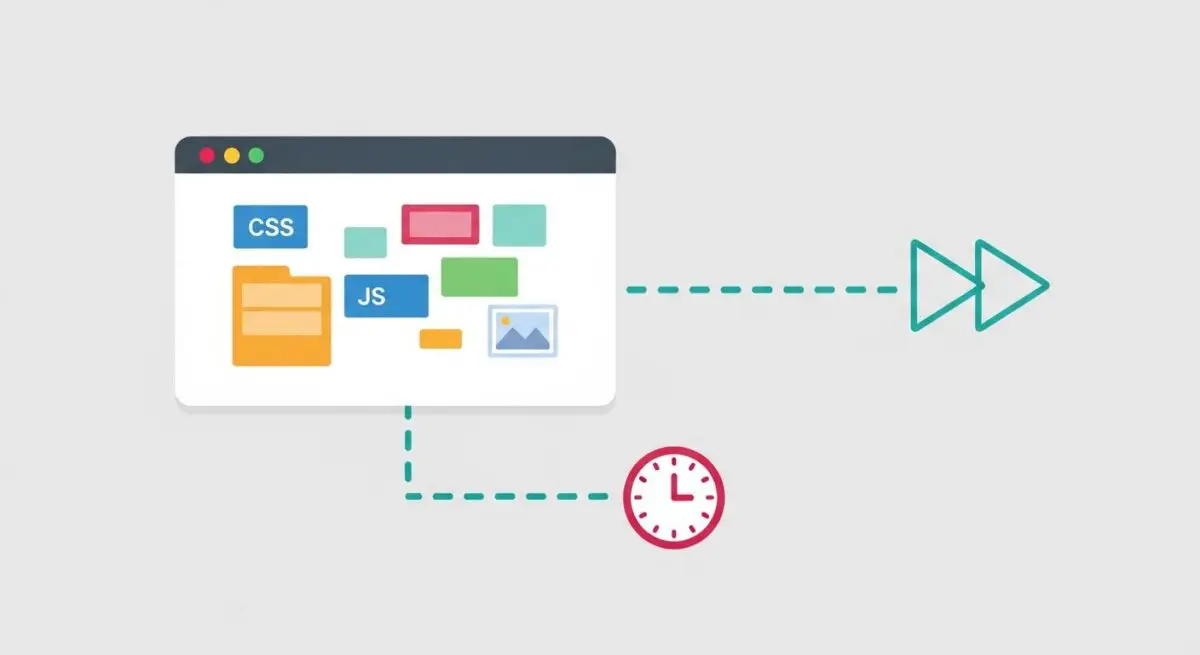
Resource hints are a collection of web standards—including dns-prefetch, preconnect, prefetch, and preload—that allow developers to provide the browser with early instructions regarding resource discovery and connection management. These hints act as a communication layer between the server and the browser’s speculative parser, enabling the browser to perform expensive operations like DNS resolution or asset fetching before the HTML parser encounters the specific reference in the code.
At a technical level, resource hints help mitigate the latency inherent in the Critical Rendering Path (CRP). By declaring these hints in the HTML <head> or via HTTP Link headers, we at Andres SEO Expert ensure that the browser does not remain idle while waiting for the main thread to discover late-bound resources, such as fonts defined in external CSS or background images. This proactive resource management is a cornerstone of modern speed engineering.
The Real-World Analogy
Imagine a high-end restaurant where the chef only starts preparing a dish when the waiter physically hands over the written order. Without resource hints, the browser is that chef, waiting for the parser to reach a specific line of code before acting. Implementing resource hints is like having a sophisticated maître d’ who radios the kitchen the moment a guest sits down, saying, “Table five will definitely order the soufflé.” The kitchen starts preheating the oven and prepping the ingredients immediately. By the time the guest officially places the order, the meal is nearly ready, drastically reducing the wait time and improving the overall experience.
Why is Resource Hints Critical for Website Performance and Speed Engineering?
Resource hints are vital because they address the round-trip time (RTT) bottlenecks that often plague complex, modern websites. For instance, establishing a secure connection to a third-party CDN involves DNS lookup, TCP handshake, and TLS negotiation, which can take hundreds of milliseconds. Using preconnect allows these steps to happen in the background while the browser is still downloading the initial HTML.
Furthermore, resource hints are essential for optimizing Core Web Vitals. Specifically, preload is used to prioritize the Largest Contentful Paint (LCP) element, ensuring that hero images or critical branding fonts are downloaded with the highest priority. This prevents “layout shifts” and ensures that the visual elements of the page are rendered as soon as the browser is ready, directly improving user engagement and search engine rankings in the AI-Search and GEO era.
Best Practices & Implementation
- Prioritize Critical Assets: Use
<link rel="preload">for late-discovered resources that are essential for the initial viewport, such as web fonts or hero images. - Optimize Third-Party Connections: Implement
<link rel="preconnect">for essential external origins (e.g., Google Fonts, CDN, or API endpoints) to resolve connection latency early. - Use dns-prefetch as a Fallback: Always pair
preconnectwithdns-prefetchto ensure that browsers that do not support preconnect can still benefit from early DNS resolution. - Manage Bandwidth with Prefetch: Use
<link rel="prefetch">for low-priority resources that will be needed for the next page navigation, ensuring they are stored in the browser cache without competing for current page resources. - Correct Font Implementation: When preloading fonts, always include the
crossoriginattribute, even if the font is on the same domain, to prevent the browser from fetching the resource twice.
Common Mistakes to Avoid
One frequent error is over-preloading, where developers attempt to preload every asset on the page. This saturates the network’s bandwidth and can actually delay the loading of the main document and other critical resources. Another common mistake is preloading resources that are already easily discoverable by the browser’s scanner, which adds unnecessary complexity to the code without providing a measurable performance gain. Finally, failing to monitor the Priority Hints (like fetchpriority) alongside resource hints can lead to conflicting signals for the browser’s scheduling engine.
Conclusion
Resource hints are indispensable tools for performance architects, allowing for the surgical optimization of resource delivery and connection timing. When implemented correctly, they transform a reactive loading process into a proactive, high-speed rendering engine.